
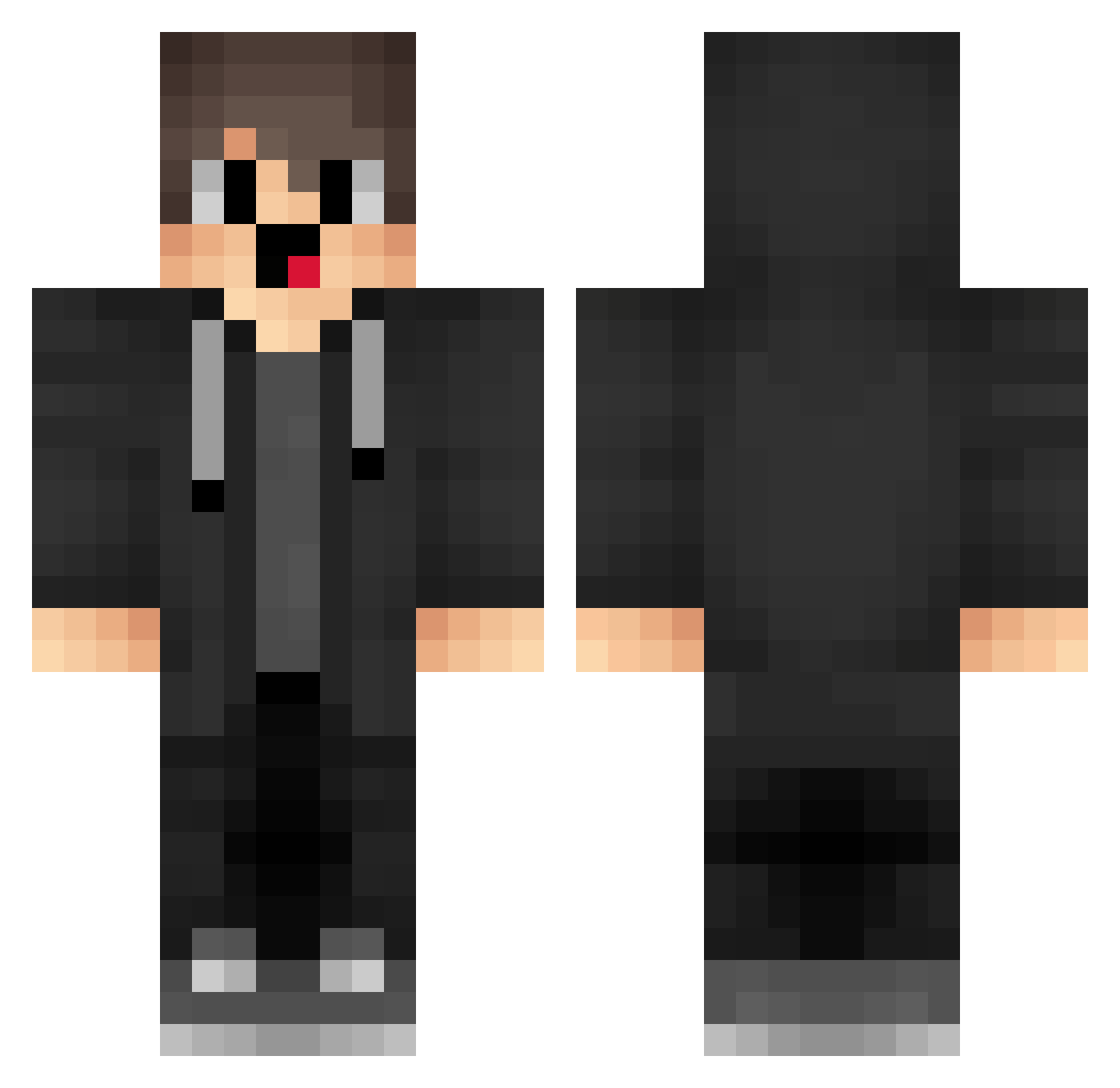
Current Minecraft skin of the player OPv156, loaded from the official Mojang API. Rotate the 3D model with your mouse or finger, then download the skin as a PNG file and use it in Minecraft: Bedrock Edition or Java Edition for free. When OPv156 changes their skin, this page updates automatically and the old skin stays in the history below.
Other players with this skin (1284)
OPv156 was the 1058th player we have seen with this skin, first spotted on 04.10.2026. The same skin was seen on these players. Open a nickname to see their current skin and skin history.
 kQi380 merzisounds pMB333 wAh623 wWI311 fQk107 Stars_hacker uxu327 wrS810 JjG600 xxensa1 XHg792 wMC395 NTU695 Brian_1337 box_MZgUVFGOG391 NnL356 qIv206 Yvr824 jRi308 MAL_pHrJBH Brigan1o1 hNU638 rjj564 twn138 epF672 bgi897 aar968 qzl233 yaz225 Paoh69 qvT525 VVU469 IXX446 jyo722 zAi651 jzd108 karu_nisemono OoU393 bMe135 FirstList2004 jpf_Re box_CrofeqFwQ620 Btf559 yAI524 LkD475 IKT837 oEC652 sDV375 a_JBT814 sKj485 fUw423 FHL935 Jmc658 lbB723 jcL937 box_PjUTYANoP319 PKb214 SniperTX eJZ24
How to install the OPv156 skin
- Press the Download button above to save the skin as a PNG file.
- Minecraft: Bedrock Edition (PE): open the Dressing Room from the main menu (or tap your character → Edit Character), go to Classic Skins → Owned, press the + (new skin) button, choose the downloaded PNG and pick the Classic (Steve) model. Works on PC and mobile; consoles cannot import custom skins.
- Minecraft: Java Edition: open the Minecraft Launcher, go to the Skins tab, click New Skin, load the PNG, pick the Classic (Steve) model and press Save & Use. You can also upload it at minecraft.net → Profile → Change Skin.
The skin does not show up after import - what should I do?
Restart Minecraft and open the Dressing Room again - imported skins sometimes appear only after a restart. Also make sure you selected the imported skin and picked the Classic (Steve) model.
Which model should I choose, Classic or Slim?
This skin is designed for the Classic (Steve) model. If you pick the wrong model, the arms of the skin will look stretched or squeezed.
Is the skin of OPv156 free to download?
Yes. Press Download, save the PNG file and use it in Minecraft: Bedrock Edition or Java Edition - no payment or registration needed. The skin also works on multiplayer servers and Realms.
More skins
Looking for more? Go back to all Minecraft skins and check the top skins of the week, month and all time, or find any player's skin by nickname.