
OPfortyfortea - Minecraft Skins & Skin History
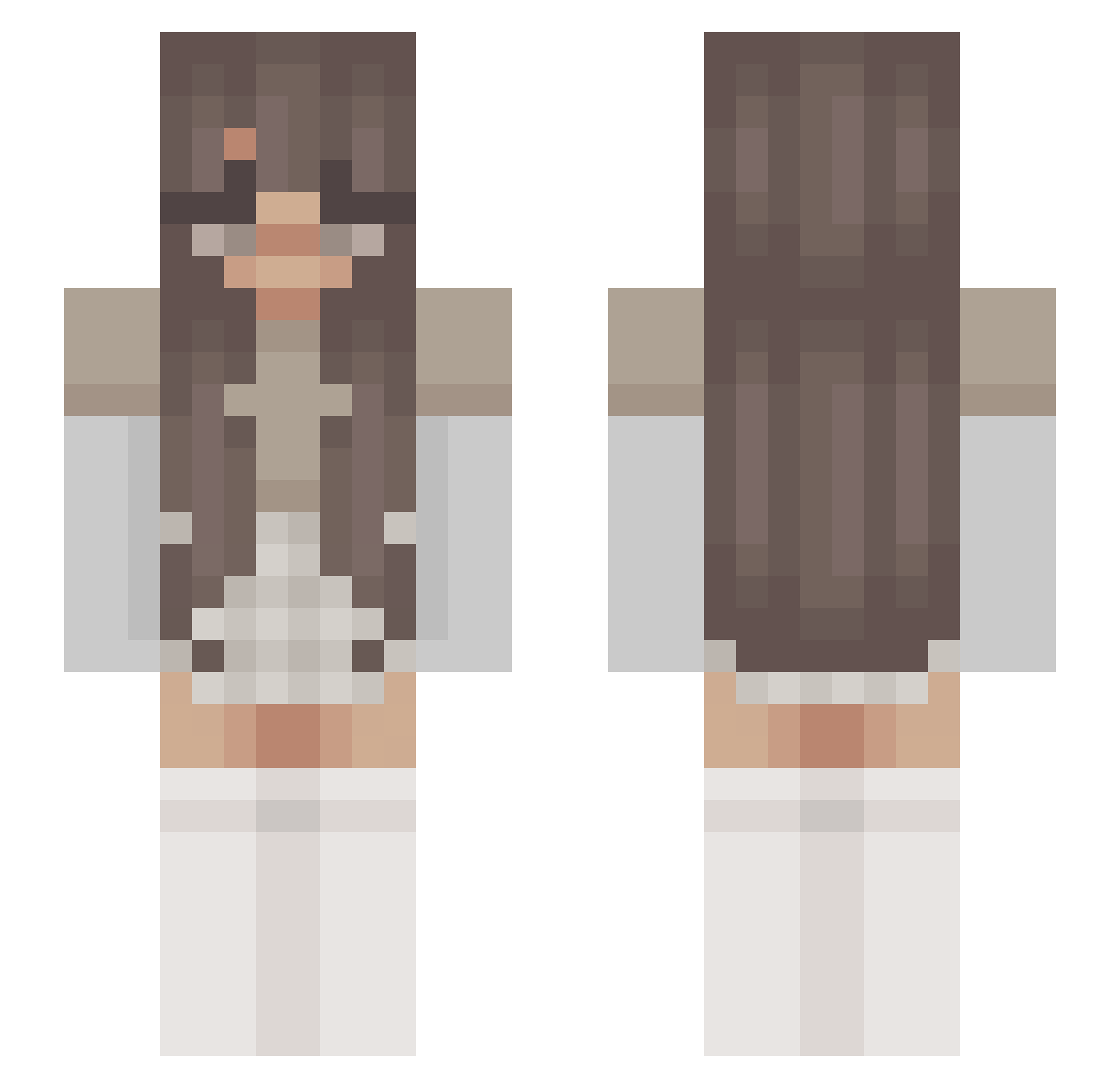
Current Minecraft skin of the player OPfortyfortea, loaded from the official Mojang API. Rotate the 3D model with your mouse or finger, then download the skin as a PNG file and use it in Minecraft: Bedrock Edition or Java Edition for free. When OPfortyfortea changes their skin, this page updates automatically and the old skin stays in the history below.
Other players with this skin (210)
OPfortyfortea was the 112th player we have seen with this skin, first spotted on 19.09.2026. The same skin was seen on these players. Open a nickname to see their current skin and skin history.
 Chibis41 _Gaminggirl_ gmj6002 Adiaaa d0nkeyss Lillapute Leo09xx angelwangle1 parihsfan21 xJoy Immoralexp FieryRoseGirl txy Kathe_Nea kolaid99 PARIHSONTOP twistykoala PollyNancy nora0427 meude ihearttvae Little_Mikashi gecyume amyoung435 _Veronika_M Pothedd madi_tramonte praptillli audrey4456 ZuWild3s OhItsCami MimiMimz cqrmxi mihe12 Enni_Chan _a11ie_ elsbels23 CookieDoe snddix Pelleepalltnacke SnowyOwl_10 OpaII28 Sua13 adellebelle Samie_ bigfatherindia GBYAX Kelsey14500 GetOffMyLawnAva HolographicPoppy KaylaMxriie 710Evot Angie2314 oLxght Rafaelbvb2006 ninsnn lanareldey RoyaleGalaxia Sue08 AnnabelleIsLame
More Aesthetic Minecraft skins
How to install the OPfortyfortea skin
- Press the Download button above to save the skin as a PNG file.
- Minecraft: Bedrock Edition (PE): open the Dressing Room from the main menu (or tap your character → Edit Character), go to Classic Skins → Owned, press the + (new skin) button, choose the downloaded PNG and pick the Slim (Alex) model. Works on PC and mobile; consoles cannot import custom skins.
- Minecraft: Java Edition: open the Minecraft Launcher, go to the Skins tab, click New Skin, load the PNG, pick the Slim (Alex) model and press Save & Use. You can also upload it at minecraft.net → Profile → Change Skin.
The skin does not show up after import - what should I do?
Restart Minecraft and open the Dressing Room again - imported skins sometimes appear only after a restart. Also make sure you selected the imported skin and picked the Slim (Alex) model.
Which model should I choose, Classic or Slim?
This skin is designed for the Slim (Alex) model. If you pick the wrong model, the arms of the skin will look stretched or squeezed.
Is the skin of OPfortyfortea free to download?
Yes. Press Download, save the PNG file and use it in Minecraft: Bedrock Edition or Java Edition - no payment or registration needed. The skin also works on multiplayer servers and Realms.
More skins
Looking for more? Go back to all Minecraft skins and check the top skins of the week, month and all time, or find any player's skin by nickname.