
ODDGF - Minecraft Skins & Skin History
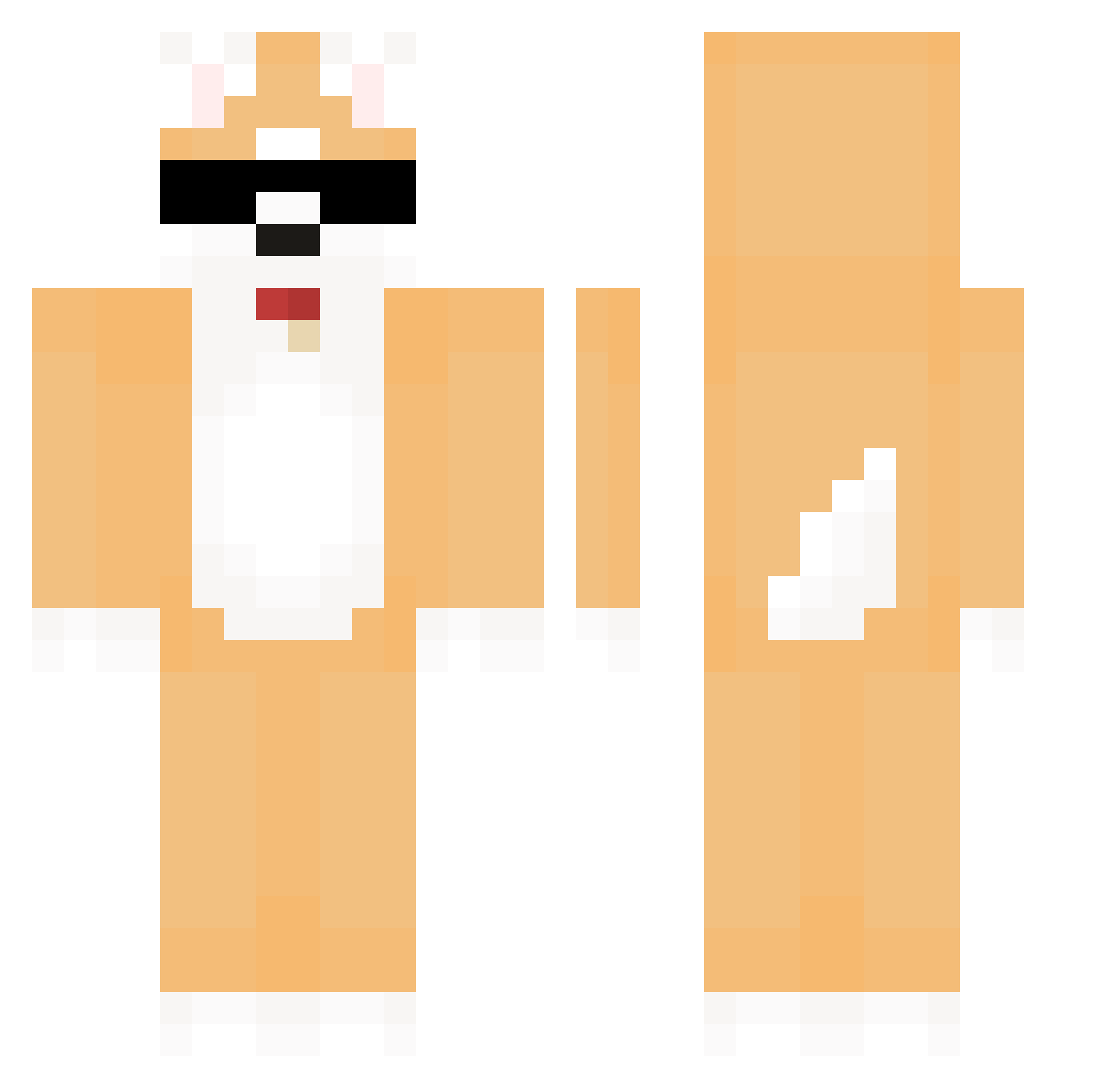
Current Minecraft skin of the player ODDGF, loaded from the official Mojang API. Rotate the 3D model with your mouse or finger, then download the skin as a PNG file and use it in Minecraft: Bedrock Edition or Java Edition for free. When ODDGF changes their skin, this page updates automatically and the old skin stays in the history below.
Other players with this skin (581)
ODDGF was the 307th player we have seen with this skin, first spotted on 21.09.2026. The same skin was seen on these players. Open a nickname to see their current skin and skin history.
 COUCACOLA Souls_Flower TobiandFwends _munn_ laiag1 seohan1111 seodh72 8292 Joaat sezero0830 hvvii Pil_Seung Passidn_Chick arandomgmrtg usanbujang07 sleeping406 AKHJ hangye1 Dogeycoin UhMan04 CabbageIcecream HiruDoge MQJ7788 Mantely DDO_LANG Costotoso papaco99 L031JS LongJin minhyeok616 motherfather12 JJUN0315 Hamchan195 luopapa JANGSPACE Sory8185 Dios_Jona dollyee konohadetu Fireggx2 katsu0513 DogX_JP namhoKIM griffonmarz DrWegi Ynkg_Future maromaromaro0 elhightupapi Herkymin Justinechtr84 skelll785 don9w0o M_kr Bahjoe ChilGAB gekonra kyc0725 RAD__SHIBA Lostangeles12 AbValley
More Shiba Inu Minecraft skins
How to install the ODDGF skin
- Press the Download button above to save the skin as a PNG file.
- Minecraft: Bedrock Edition (PE): open the Dressing Room from the main menu (or tap your character → Edit Character), go to Classic Skins → Owned, press the + (new skin) button, choose the downloaded PNG and pick the Classic (Steve) model. Works on PC and mobile; consoles cannot import custom skins.
- Minecraft: Java Edition: open the Minecraft Launcher, go to the Skins tab, click New Skin, load the PNG, pick the Classic (Steve) model and press Save & Use. You can also upload it at minecraft.net → Profile → Change Skin.
The skin does not show up after import - what should I do?
Restart Minecraft and open the Dressing Room again - imported skins sometimes appear only after a restart. Also make sure you selected the imported skin and picked the Classic (Steve) model.
Which model should I choose, Classic or Slim?
This skin is designed for the Classic (Steve) model. If you pick the wrong model, the arms of the skin will look stretched or squeezed.
Is the skin of ODDGF free to download?
Yes. Press Download, save the PNG file and use it in Minecraft: Bedrock Edition or Java Edition - no payment or registration needed. The skin also works on multiplayer servers and Realms.
More skins
Looking for more? Go back to all Minecraft skins and check the top skins of the week, month and all time, or find any player's skin by nickname.