
NuttoTP - Minecraft Skins & Skin History
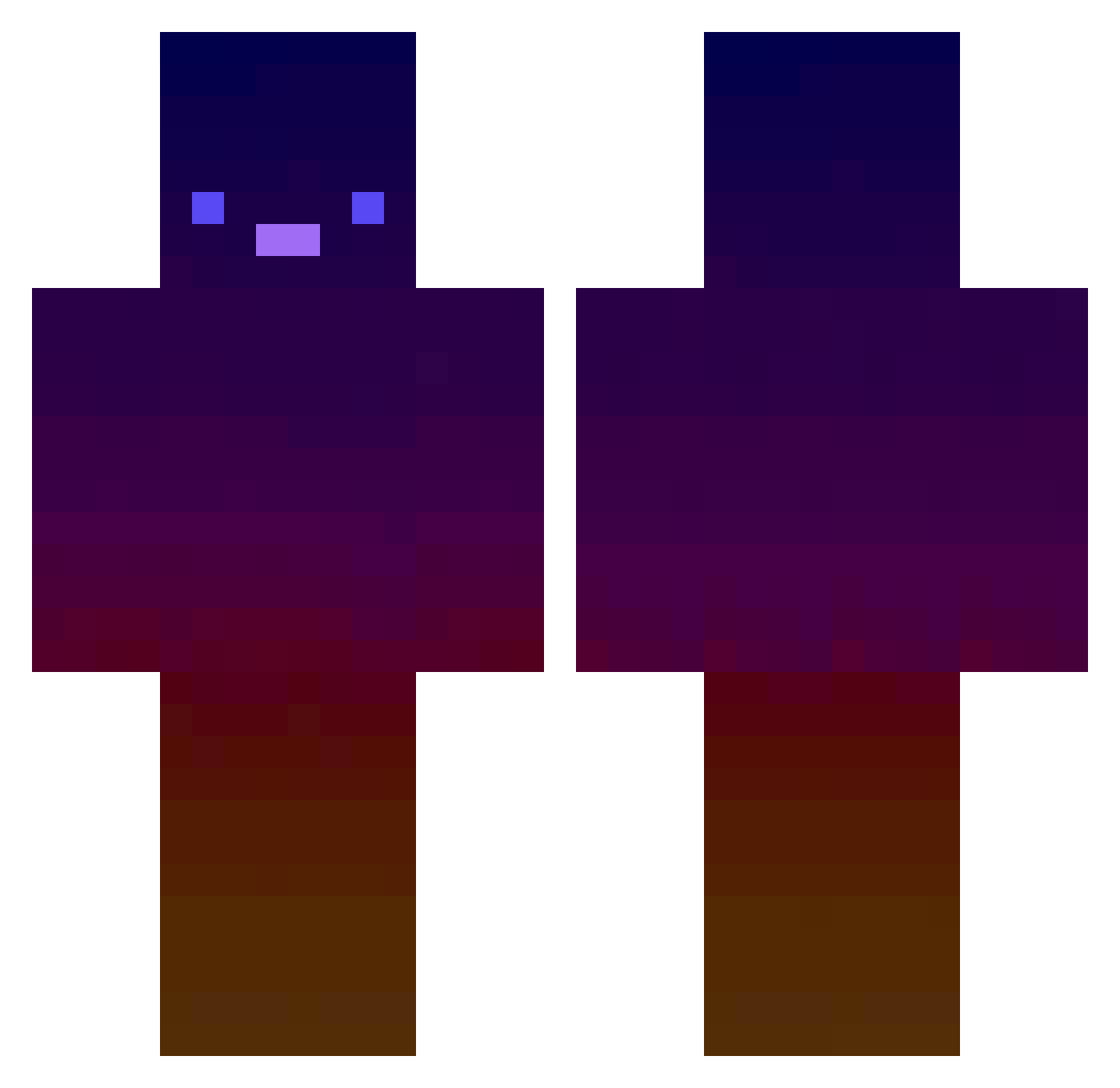
Current Minecraft skin of the player NuttoTP, loaded from the official Mojang API. Rotate the 3D model with your mouse or finger, then download the skin as a PNG file and use it in Minecraft: Bedrock Edition or Java Edition for free. When NuttoTP changes their skin, this page updates automatically and the old skin stays in the history below.
Other players with this skin (476)
NuttoTP was the 454th player we have seen with this skin, first spotted on 21.10.2026. The same skin was seen on these players. Open a nickname to see their current skin and skin history.
 Randez2928 Lazzaro2004 HB28_ Wot_tork BBoXuR torakiti1115 dhtksaufclvk1234 nicefish FamousCiel melon1302 Jin_ssk Pearl1 UsadaJasora SyxPriorities LeeAegis MantisShrimp10 ItzRedims coreyvinci hoon767 ugabugatabaluga Snikergold TheCrafterX Gamerjimmy22 TheDynam1C Zzebulon1 masteryo3 themadmar mrlingo69 Bartequlo StarSpice88 alsdh AidanDa0ne Haina71 AeroGaze ShadowRTZ Kanyenutss R3gdoll the_sniper_ Kogetsudai Gak_2 TitanAssaillan MxFox_ 0ptifineDev nikreyes Timo_91 DaBoomAlt6 Mudluf LiptonLava M4linaaa Floscke _Curupira_ GamePlayerPG SlMELO yohanleee XLegendGD2425 LeJnoon MonPetitMars Reazah Not_Lipiton DrCoukies
How to install the NuttoTP skin
- Press the Download button above to save the skin as a PNG file.
- Minecraft: Bedrock Edition (PE): open the Dressing Room from the main menu (or tap your character → Edit Character), go to Classic Skins → Owned, press the + (new skin) button, choose the downloaded PNG and pick the Classic (Steve) model. Works on PC and mobile; consoles cannot import custom skins.
- Minecraft: Java Edition: open the Minecraft Launcher, go to the Skins tab, click New Skin, load the PNG, pick the Classic (Steve) model and press Save & Use. You can also upload it at minecraft.net → Profile → Change Skin.
The skin does not show up after import - what should I do?
Restart Minecraft and open the Dressing Room again - imported skins sometimes appear only after a restart. Also make sure you selected the imported skin and picked the Classic (Steve) model.
Which model should I choose, Classic or Slim?
This skin is designed for the Classic (Steve) model. If you pick the wrong model, the arms of the skin will look stretched or squeezed.
Is the skin of NuttoTP free to download?
Yes. Press Download, save the PNG file and use it in Minecraft: Bedrock Edition or Java Edition - no payment or registration needed. The skin also works on multiplayer servers and Realms.
More skins
Looking for more? Go back to all Minecraft skins and check the top skins of the week, month and all time, or find any player's skin by nickname.