
NumbNuts3000 - Minecraft Skins & Skin History
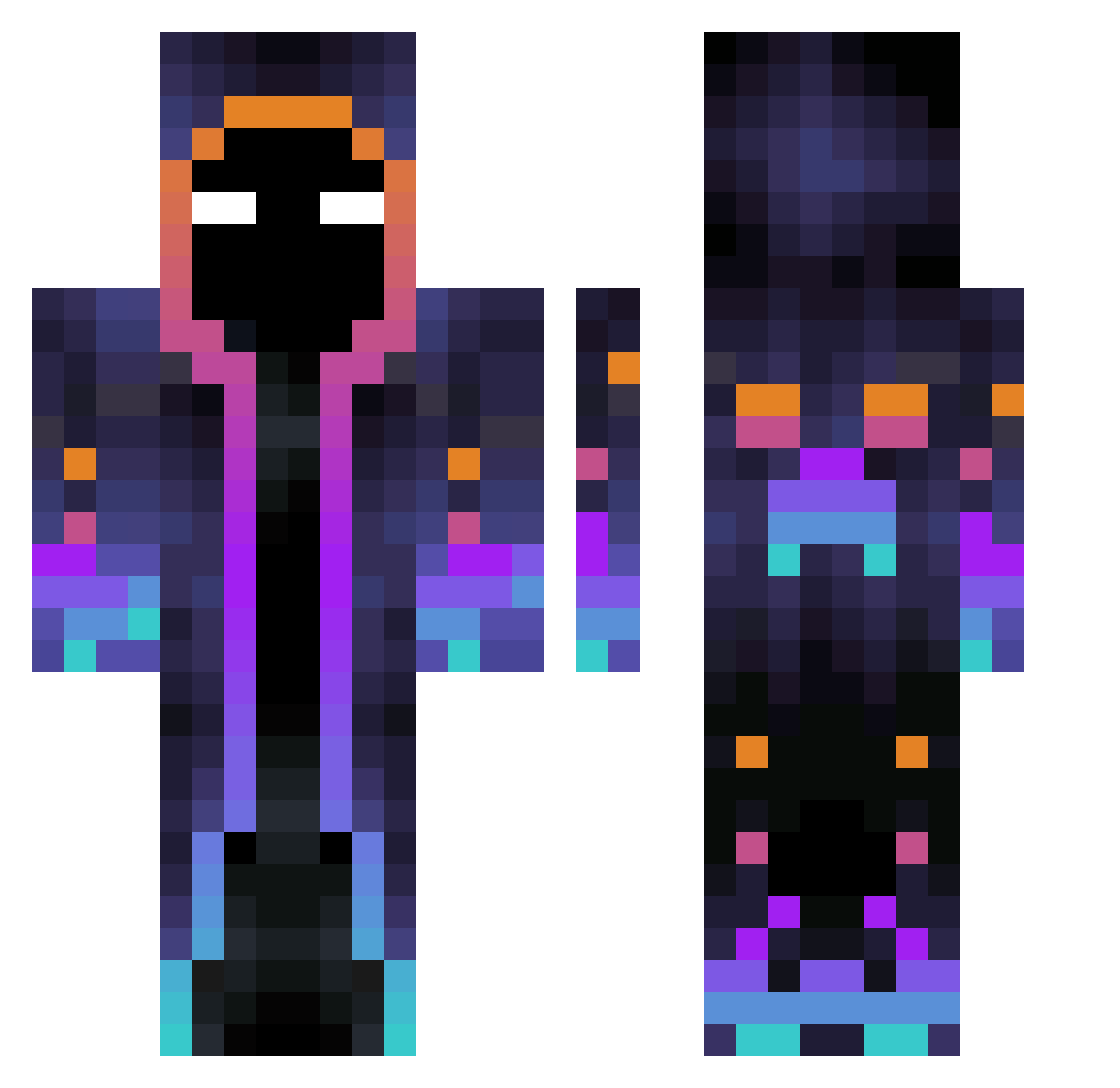
Current Minecraft skin of the player NumbNuts3000, loaded from the official Mojang API. Rotate the 3D model with your mouse or finger, then download the skin as a PNG file and use it in Minecraft: Bedrock Edition or Java Edition for free. When NumbNuts3000 changes their skin, this page updates automatically and the old skin stays in the history below.
Other players with this skin (502)
NumbNuts3000 was the 130th player we have seen with this skin, first spotted on 18.08.2026. The same skin was seen on these players. Open a nickname to see their current skin and skin history.
 Igzult HellOxIU DREAMING3 Kenndell KAI_95 oceanx8 _FireStormSin_ papaboter_0413 Helioomar4 RYUUXER Kisddre McDaby Deestrophy JimmyHandrix Kingxiaorao Y4C0B malteMC Overlord7969 KingDVP Jobabz Slin009 WoodydoMine wilner_de_wean lowkey_nasty ENDERMAN0246810 chababa itztrapzz kyarming Deodatoo AriiDark ahawu canerboy Reyx183 ByronCa27 MatheusMB artlox03 Clarkridge414 oSam0702 Schokolade771 Naski4a_1 Angel_Pro12 Yalqy63 igui5582 Ambrogino012 EternalOneOg bazabam Alfa4902 EZDREAZ Keremkunduk Red_Creeper77 syarererere MaungTWC Jamespre00 Kanies2010 xuanyile Subjii FOOD_Code falseU1pyU5ygSv2 Marikel321 leon221
More Galaxy Minecraft skins
How to install the NumbNuts3000 skin
- Press the Download button above to save the skin as a PNG file.
- Minecraft: Bedrock Edition (PE): open the Dressing Room from the main menu (or tap your character → Edit Character), go to Classic Skins → Owned, press the + (new skin) button, choose the downloaded PNG and pick the Classic (Steve) model. Works on PC and mobile; consoles cannot import custom skins.
- Minecraft: Java Edition: open the Minecraft Launcher, go to the Skins tab, click New Skin, load the PNG, pick the Classic (Steve) model and press Save & Use. You can also upload it at minecraft.net → Profile → Change Skin.
The skin does not show up after import - what should I do?
Restart Minecraft and open the Dressing Room again - imported skins sometimes appear only after a restart. Also make sure you selected the imported skin and picked the Classic (Steve) model.
Which model should I choose, Classic or Slim?
This skin is designed for the Classic (Steve) model. If you pick the wrong model, the arms of the skin will look stretched or squeezed.
Is the skin of NumbNuts3000 free to download?
Yes. Press Download, save the PNG file and use it in Minecraft: Bedrock Edition or Java Edition - no payment or registration needed. The skin also works on multiplayer servers and Realms.
More skins
Looking for more? Go back to all Minecraft skins and check the top skins of the week, month and all time, or find any player's skin by nickname.