
NtuS223 - Minecraft Skins & Skin History
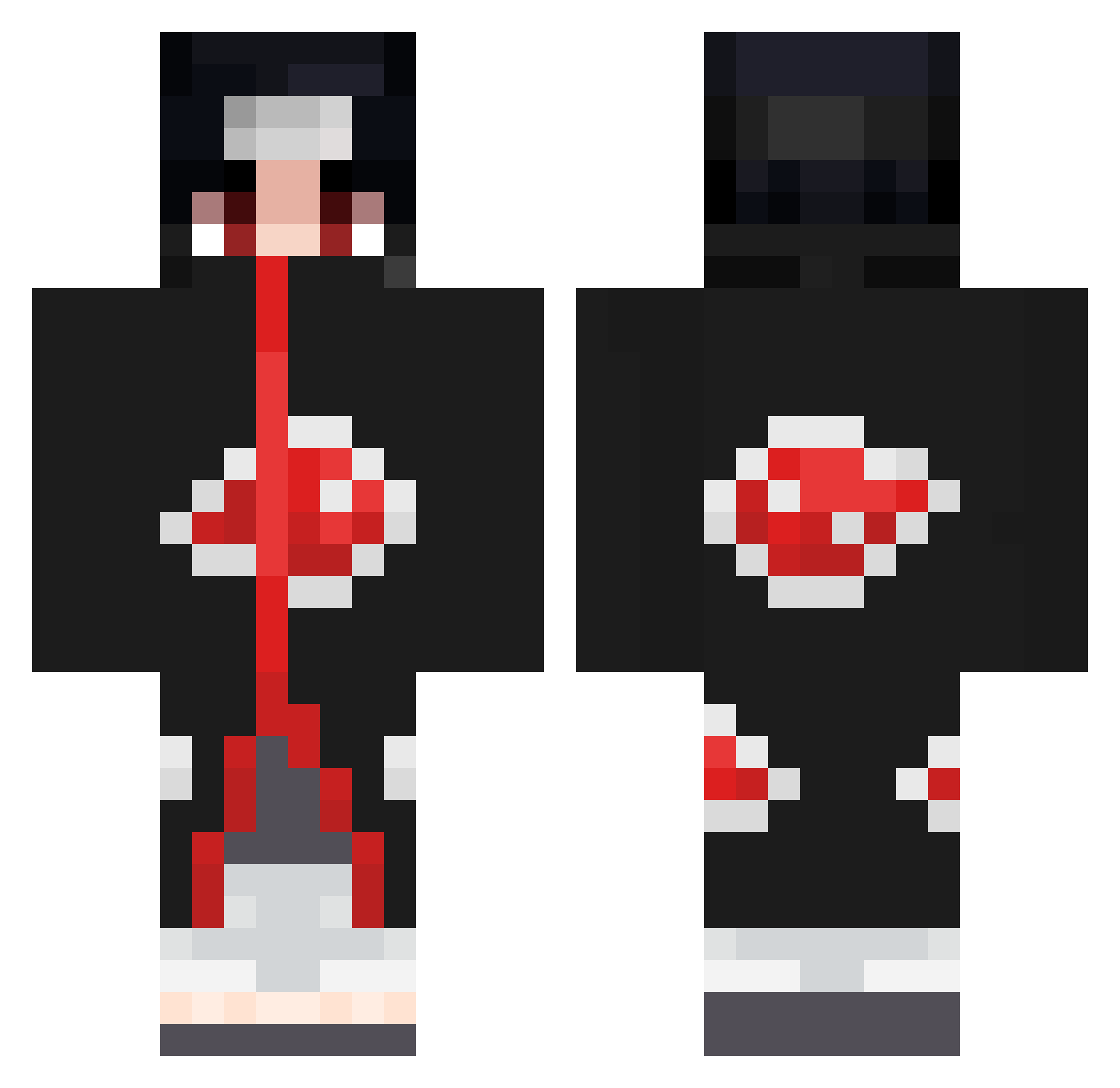
Current Minecraft skin of the player NtuS223, loaded from the official Mojang API. Rotate the 3D model with your mouse or finger, then download the skin as a PNG file and use it in Minecraft: Bedrock Edition or Java Edition for free. When NtuS223 changes their skin, this page updates automatically and the old skin stays in the history below.
Other players with this skin (670)
NtuS223 was the 274th player we have seen with this skin, first spotted on 05.09.2026. The same skin was seen on these players. Open a nickname to see their current skin and skin history.
 ImDtaZz MasterGelo LauissTV Jaimyo _UNKNOWN_X_12 MrBeast100 Xtra21 CiCo_Splash Alkura22 lyorr28 shadowfear555 XxSIRLAGSALOTxX TR_Mehmet06 Daxx0714 Soso_11 Blakos1 Galaxii09 knoepbonque Ouuki MikeyUchiha elrachul TymeWhatever Achboots TooPrecious SaigoArt Revan2719 Doune93 VitalZenq kev_dawg_ OofLord212 Kincsor Macieira7 GzNeyrox XxlolerxX88 MadKles Lavex_ D4v1dB Giu_sepp6414 Mysto26 szaszdavid nono__70 ANT1CH3AT Edgargeorge DrBigLoven LittleSlow187 thelastuchiha189 UnholyFace staryegam 21LKY 4valanch3 NickDasPig spoofTM playmyy nello_abate Le_P Szati95 Dran1tw AngeIII Smoke_69 Pueblo0843
More Itachi Uchiha Minecraft skins
See all 318 Itachi Uchiha skins
How to install the NtuS223 skin
- Press the Download button above to save the skin as a PNG file.
- Minecraft: Bedrock Edition (PE): open the Dressing Room from the main menu (or tap your character → Edit Character), go to Classic Skins → Owned, press the + (new skin) button, choose the downloaded PNG and pick the Classic (Steve) model. Works on PC and mobile; consoles cannot import custom skins.
- Minecraft: Java Edition: open the Minecraft Launcher, go to the Skins tab, click New Skin, load the PNG, pick the Classic (Steve) model and press Save & Use. You can also upload it at minecraft.net → Profile → Change Skin.
The skin does not show up after import - what should I do?
Restart Minecraft and open the Dressing Room again - imported skins sometimes appear only after a restart. Also make sure you selected the imported skin and picked the Classic (Steve) model.
Which model should I choose, Classic or Slim?
This skin is designed for the Classic (Steve) model. If you pick the wrong model, the arms of the skin will look stretched or squeezed.
Is the skin of NtuS223 free to download?
Yes. Press Download, save the PNG file and use it in Minecraft: Bedrock Edition or Java Edition - no payment or registration needed. The skin also works on multiplayer servers and Realms.
More skins
Looking for more? Go back to all Minecraft skins and check the top skins of the week, month and all time, or find any player's skin by nickname.