
Noxyd0_0b - Minecraft Skins & Skin History
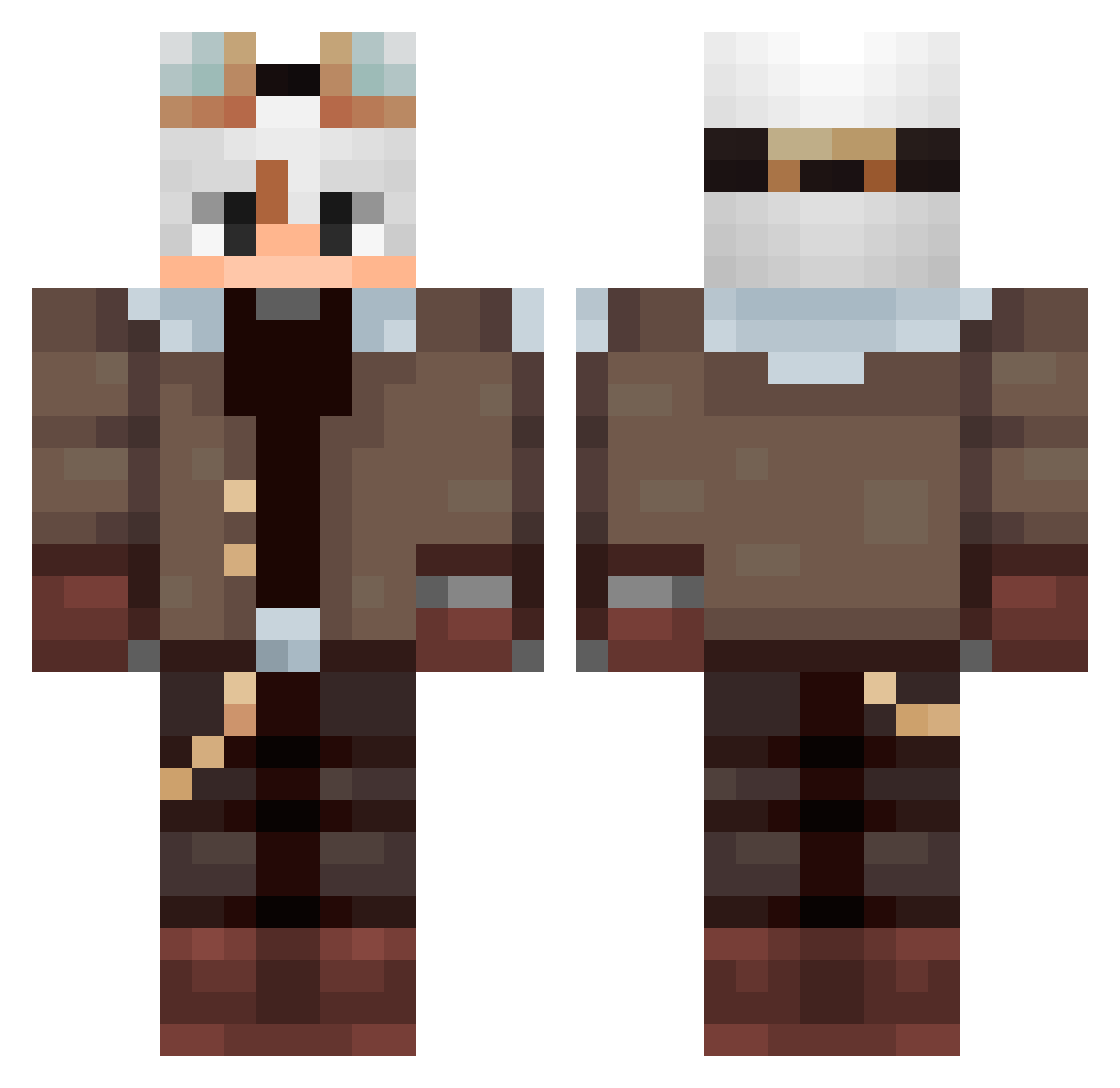
Current Minecraft skin of the player Noxyd0_0b, loaded from the official Mojang API. Rotate the 3D model with your mouse or finger, then download the skin as a PNG file and use it in Minecraft: Bedrock Edition or Java Edition for free. When Noxyd0_0b changes their skin, this page updates automatically and the old skin stays in the history below.
Other players with this skin (94)
Noxyd0_0b was the 34th player we have seen with this skin, first spotted on 29.08.2026. The same skin was seen on these players. Open a nickname to see their current skin and skin history.
 Pedrox85 NameErik juxyxy toufu14 Krm_y Agahq Alphadrache Uanilla HappeeMarco veraazard Xuxuaa MONO330 6ixgedo plaidVirtuous Pyr8angl84 chendawan
 vdetoro06 Gweine Marael78
 yxnpl Artem_mint luquerde Maciek1811 Yuhuacijiu ElioRax BigElros lazydreamss wuz6767 DomDooSi ARuRiRoRu DeltaKill MalboroDeCanela m1dn1ght99 zievelourfog D4RK_XCVIII FenricNivar Francisco_San Jazien_ padowan4381 Ming__Chen Muxu32 Fyreon_HD SukaDura Galaxgamer33 ArtezPL SOUTHKEN kOMenSey Sr_Manii Gamer23345 Saint_Morning354 lovelysixx uykumc MaralonHj SalFetKaaa
 KayTo27 amazing_baldi Fabore IFQI jovemricky yWxlfii
More Aviator Minecraft skins
How to install the Noxyd0_0b skin
- Press the Download button above to save the skin as a PNG file.
- Minecraft: Bedrock Edition (PE): open the Dressing Room from the main menu (or tap your character → Edit Character), go to Classic Skins → Owned, press the + (new skin) button, choose the downloaded PNG and pick the Classic (Steve) model. Works on PC and mobile; consoles cannot import custom skins.
- Minecraft: Java Edition: open the Minecraft Launcher, go to the Skins tab, click New Skin, load the PNG, pick the Classic (Steve) model and press Save & Use. You can also upload it at minecraft.net → Profile → Change Skin.
The skin does not show up after import - what should I do?
Restart Minecraft and open the Dressing Room again - imported skins sometimes appear only after a restart. Also make sure you selected the imported skin and picked the Classic (Steve) model.
Which model should I choose, Classic or Slim?
This skin is designed for the Classic (Steve) model. If you pick the wrong model, the arms of the skin will look stretched or squeezed.
Is the skin of Noxyd0_0b free to download?
Yes. Press Download, save the PNG file and use it in Minecraft: Bedrock Edition or Java Edition - no payment or registration needed. The skin also works on multiplayer servers and Realms.
More skins
Looking for more? Go back to all Minecraft skins and check the top skins of the week, month and all time, or find any player's skin by nickname.