
NotSebastian_ - Minecraft Skins & Skin History
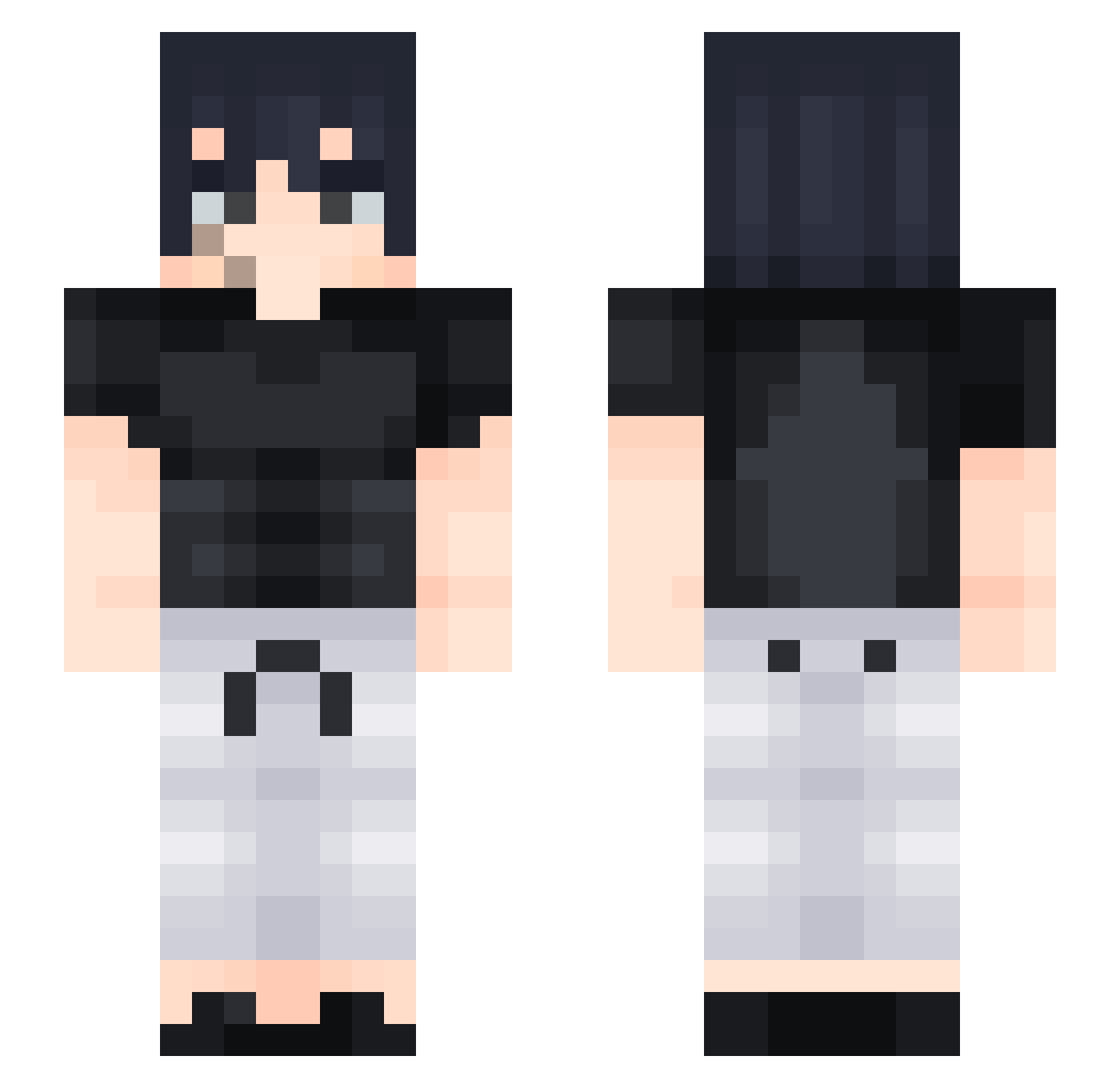
Current Minecraft skin of the player NotSebastian_, loaded from the official Mojang API. Rotate the 3D model with your mouse or finger, then download the skin as a PNG file and use it in Minecraft: Bedrock Edition or Java Edition for free. When NotSebastian_ changes their skin, this page updates automatically and the old skin stays in the history below.
Other players with this skin (427)
NotSebastian_ was the 274th player we have seen with this skin, first spotted on 02.10.2026. The same skin was seen on these players. Open a nickname to see their current skin and skin history.
 warlockfps BouuGHAMs GoldenSword701 Leesinvida Vimun SirAndres98 Patixyz Drater1 HonouredSully MIG32123 TakenByShoT_ donovansio7111 Youngsosa69 Arangiu11 chrirche windtuna BARBAPAWAR Deweyyy1 GODKINGXD MonkyPoxi Ttv_dogsman jimbo007j El_Mirio JuanKiMp AfaTsUm07 DLegendGhost jerromeiscool FireFist_Phoenix AceEli07 Fabi7 RenzoYT3542 DE4NTRBL DogLadrao YOHAR_ Barco38 MegaLeon11 willysomf Blast_Alpha TempestxC Sens3i__ Xzuremon Nottaher KYrieFANS JakeDT14M jze_i gwihyeon viktor20201 FOGGO18 K3rim_66 TTVsoggy_bagel21 IdDaVinci Shadow_Blue_Moon Maurizxl2 Gokukid555 N_ightNight NIK1TAR Lanthalos emanueldnts_ ttvaidanteed Ragnarokacv
More Sasuke Uchiha Minecraft skins
See all 727 Sasuke Uchiha skins
How to install the NotSebastian_ skin
- Press the Download button above to save the skin as a PNG file.
- Minecraft: Bedrock Edition (PE): open the Dressing Room from the main menu (or tap your character → Edit Character), go to Classic Skins → Owned, press the + (new skin) button, choose the downloaded PNG and pick the Slim (Alex) model. Works on PC and mobile; consoles cannot import custom skins.
- Minecraft: Java Edition: open the Minecraft Launcher, go to the Skins tab, click New Skin, load the PNG, pick the Slim (Alex) model and press Save & Use. You can also upload it at minecraft.net → Profile → Change Skin.
The skin does not show up after import - what should I do?
Restart Minecraft and open the Dressing Room again - imported skins sometimes appear only after a restart. Also make sure you selected the imported skin and picked the Slim (Alex) model.
Which model should I choose, Classic or Slim?
This skin is designed for the Slim (Alex) model. If you pick the wrong model, the arms of the skin will look stretched or squeezed.
Is the skin of NotSebastian_ free to download?
Yes. Press Download, save the PNG file and use it in Minecraft: Bedrock Edition or Java Edition - no payment or registration needed. The skin also works on multiplayer servers and Realms.
More skins
Looking for more? Go back to all Minecraft skins and check the top skins of the week, month and all time, or find any player's skin by nickname.