
NotRetix - Minecraft Skins & Skin History
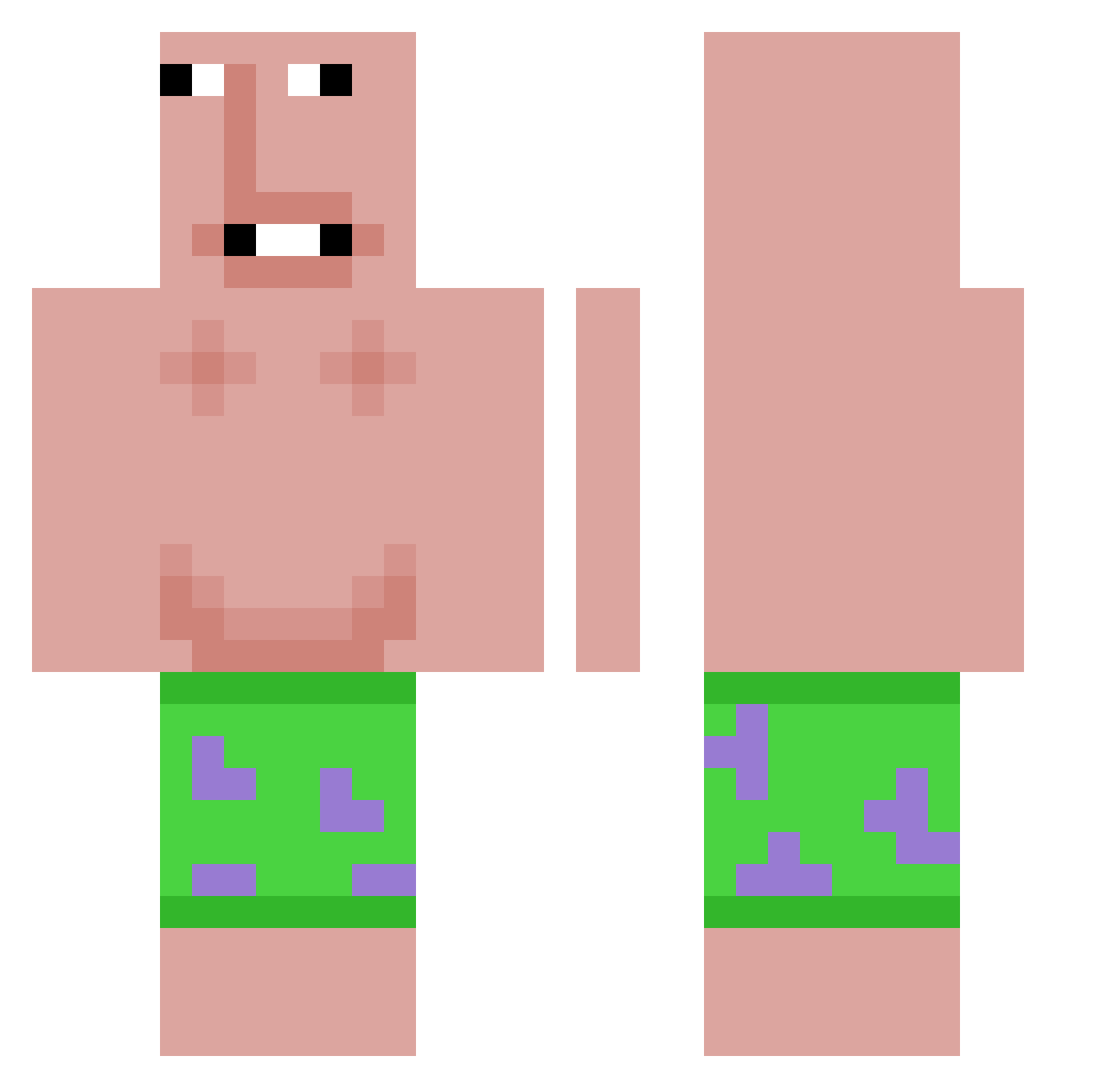
Current Minecraft skin of the player NotRetix, loaded from the official Mojang API. Rotate the 3D model with your mouse or finger, then download the skin as a PNG file and use it in Minecraft: Bedrock Edition or Java Edition for free. When NotRetix changes their skin, this page updates automatically and the old skin stays in the history below.
Other players with this skin (579)
NotRetix was the 433rd player we have seen with this skin, first spotted on 06.10.2026. The same skin was seen on these players. Open a nickname to see their current skin and skin history.
 MiniAssassin1726 DouglasCube TacoCake1 schwarzenigel lettucefarmer_00 SvGePhoenix AvivGefen 0xgp0 RIZZLER107 KOTOBLADE odomen859 LAYZENLEBABOUIN Rokaspro9 Firulai666 POPECOOL wonhoo9979 Jimmso Joaolucas0215 horst0711 Elpingu33 SmellyPoon1 X1nTY Itz_Czacha WojtasM9652 Comferyosher QU4DR4 67diddymaster eliasvis GOLDENwaffle690 cadealex0307 satellitev19 funnydoge4367 Qiban_ n0_one1 Bent_Bilulykke ygnf MisterNSQ Kimbory1013 ilyaugustt fanmount Pontansson flowsack THISISMYNAMEEE Bananaboy1792 Robmatze liuziqi12341 Doofbewohner187 asuka020202 DMis KlaiDer_ Voxii3 Nikk0GG PJSmells abumousa gyeop_sal Sincoope0 kacpi0212 albinomonkey8 Greed1e JadensKloete
More Patrick Star Minecraft skins
See all 612 Patrick Star skins
How to install the NotRetix skin
- Press the Download button above to save the skin as a PNG file.
- Minecraft: Bedrock Edition (PE): open the Dressing Room from the main menu (or tap your character → Edit Character), go to Classic Skins → Owned, press the + (new skin) button, choose the downloaded PNG and pick the Classic (Steve) model. Works on PC and mobile; consoles cannot import custom skins.
- Minecraft: Java Edition: open the Minecraft Launcher, go to the Skins tab, click New Skin, load the PNG, pick the Classic (Steve) model and press Save & Use. You can also upload it at minecraft.net → Profile → Change Skin.
The skin does not show up after import - what should I do?
Restart Minecraft and open the Dressing Room again - imported skins sometimes appear only after a restart. Also make sure you selected the imported skin and picked the Classic (Steve) model.
Which model should I choose, Classic or Slim?
This skin is designed for the Classic (Steve) model. If you pick the wrong model, the arms of the skin will look stretched or squeezed.
Is the skin of NotRetix free to download?
Yes. Press Download, save the PNG file and use it in Minecraft: Bedrock Edition or Java Edition - no payment or registration needed. The skin also works on multiplayer servers and Realms.
More skins
Looking for more? Go back to all Minecraft skins and check the top skins of the week, month and all time, or find any player's skin by nickname.