
NoodleSnake21 - Minecraft Skins & Skin History
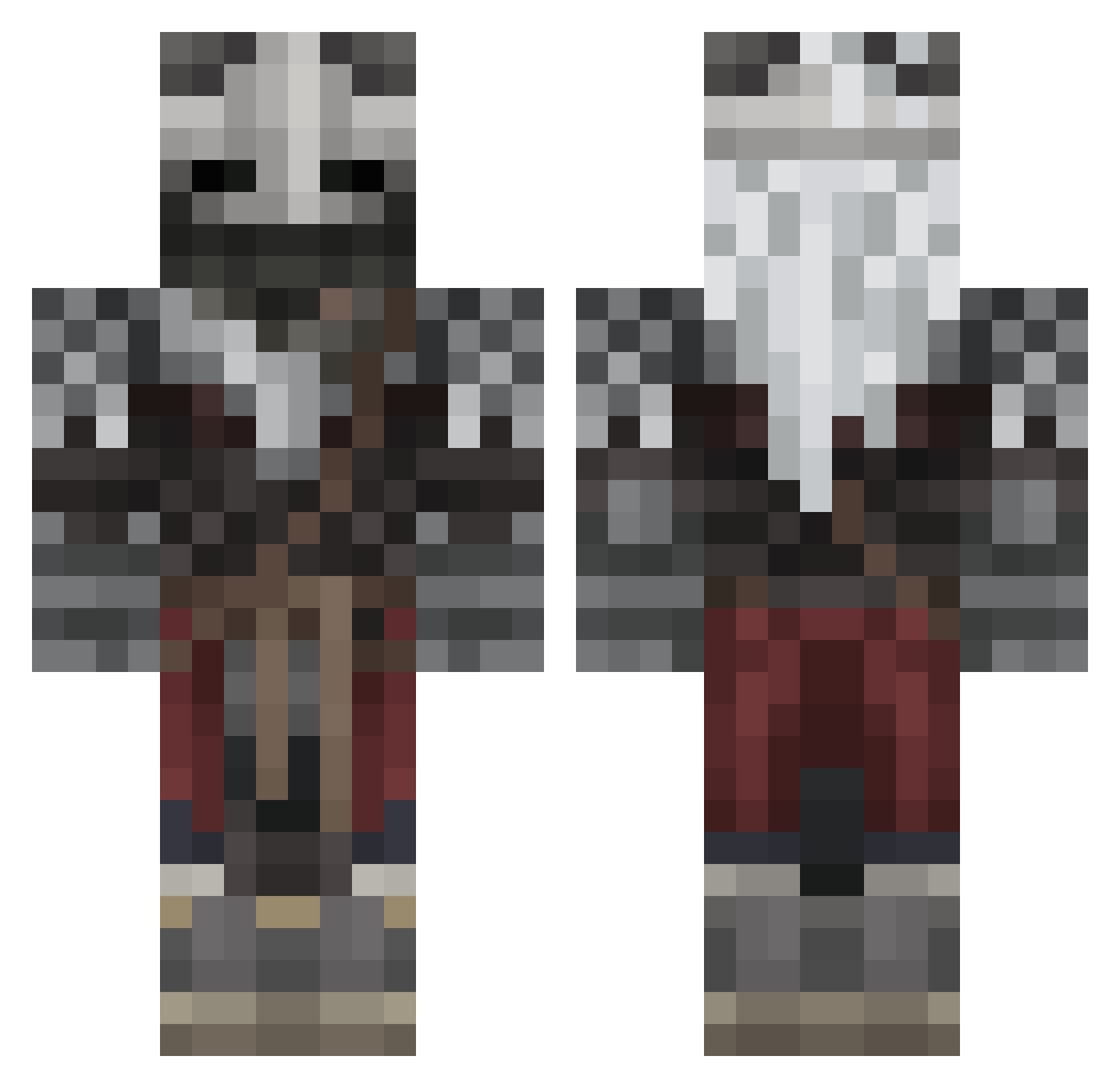
Current Minecraft skin of the player NoodleSnake21, loaded from the official Mojang API. Rotate the 3D model with your mouse or finger, then download the skin as a PNG file and use it in Minecraft: Bedrock Edition or Java Edition for free. When NoodleSnake21 changes their skin, this page updates automatically and the old skin stays in the history below.
Other players with this skin (569)
NoodleSnake21 was the 238th player we have seen with this skin, first spotted on 12.09.2026. The same skin was seen on these players. Open a nickname to see their current skin and skin history.
 _Bast1_ Tone97 LaGnaule R07robot SuperToast7 darklordrayleigh bloodstainedfang EldenBruh C0OL_MAN NannyMcPhee4789 Urbenjokester Baddest312 yupitsneb StinkerMachine gaviniii LocoMendoza woufou _feelz Puddle_Slime_ maxy25k Ikerromo54 KIMWARDEN memotoxin GuyDoctorGuy Flashy938 MusoSsolini L1amG01den 1nonlyApollo Michael3489
 NomadGenesis15 Aeonax ImJetcop Stromhardt Royal_Regulus CipherCX omer__2 FlemTheCook sebthetomato TTVGregHeffley SammieDoo J03mamma BabyJesus8503 CarTomeX VenomEmi GubGubson Tizi457 CD030982 IAdoreFemBoys YuzuWA04 __Kitt_ catapimbas1 RUINEDFantasy BlusWolf MrblankMC NoONeZ1123 xpiezie HeinzBeans1869 ColdPot RetroRuby Pickle_sandwitch
More Warrior Minecraft skins
How to install the NoodleSnake21 skin
- Press the Download button above to save the skin as a PNG file.
- Minecraft: Bedrock Edition (PE): open the Dressing Room from the main menu (or tap your character → Edit Character), go to Classic Skins → Owned, press the + (new skin) button, choose the downloaded PNG and pick the Classic (Steve) model. Works on PC and mobile; consoles cannot import custom skins.
- Minecraft: Java Edition: open the Minecraft Launcher, go to the Skins tab, click New Skin, load the PNG, pick the Classic (Steve) model and press Save & Use. You can also upload it at minecraft.net → Profile → Change Skin.
The skin does not show up after import - what should I do?
Restart Minecraft and open the Dressing Room again - imported skins sometimes appear only after a restart. Also make sure you selected the imported skin and picked the Classic (Steve) model.
Which model should I choose, Classic or Slim?
This skin is designed for the Classic (Steve) model. If you pick the wrong model, the arms of the skin will look stretched or squeezed.
Is the skin of NoodleSnake21 free to download?
Yes. Press Download, save the PNG file and use it in Minecraft: Bedrock Edition or Java Edition - no payment or registration needed. The skin also works on multiplayer servers and Realms.
More skins
Looking for more? Go back to all Minecraft skins and check the top skins of the week, month and all time, or find any player's skin by nickname.