
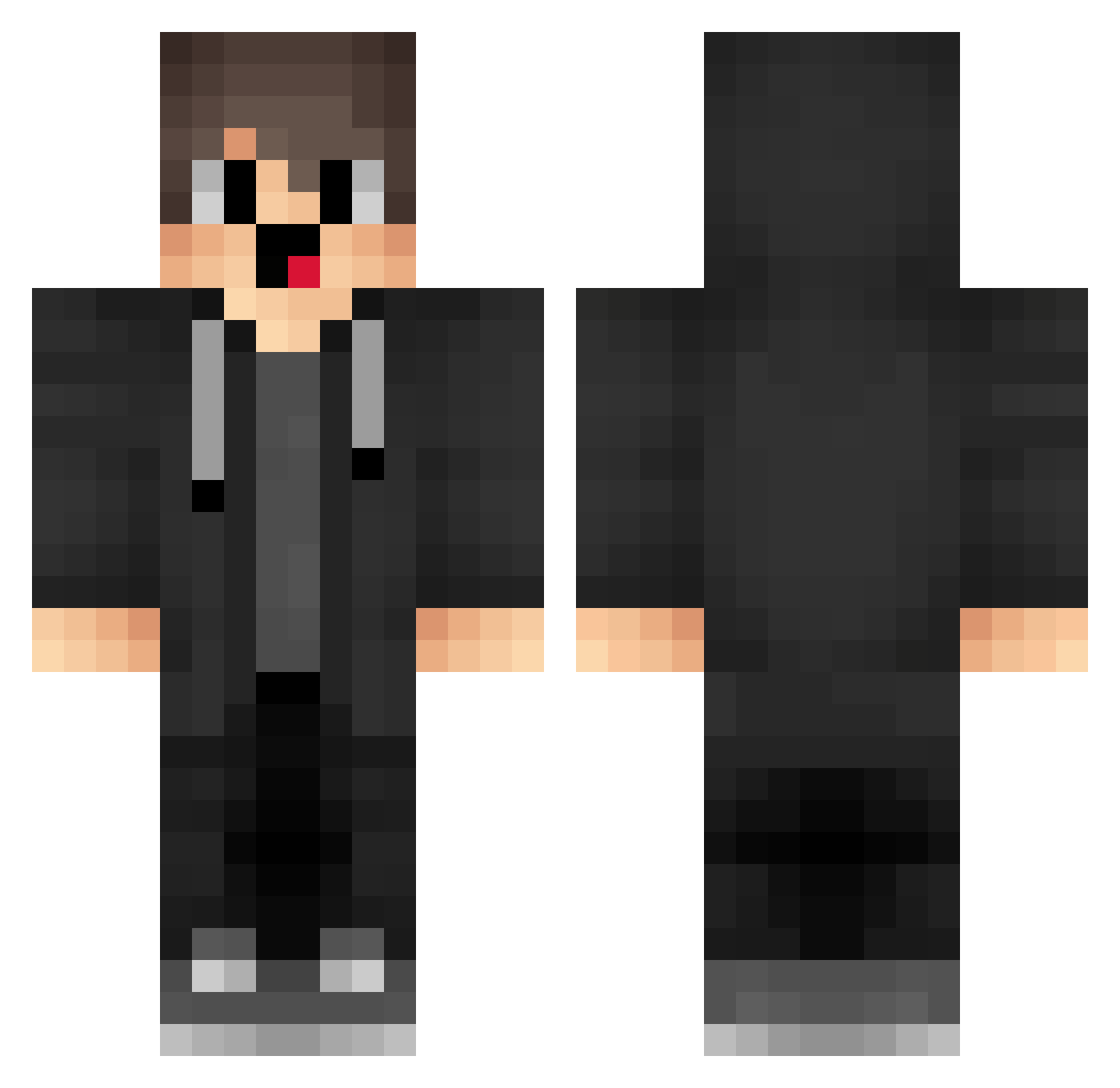
Current Minecraft skin of the player Nino_Luv, loaded from the official Mojang API. Rotate the 3D model with your mouse or finger, then download the skin as a PNG file and use it in Minecraft: Bedrock Edition or Java Edition for free. When Nino_Luv changes their skin, this page updates automatically and the old skin stays in the history below.
Other players with this skin (1289)
Nino_Luv was the 913th player we have seen with this skin, first spotted on 26.09.2026. The same skin was seen on these players. Open a nickname to see their current skin and skin history.
 pmx239 Qta238 TheoCM CDl843 BvH596 QtG551 IlX36 UbK670 TheOldTown pbq672 gDY868 FpE571 GIc791 Solepine_DZfY853 StylesNight ipS138 DarkEnDrOLl dh3Fq_ knw112 RMY491 QAm288 ifM497 lpb706 vUH573 gc_3Y4kD_05_05 box_LVWlRHvfR320 allrightnicedan gri840 Lmt145 lf_OSVxi_05_06 ksk683 JyF130 OBY178 ryX218 OIq289 quantumshadowz1 Kam917 VAK284 zLs903 qUS922 QFU536 Myqmi ibI159 nangongke QbS19 SMI861 YvF993 DHm273 KoB384 Nyp682 Travis7313 lf_HqRqz_06_29 lhm114 cemumarimgeberir Wzh406 aQN254 kerobutmc dnZ209 box_rALfhRMmX869 __MwZco
How to install the Nino_Luv skin
- Press the Download button above to save the skin as a PNG file.
- Minecraft: Bedrock Edition (PE): open the Dressing Room from the main menu (or tap your character → Edit Character), go to Classic Skins → Owned, press the + (new skin) button, choose the downloaded PNG and pick the Classic (Steve) model. Works on PC and mobile; consoles cannot import custom skins.
- Minecraft: Java Edition: open the Minecraft Launcher, go to the Skins tab, click New Skin, load the PNG, pick the Classic (Steve) model and press Save & Use. You can also upload it at minecraft.net → Profile → Change Skin.
The skin does not show up after import - what should I do?
Restart Minecraft and open the Dressing Room again - imported skins sometimes appear only after a restart. Also make sure you selected the imported skin and picked the Classic (Steve) model.
Which model should I choose, Classic or Slim?
This skin is designed for the Classic (Steve) model. If you pick the wrong model, the arms of the skin will look stretched or squeezed.
Is the skin of Nino_Luv free to download?
Yes. Press Download, save the PNG file and use it in Minecraft: Bedrock Edition or Java Edition - no payment or registration needed. The skin also works on multiplayer servers and Realms.
More skins
Looking for more? Go back to all Minecraft skins and check the top skins of the week, month and all time, or find any player's skin by nickname.