
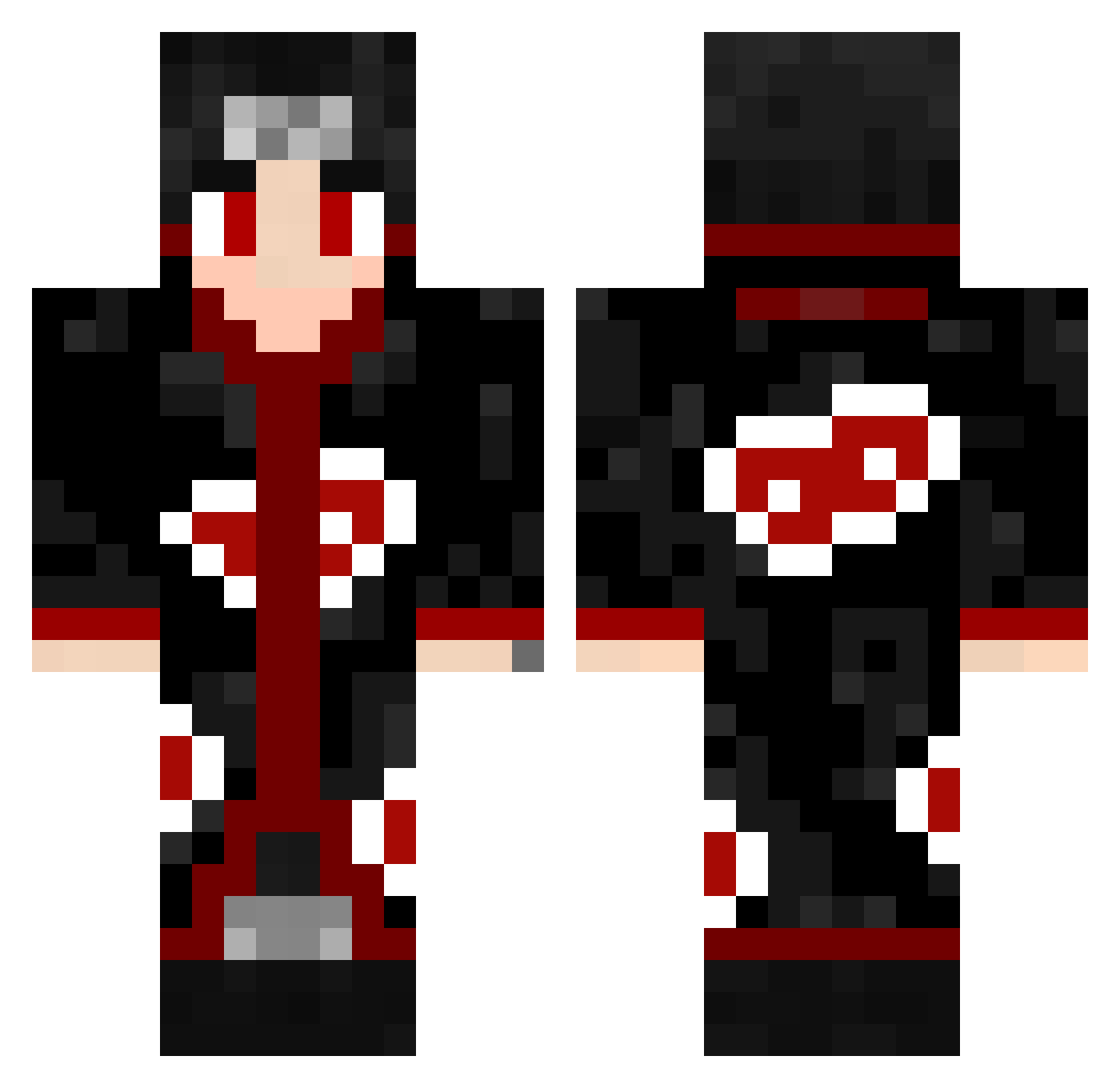
Current Minecraft skin of the player Nikkoffaperc, loaded from the official Mojang API. Rotate the 3D model with your mouse or finger, then download the skin as a PNG file and use it in Minecraft: Bedrock Edition or Java Edition for free. When Nikkoffaperc changes their skin, this page updates automatically and the old skin stays in the history below.
Other players with this skin (436)
Nikkoffaperc was the 182nd player we have seen with this skin, first spotted on 26.08.2026. The same skin was seen on these players. Open a nickname to see their current skin and skin history.
 fsvle0n VIN919 bbbinta Don_Oreon Merlinthewizzard Stu_PG ReeZ9357 FatDanny Le3ves Thefireblaste ItachiCuba TheNexus9000 MiataLover6969 glabzola sabqwerser zPR0X Arekei cctvy0 lazar503 ozansuman01 Luthim kilstrem mclZIKA Deadly_Plumage MrGtus mmBojo Pierel PIEDO_61 testmod Peddro_1 Shinoken97 lugok123 nightkiller803 Brxndxnpx Ghxstzera Xerox0928 VengeanceL FyzenWeel400 27cmTrueDmg YouTube_KovertFN KijiTenso SavinxD MrJoe15429 Tomoker thetiger213 Wwb13 Kaiijie WooshIsHot Lazerflash8042 Block_Smasher69 Vinylx2 mfasyas sonnex11 HyperDrk ninjata2020 BrightBirdTv little_John1999 ShadowNinjaTr1 Yujin0105 lawrence422
More Itachi Uchiha Minecraft skins
See all 307 Itachi Uchiha skins
How to install the Nikkoffaperc skin
- Press the Download button above to save the skin as a PNG file.
- Minecraft: Bedrock Edition (PE): open the Dressing Room from the main menu (or tap your character → Edit Character), go to Classic Skins → Owned, press the + (new skin) button, choose the downloaded PNG and pick the Classic (Steve) model. Works on PC and mobile; consoles cannot import custom skins.
- Minecraft: Java Edition: open the Minecraft Launcher, go to the Skins tab, click New Skin, load the PNG, pick the Classic (Steve) model and press Save & Use. You can also upload it at minecraft.net → Profile → Change Skin.
The skin does not show up after import - what should I do?
Restart Minecraft and open the Dressing Room again - imported skins sometimes appear only after a restart. Also make sure you selected the imported skin and picked the Classic (Steve) model.
Which model should I choose, Classic or Slim?
This skin is designed for the Classic (Steve) model. If you pick the wrong model, the arms of the skin will look stretched or squeezed.
Is the skin of Nikkoffaperc free to download?
Yes. Press Download, save the PNG file and use it in Minecraft: Bedrock Edition or Java Edition - no payment or registration needed. The skin also works on multiplayer servers and Realms.
More skins
Looking for more? Go back to all Minecraft skins and check the top skins of the week, month and all time, or find any player's skin by nickname.