
Nik_Nothing - Minecraft Skins & Skin History
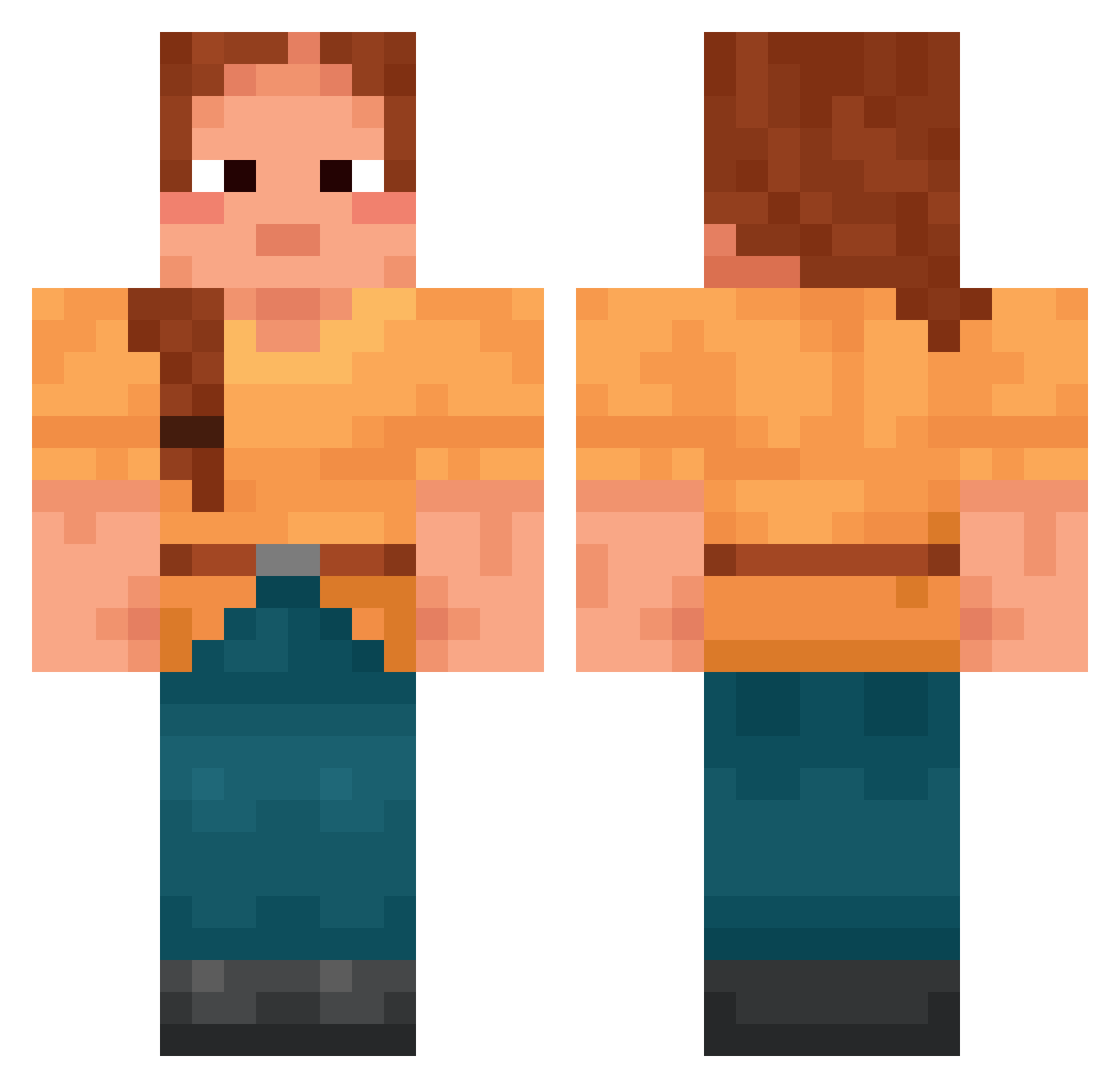
Current Minecraft skin of the player Nik_Nothing, loaded from the official Mojang API. Rotate the 3D model with your mouse or finger, then download the skin as a PNG file and use it in Minecraft: Bedrock Edition or Java Edition for free. When Nik_Nothing changes their skin, this page updates automatically and the old skin stays in the history below.
Other players with this skin (2017)
Nik_Nothing was the 1670th player we have seen with this skin, first spotted on 01.11.2026. The same skin was seen on these players. Open a nickname to see their current skin and skin history.
 TheoWMen Eisentomate SPAR1294 Catharist Proscription Deplete Darngooddoggo Myrmecology CeliaLaQueen Chakrin Currymann03 MOJANGAO LightTheory MakoTatsuya DeeDub98 Switcher89 EmilNorgren Blade_92 MalaLiwia junCastle AlexDWorld chloroauric Abbademdon sijojo15 uhhjasper 6rab Photokinetic Epaenetic Emmaplayz2013 CesDiamantsLa kiwi023 Potato246 Titule Unvoluble Cocodila Kloixsz SigongJoah creeses fatfat horizonfire ThiccBush69 Tremulant janeliise Nanicotim BlehNoThx OmegaMart jimmyb42 Juwdah maddens discordia Sorbin_ LynnStarfish_ monkra87 ghkdrnd Auxityne saracen LumSave _iiFlame crassest _Tigris_
More Cottagecore Minecraft skins
See all 7537 Cottagecore skins
How to install the Nik_Nothing skin
- Press the Download button above to save the skin as a PNG file.
- Minecraft: Bedrock Edition (PE): open the Dressing Room from the main menu (or tap your character → Edit Character), go to Classic Skins → Owned, press the + (new skin) button, choose the downloaded PNG and pick the Classic (Steve) model. Works on PC and mobile; consoles cannot import custom skins.
- Minecraft: Java Edition: open the Minecraft Launcher, go to the Skins tab, click New Skin, load the PNG, pick the Classic (Steve) model and press Save & Use. You can also upload it at minecraft.net → Profile → Change Skin.
The skin does not show up after import - what should I do?
Restart Minecraft and open the Dressing Room again - imported skins sometimes appear only after a restart. Also make sure you selected the imported skin and picked the Classic (Steve) model.
Which model should I choose, Classic or Slim?
This skin is designed for the Classic (Steve) model. If you pick the wrong model, the arms of the skin will look stretched or squeezed.
Is the skin of Nik_Nothing free to download?
Yes. Press Download, save the PNG file and use it in Minecraft: Bedrock Edition or Java Edition - no payment or registration needed. The skin also works on multiplayer servers and Realms.
More skins
Looking for more? Go back to all Minecraft skins and check the top skins of the week, month and all time, or find any player's skin by nickname.