
NicoVick - Minecraft Skins & Skin History
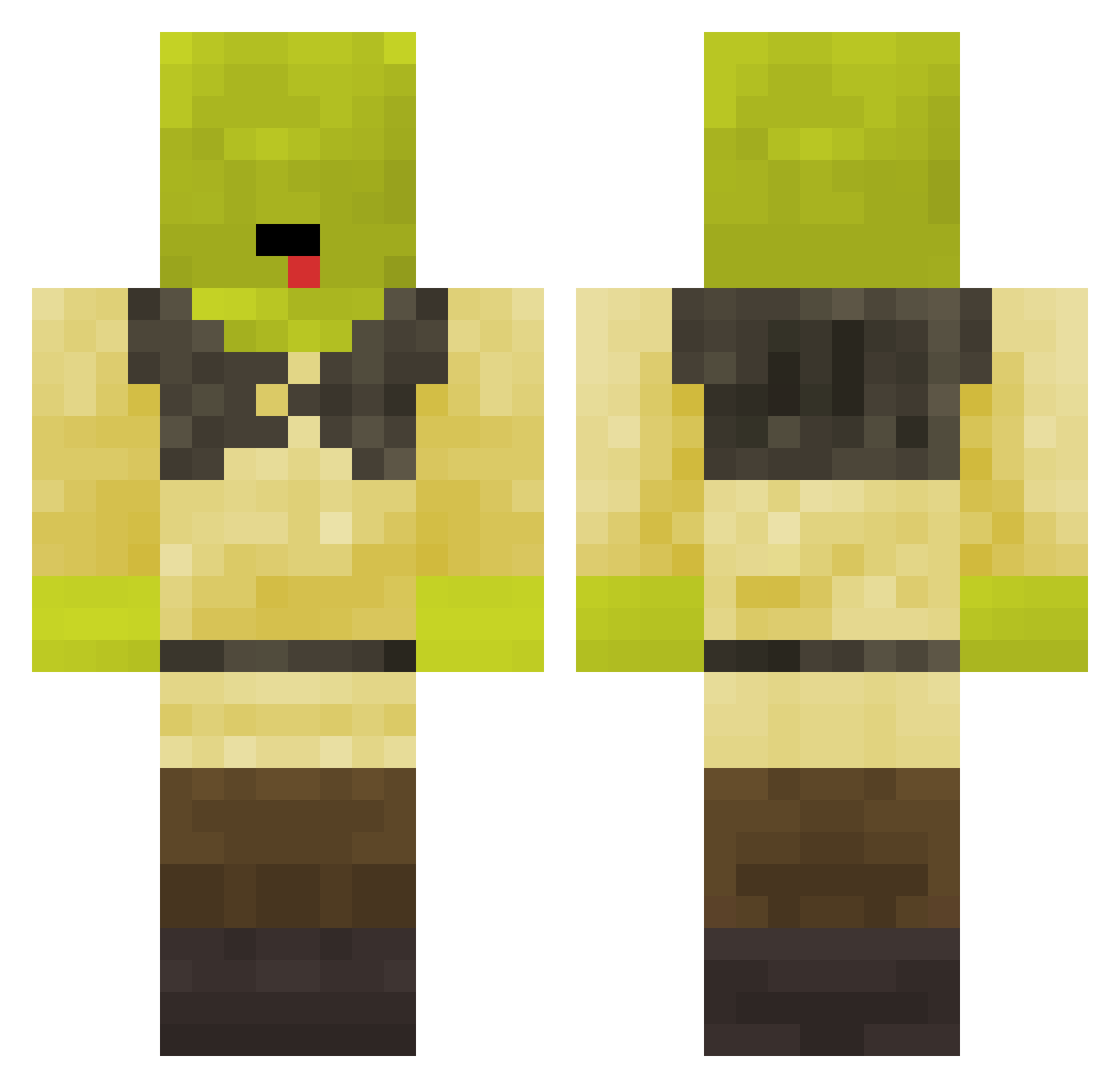
Current Minecraft skin of the player NicoVick, loaded from the official Mojang API. Rotate the 3D model with your mouse or finger, then download the skin as a PNG file and use it in Minecraft: Bedrock Edition or Java Edition for free. When NicoVick changes their skin, this page updates automatically and the old skin stays in the history below.
Other players with this skin (61)
NicoVick was the 32nd player we have seen with this skin, first spotted on 16.09.2026. The same skin was seen on these players. Open a nickname to see their current skin and skin history.
 stiller_tod123 agu0806 NightWolf287 TheBigJureg kimberrlydo woj2020 _Scarlet_WhaLe_ MrSparki_ thorodinson69 barti24 xBleakness D_irty Surprised_Pat01 heywait4me AJThighlights DownyShrek Leywin11 mstrwarrior Luther_Brown Snapomnivora225 aviranx YoungAustism siloxo JoinTheHunt23 lovescars5 Edofficial Pixel3396 _Baldi__ spartnight117YT x_M0T0 papjaime_ depresivcorona Nadav98 Meep9 1Moglie Jhuna21 SummerIsC0ming donny1903 dyj ReelsMC denver3020 Wichasss Saltytoes5 yodude2448 LSKarnopp Pedromt007 Paarrserito Awskittle1208 Chatka_Puchatka BlockClapper OccasionalIdiocy flyingbird123 moistdumpling IchHanHunger RyokiTenkai amitback Chelo_o ShrekLeVrai BlingBlingBeste Elypse33
More Shrek Minecraft skins
How to install the NicoVick skin
- Press the Download button above to save the skin as a PNG file.
- Minecraft: Bedrock Edition (PE): open the Dressing Room from the main menu (or tap your character → Edit Character), go to Classic Skins → Owned, press the + (new skin) button, choose the downloaded PNG and pick the Classic (Steve) model. Works on PC and mobile; consoles cannot import custom skins.
- Minecraft: Java Edition: open the Minecraft Launcher, go to the Skins tab, click New Skin, load the PNG, pick the Classic (Steve) model and press Save & Use. You can also upload it at minecraft.net → Profile → Change Skin.
The skin does not show up after import - what should I do?
Restart Minecraft and open the Dressing Room again - imported skins sometimes appear only after a restart. Also make sure you selected the imported skin and picked the Classic (Steve) model.
Which model should I choose, Classic or Slim?
This skin is designed for the Classic (Steve) model. If you pick the wrong model, the arms of the skin will look stretched or squeezed.
Is the skin of NicoVick free to download?
Yes. Press Download, save the PNG file and use it in Minecraft: Bedrock Edition or Java Edition - no payment or registration needed. The skin also works on multiplayer servers and Realms.
More skins
Looking for more? Go back to all Minecraft skins and check the top skins of the week, month and all time, or find any player's skin by nickname.