
Nezinomas_ - Minecraft Skins & Skin History
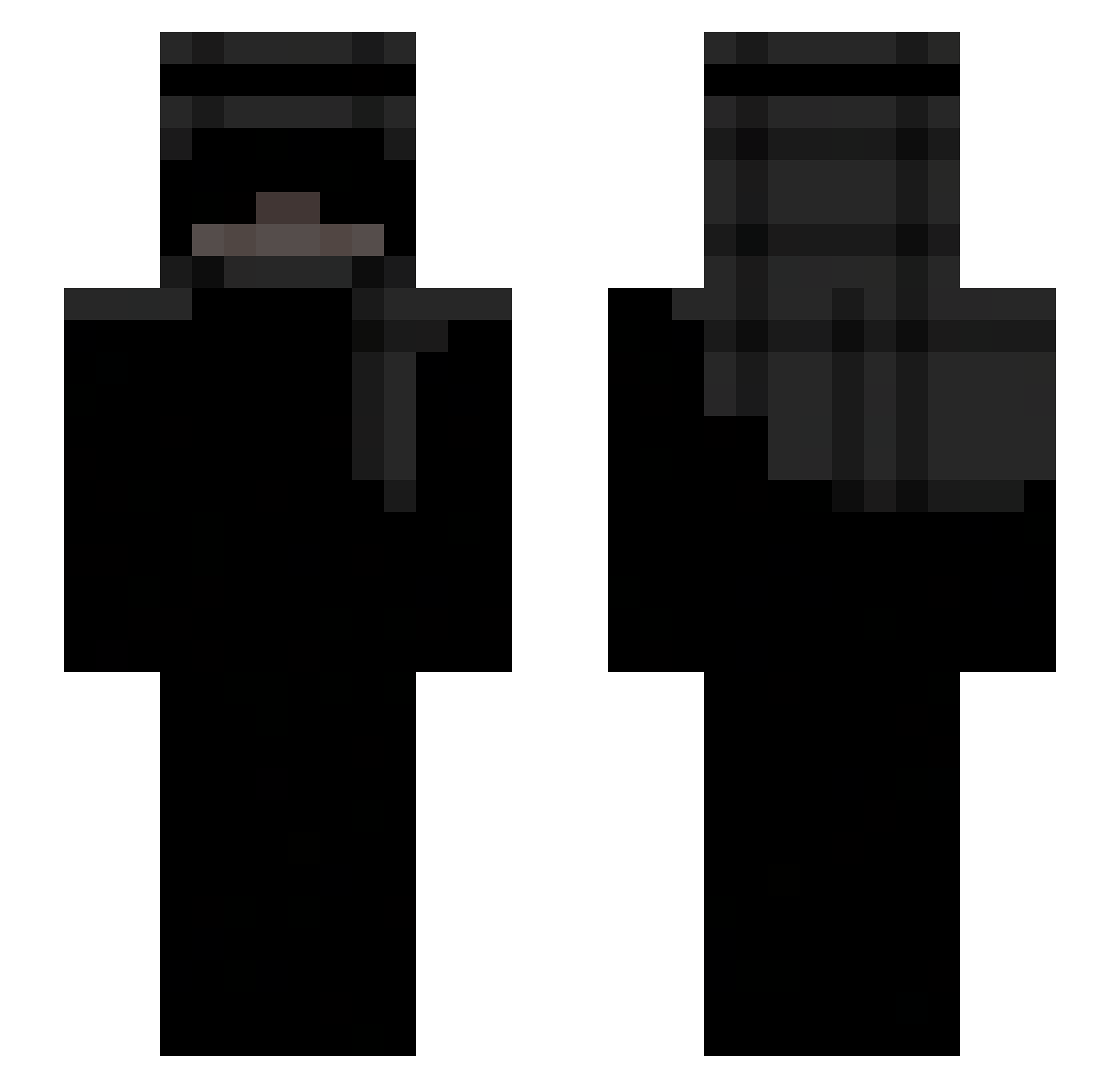
Current Minecraft skin of the player Nezinomas_, loaded from the official Mojang API. Rotate the 3D model with your mouse or finger, then download the skin as a PNG file and use it in Minecraft: Bedrock Edition or Java Edition for free. When Nezinomas_ changes their skin, this page updates automatically and the old skin stays in the history below.
Other players with this skin (283)
Nezinomas_ was the 117th player we have seen with this skin, first spotted on 10.09.2026. The same skin was seen on these players. Open a nickname to see their current skin and skin history.
 Hiccupxx Jahhhzz EvooziPL__ Naczoss_ Hambik d4v1dXYZ louis2463 _3001F Bricolait TOTEMP0PPER CallMeFlixzz mimj4 TrippieCatt CinderelaSmoking oriiigoat FhrancAkaHasa xrtzy22 Fear165Hz ikuragodmem123 AgnarWielki SketchyJnr fwaangezet lawina6 ShadowPina Leou07 vn999 amjo_123 kamson2222 nakhi_x Kaczucha444 hauntedretro aw_are Julolex DDDUUUCCC romariox666 RyanL19 69Bars Bugg1r katananas CRaff7 Marko_cow_boi _D4M14N angie3e3e Holyw1n EvIlDeMonD_LV MooserXO HAJINKWON nnliizx ItzRxberto EGGNUTTING 6kacha9 mosk9 stegerxxst Quexzie faultx2 Kocurek6480 Hxpt3 Tha_Sandman_ qprul1kKk bernybell
More Keffiyeh Minecraft skins
How to install the Nezinomas_ skin
- Press the Download button above to save the skin as a PNG file.
- Minecraft: Bedrock Edition (PE): open the Dressing Room from the main menu (or tap your character → Edit Character), go to Classic Skins → Owned, press the + (new skin) button, choose the downloaded PNG and pick the Slim (Alex) model. Works on PC and mobile; consoles cannot import custom skins.
- Minecraft: Java Edition: open the Minecraft Launcher, go to the Skins tab, click New Skin, load the PNG, pick the Slim (Alex) model and press Save & Use. You can also upload it at minecraft.net → Profile → Change Skin.
The skin does not show up after import - what should I do?
Restart Minecraft and open the Dressing Room again - imported skins sometimes appear only after a restart. Also make sure you selected the imported skin and picked the Slim (Alex) model.
Which model should I choose, Classic or Slim?
This skin is designed for the Slim (Alex) model. If you pick the wrong model, the arms of the skin will look stretched or squeezed.
Is the skin of Nezinomas_ free to download?
Yes. Press Download, save the PNG file and use it in Minecraft: Bedrock Edition or Java Edition - no payment or registration needed. The skin also works on multiplayer servers and Realms.
More skins
Looking for more? Go back to all Minecraft skins and check the top skins of the week, month and all time, or find any player's skin by nickname.