
Nexteken - Minecraft Skins & Skin History
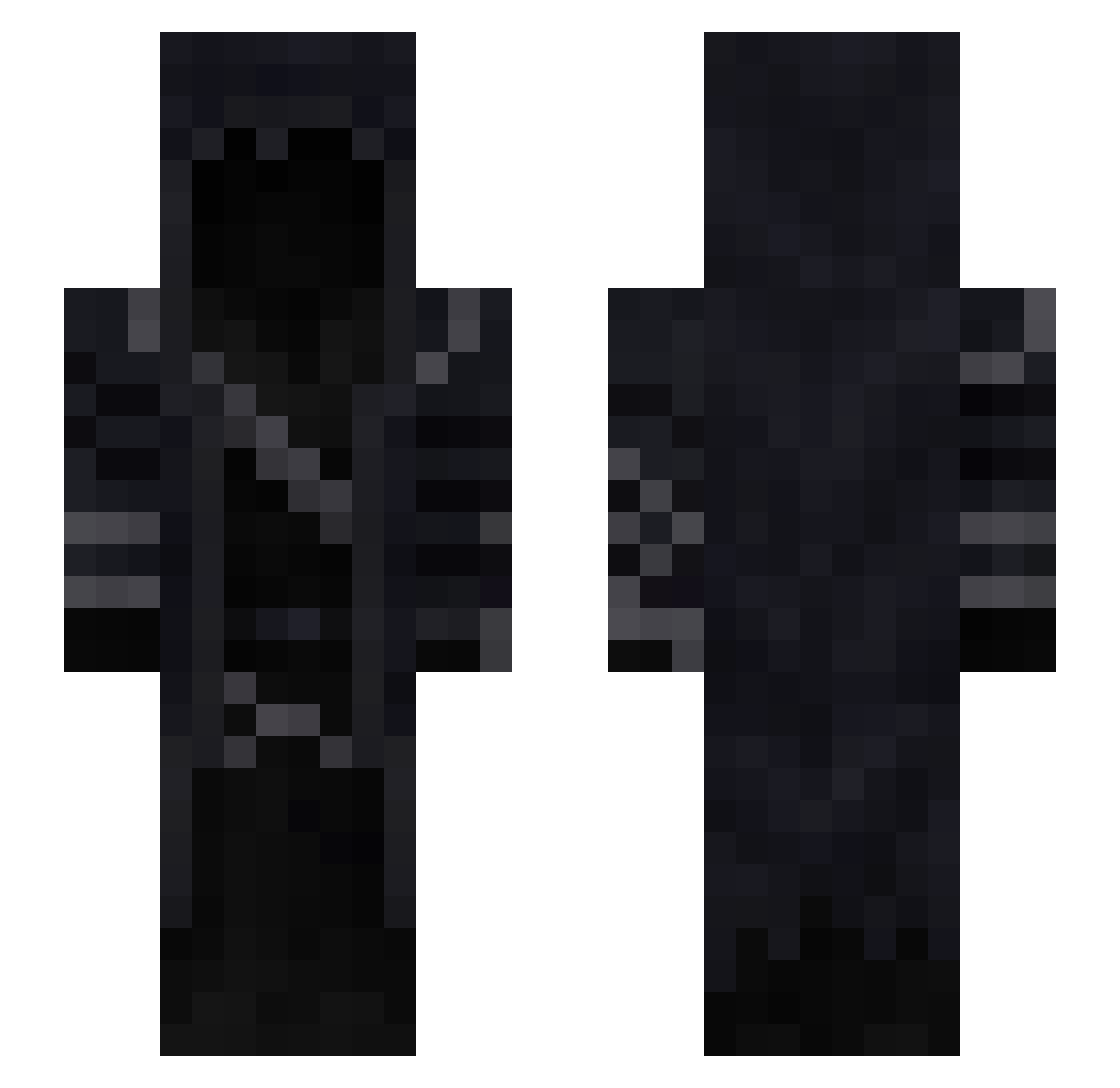
Current Minecraft skin of the player Nexteken, loaded from the official Mojang API. Rotate the 3D model with your mouse or finger, then download the skin as a PNG file and use it in Minecraft: Bedrock Edition or Java Edition for free. When Nexteken changes their skin, this page updates automatically and the old skin stays in the history below.
Other players with this skin (95)
Nexteken was the 24th player we have seen with this skin, first spotted on 17.08.2026. The same skin was seen on these players. Open a nickname to see their current skin and skin history.
 ShadowSchulz iMarquiz Andrenie owwenr DDDBrak Andris375 MiningIsMining Rider11125 Ali22222 Mystical_Dew Alston37 guisodefideos69 Gabrion_96 NimrodOP acumenn GoldenArrowz bas_bana_tugkan susps VikingLee03 Paoloooo Reaperrxx Jarlaxle1000 Tokach1448 Haydo1311 Sansan8389 Gaming_World321 Fatalxxx Im_Tired1 3GA_ SebastianJGBlack ggezed GoDeeZee Dragonicwutare Urfavsejkov xRudi TheNewYear9 N0t_1mp0rtant Jensx420 Incarnant maddetk CreeperReaper77 HavocOnline CasualBluberry Noctilux ferkab imAlexus Ericksinrs machinegun05 vaswy aroulis Darkshadowksk WARDestro Xelco Fuflik52 Mythical_45 proWos Seraf13 ava3_22 JaCkY0nHD Fax_D
More Hooded Cloak Minecraft skins
See all 159 Hooded Cloak skins
How to install the Nexteken skin
- Press the Download button above to save the skin as a PNG file.
- Minecraft: Bedrock Edition (PE): open the Dressing Room from the main menu (or tap your character → Edit Character), go to Classic Skins → Owned, press the + (new skin) button, choose the downloaded PNG and pick the Slim (Alex) model. Works on PC and mobile; consoles cannot import custom skins.
- Minecraft: Java Edition: open the Minecraft Launcher, go to the Skins tab, click New Skin, load the PNG, pick the Slim (Alex) model and press Save & Use. You can also upload it at minecraft.net → Profile → Change Skin.
The skin does not show up after import - what should I do?
Restart Minecraft and open the Dressing Room again - imported skins sometimes appear only after a restart. Also make sure you selected the imported skin and picked the Slim (Alex) model.
Which model should I choose, Classic or Slim?
This skin is designed for the Slim (Alex) model. If you pick the wrong model, the arms of the skin will look stretched or squeezed.
Is the skin of Nexteken free to download?
Yes. Press Download, save the PNG file and use it in Minecraft: Bedrock Edition or Java Edition - no payment or registration needed. The skin also works on multiplayer servers and Realms.
More skins
Looking for more? Go back to all Minecraft skins and check the top skins of the week, month and all time, or find any player's skin by nickname.