
JaCkY0nHD - Minecraft Skins & Skin History
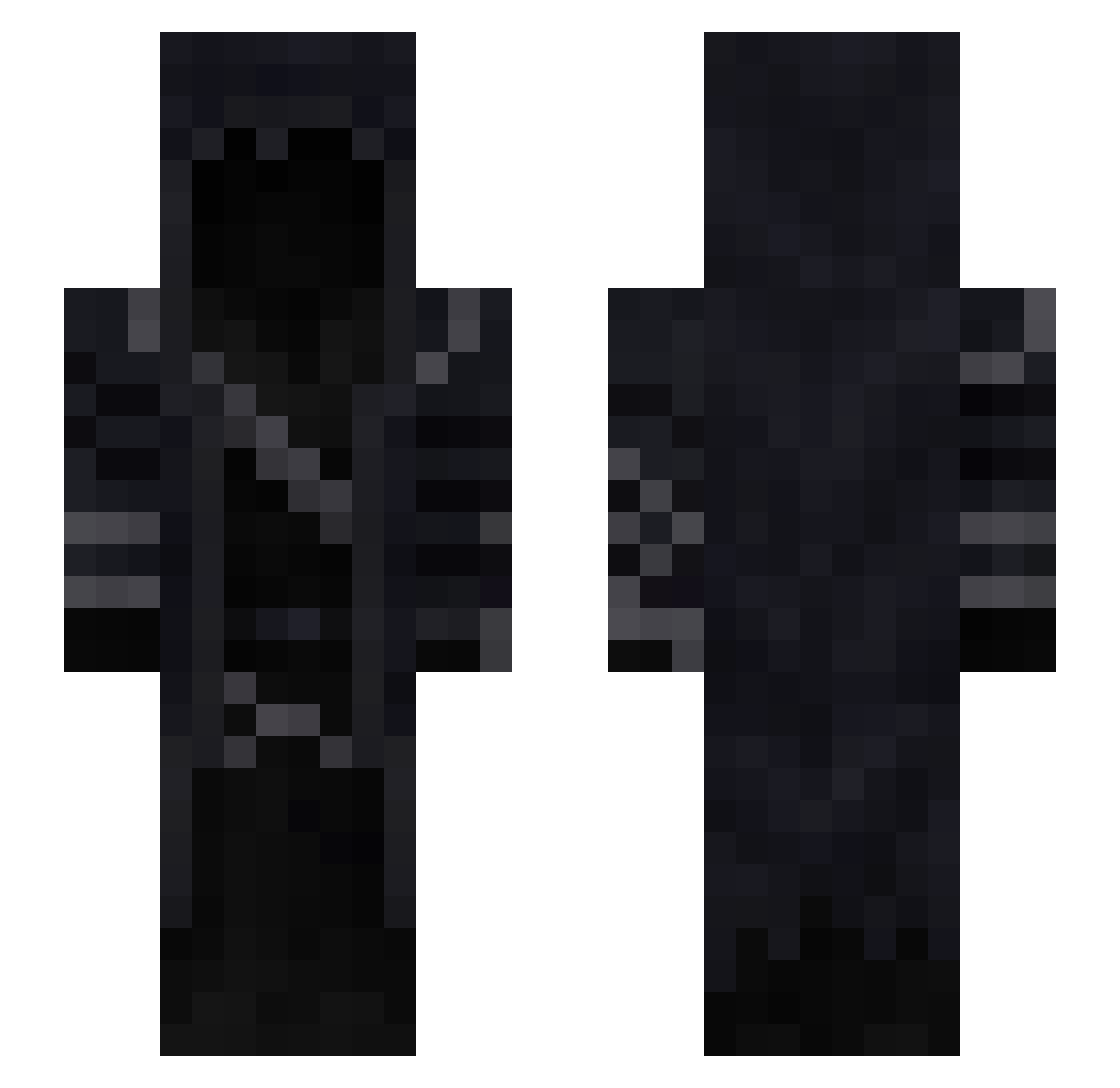
Current Minecraft skin of the player JaCkY0nHD, loaded from the official Mojang API. Rotate the 3D model with your mouse or finger, then download the skin as a PNG file and use it in Minecraft: Bedrock Edition or Java Edition for free. When JaCkY0nHD changes their skin, this page updates automatically and the old skin stays in the history below.
Other players with this skin (95)
JaCkY0nHD was the 60th player we have seen with this skin, first spotted on 01.10.2026. The same skin was seen on these players. Open a nickname to see their current skin and skin history.
 ava3_22 Fax_D Syron_1272 Seraf13 proWos Mythical_45 Fuflik52 Tawse DeathSqaud47 Xelco WARDestro Darkshadowksk aroulis FlynnHarry zvoxc vaswy jungjaeuk R3tN_R3x0 Crimsxn__ machinegun05 Ericksinrs Deathpark imAlexus Chuggeranut JinglyGhost Affemm21 ferkab Noctilux CasualBluberry SnupiZero MinecraftDevin HavocOnline CreeperReaper77 maddetk namelessOwO Blaku2886 ClibNotFound Incarnant Jensx420 N0t_1mp0rtant Uriel TheNewYear9 xRudi TornadoChaser eckaBR Urfavsejkov Hastager datsfye Dragonicwutare Strxmb MythrilDragon8 5l1ght Natsuking1 Wispify_ NRG2321 3GA_ usermm1 Trashbagjake MusculusQ Bowsaa
More Hooded Cloak Minecraft skins
See all 159 Hooded Cloak skins
How to install the JaCkY0nHD skin
- Press the Download button above to save the skin as a PNG file.
- Minecraft: Bedrock Edition (PE): open the Dressing Room from the main menu (or tap your character → Edit Character), go to Classic Skins → Owned, press the + (new skin) button, choose the downloaded PNG and pick the Slim (Alex) model. Works on PC and mobile; consoles cannot import custom skins.
- Minecraft: Java Edition: open the Minecraft Launcher, go to the Skins tab, click New Skin, load the PNG, pick the Slim (Alex) model and press Save & Use. You can also upload it at minecraft.net → Profile → Change Skin.
The skin does not show up after import - what should I do?
Restart Minecraft and open the Dressing Room again - imported skins sometimes appear only after a restart. Also make sure you selected the imported skin and picked the Slim (Alex) model.
Which model should I choose, Classic or Slim?
This skin is designed for the Slim (Alex) model. If you pick the wrong model, the arms of the skin will look stretched or squeezed.
Is the skin of JaCkY0nHD free to download?
Yes. Press Download, save the PNG file and use it in Minecraft: Bedrock Edition or Java Edition - no payment or registration needed. The skin also works on multiplayer servers and Realms.
More skins
Looking for more? Go back to all Minecraft skins and check the top skins of the week, month and all time, or find any player's skin by nickname.