
Nexezz - Minecraft Skins & Skin History
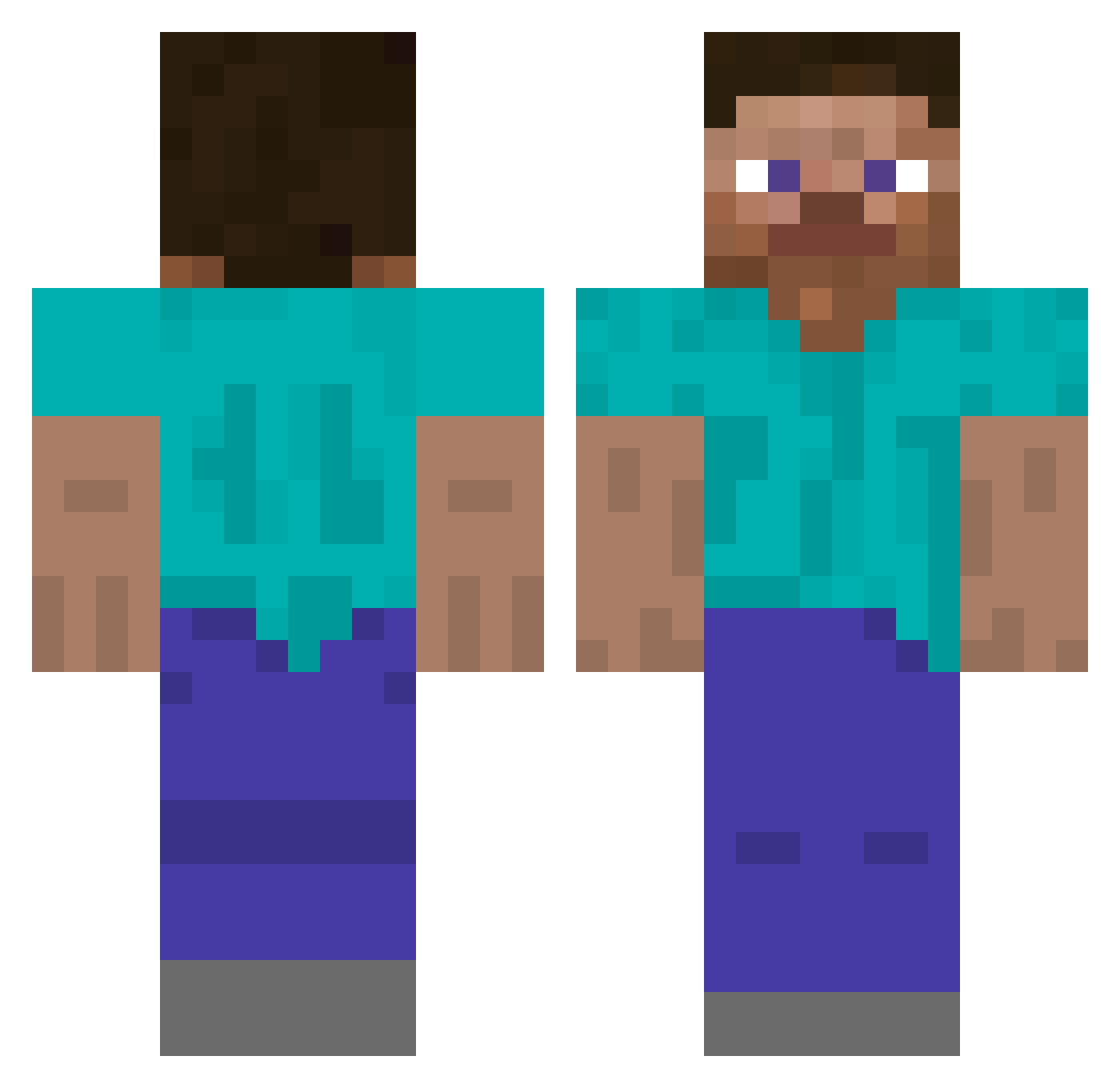
Current Minecraft skin of the player Nexezz, loaded from the official Mojang API. Rotate the 3D model with your mouse or finger, then download the skin as a PNG file and use it in Minecraft: Bedrock Edition or Java Edition for free. When Nexezz changes their skin, this page updates automatically and the old skin stays in the history below.
Other players with this skin (241)
Nexezz was the 190th player we have seen with this skin, first spotted on 07.10.2026. The same skin was seen on these players. Open a nickname to see their current skin and skin history.
 l22l nukedevourer123 zesty_bestle lyhtra Loosir Berb___ rokobata510 Diadak11 JimmyMinecraft Wvvr Azrael8 Creebs_ OMORALES HatlessStick EggsPeludos Vooltics cnry2 fqb_ munjun0710 Meray_de1808 e_v_e_t_S Dynamite828 Slikysmo Tekosha nikalex01 jdchish KLDR Defaulting ttimely TheOneTruMyst1c SortaEthical Temmieeee AiKuNKuNde Reziolutki tsuyuchan01 Isopod_ QMB11 guitarfingerer Enekitus16 Flake_S QuixoticGreen SarMinar HeyItsFlyde Euikn skvulkin KazuFuka MuJoWho _JustWhy apfelkuchen69 aliarda13 Kasterok komunizm 77__ DuckiDev desalwd borregooo GangSimJang Cuttysarky f2njek 20060620
How to install the Nexezz skin
- Press the Download button above to save the skin as a PNG file.
- Minecraft: Bedrock Edition (PE): open the Dressing Room from the main menu (or tap your character → Edit Character), go to Classic Skins → Owned, press the + (new skin) button, choose the downloaded PNG and pick the Classic (Steve) model. Works on PC and mobile; consoles cannot import custom skins.
- Minecraft: Java Edition: open the Minecraft Launcher, go to the Skins tab, click New Skin, load the PNG, pick the Classic (Steve) model and press Save & Use. You can also upload it at minecraft.net → Profile → Change Skin.
The skin does not show up after import - what should I do?
Restart Minecraft and open the Dressing Room again - imported skins sometimes appear only after a restart. Also make sure you selected the imported skin and picked the Classic (Steve) model.
Which model should I choose, Classic or Slim?
This skin is designed for the Classic (Steve) model. If you pick the wrong model, the arms of the skin will look stretched or squeezed.
Is the skin of Nexezz free to download?
Yes. Press Download, save the PNG file and use it in Minecraft: Bedrock Edition or Java Edition - no payment or registration needed. The skin also works on multiplayer servers and Realms.
More skins
Looking for more? Go back to all Minecraft skins and check the top skins of the week, month and all time, or find any player's skin by nickname.