
Newnakurb - Minecraft Skins & Skin History
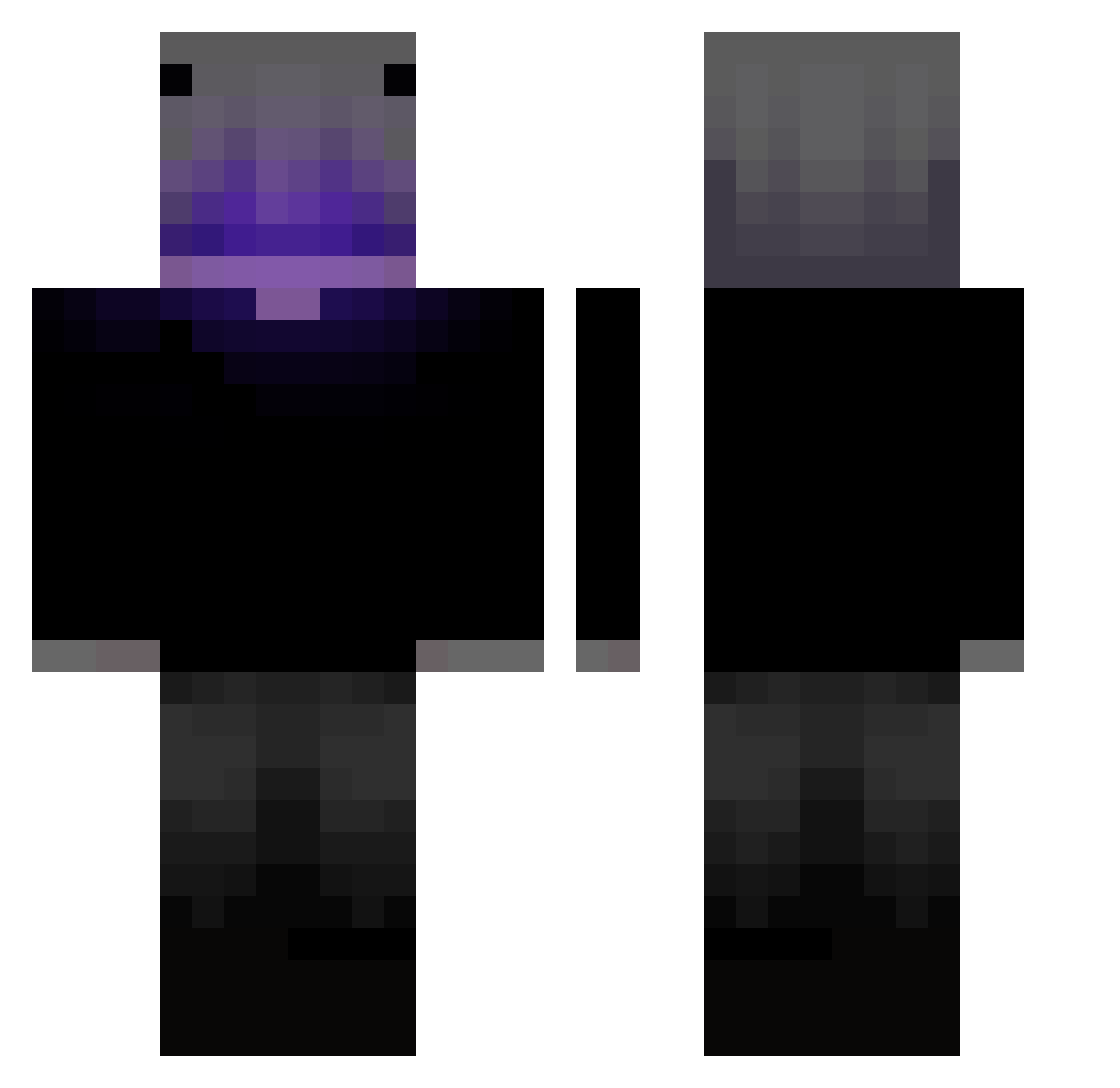
Current Minecraft skin of the player Newnakurb, loaded from the official Mojang API. Rotate the 3D model with your mouse or finger, then download the skin as a PNG file and use it in Minecraft: Bedrock Edition or Java Edition for free. When Newnakurb changes their skin, this page updates automatically and the old skin stays in the history below.
Other players with this skin (403)
Newnakurb was the 210th player we have seen with this skin, first spotted on 16.09.2026. The same skin was seen on these players. Open a nickname to see their current skin and skin history.
 zabimaruu1 jpl_deux _mesGom_ MoRy_00 Jaxcrystaldih treyfrmDa0 ARTASMEOW DSK___AK atsmezk05 IvanDI d7mny1 pablyo3 ASAPBaan Endekko Gamernino24 maciii_max fragments719 benja0791 EndingLime2627 mossan_ossan gbh288888 Dianamores HyuoxDev Ice_Yelo Black_mineta killer310 icytimers eyalc100 Ivan_Iche D3fau17 Hedun4580 KUBIX123PL Saynavi realsoundwavee GabryX13 c1ls STYing01 Nullisty ta234 PaulinhuUu TwFerreiraa Jintaro2K Gabrys_Kumpel ImCrixx18 ImKode Aceinthetree26 Hirotitan Codec090 El74a tanqui XinnShadow Acomander vincepiene TBOTIsolated xHappyLessx Samxrii theide4s WOPED Patttr Fax_Mc
More Parrot Minecraft skins
How to install the Newnakurb skin
- Press the Download button above to save the skin as a PNG file.
- Minecraft: Bedrock Edition (PE): open the Dressing Room from the main menu (or tap your character → Edit Character), go to Classic Skins → Owned, press the + (new skin) button, choose the downloaded PNG and pick the Classic (Steve) model. Works on PC and mobile; consoles cannot import custom skins.
- Minecraft: Java Edition: open the Minecraft Launcher, go to the Skins tab, click New Skin, load the PNG, pick the Classic (Steve) model and press Save & Use. You can also upload it at minecraft.net → Profile → Change Skin.
The skin does not show up after import - what should I do?
Restart Minecraft and open the Dressing Room again - imported skins sometimes appear only after a restart. Also make sure you selected the imported skin and picked the Classic (Steve) model.
Which model should I choose, Classic or Slim?
This skin is designed for the Classic (Steve) model. If you pick the wrong model, the arms of the skin will look stretched or squeezed.
Is the skin of Newnakurb free to download?
Yes. Press Download, save the PNG file and use it in Minecraft: Bedrock Edition or Java Edition - no payment or registration needed. The skin also works on multiplayer servers and Realms.
More skins
Looking for more? Go back to all Minecraft skins and check the top skins of the week, month and all time, or find any player's skin by nickname.