
Neverlose432 - Minecraft Skins & Skin History
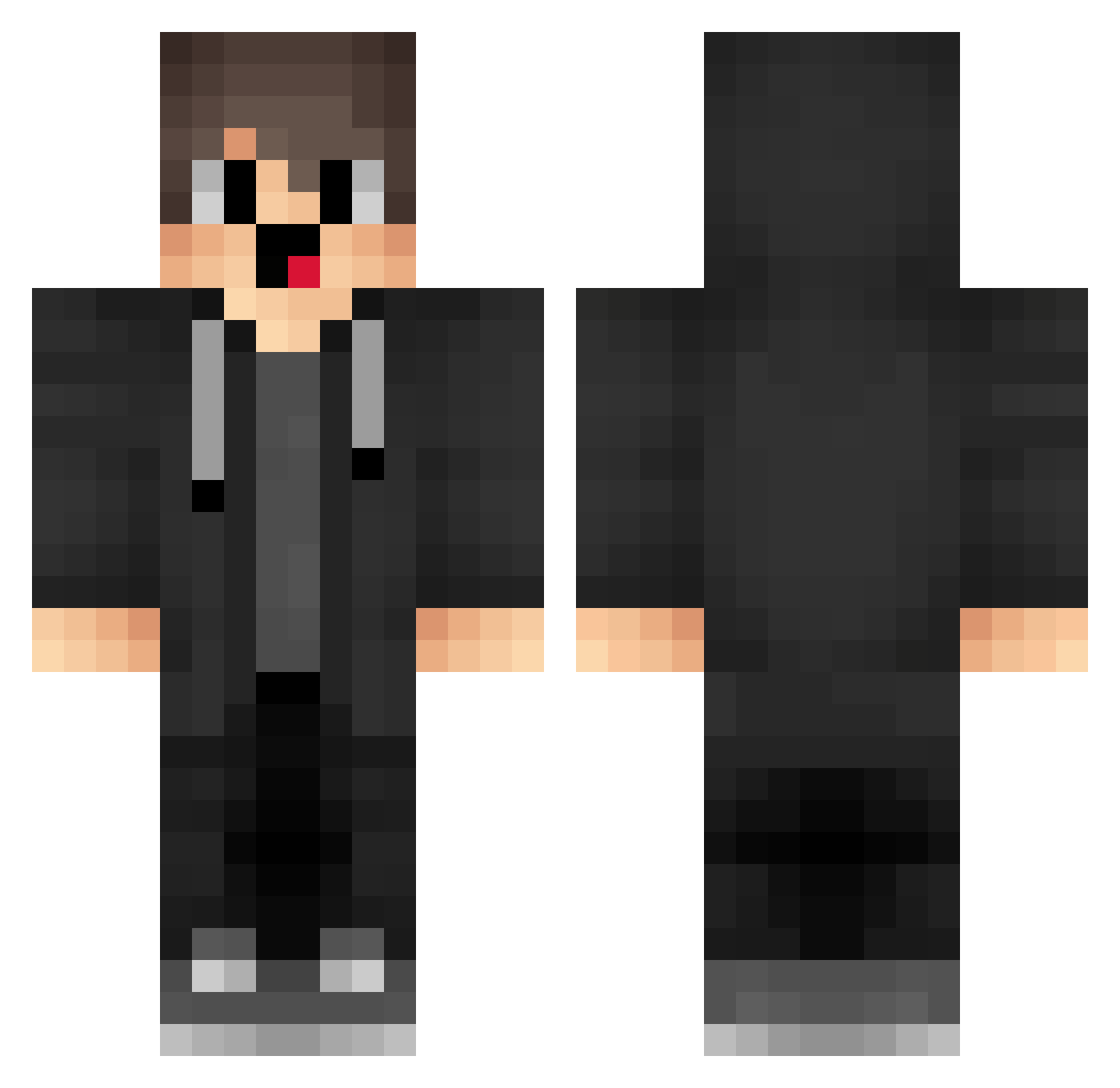
Current Minecraft skin of the player Neverlose432, loaded from the official Mojang API. Rotate the 3D model with your mouse or finger, then download the skin as a PNG file and use it in Minecraft: Bedrock Edition or Java Edition for free. When Neverlose432 changes their skin, this page updates automatically and the old skin stays in the history below.
Other players with this skin (1571)
Neverlose432 was the 725th player we have seen with this skin, first spotted on 15.09.2026. The same skin was seen on these players. Open a nickname to see their current skin and skin history.
 EUb436 PFCLucky XFm425 KFP630 HhW451 Abuspzz_1339 KNP442 jst975 pandablue91 Matii_ok fEd205 Noc676 yHLZ_ Rlz966 VapeV4ByPass DCp513 cQz65 ylN794 rms832 pyp68 uyr884 splashbubbles box_QAjQHWxQj979 SFN699 apa518 pFw860 KGh568 Wbz338 TNt998 WQm232 MVE320 rflxyz DMT731 KHm639 Iro611 Hbj601 xwE330 Destravar QI_T SDT12 rcT379 zzzzz978 OFK347 feltboot911 dMn257 emptyempty1000 BuC433 Ias547 BPd92 e62d Oja736 QZR36 woP534 xiaolizi8891 Gfg8 LeanSpring FewCrow wpc248 LMy254 box_RBMfTAetZ807
How to install the Neverlose432 skin
- Press the Download button above to save the skin as a PNG file.
- Minecraft: Bedrock Edition (PE): open the Dressing Room from the main menu (or tap your character → Edit Character), go to Classic Skins → Owned, press the + (new skin) button, choose the downloaded PNG and pick the Classic (Steve) model. Works on PC and mobile; consoles cannot import custom skins.
- Minecraft: Java Edition: open the Minecraft Launcher, go to the Skins tab, click New Skin, load the PNG, pick the Classic (Steve) model and press Save & Use. You can also upload it at minecraft.net → Profile → Change Skin.
The skin does not show up after import - what should I do?
Restart Minecraft and open the Dressing Room again - imported skins sometimes appear only after a restart. Also make sure you selected the imported skin and picked the Classic (Steve) model.
Which model should I choose, Classic or Slim?
This skin is designed for the Classic (Steve) model. If you pick the wrong model, the arms of the skin will look stretched or squeezed.
Is the skin of Neverlose432 free to download?
Yes. Press Download, save the PNG file and use it in Minecraft: Bedrock Edition or Java Edition - no payment or registration needed. The skin also works on multiplayer servers and Realms.
More skins
Looking for more? Go back to all Minecraft skins and check the top skins of the week, month and all time, or find any player's skin by nickname.