
Nesser001 - Minecraft Skins & Skin History
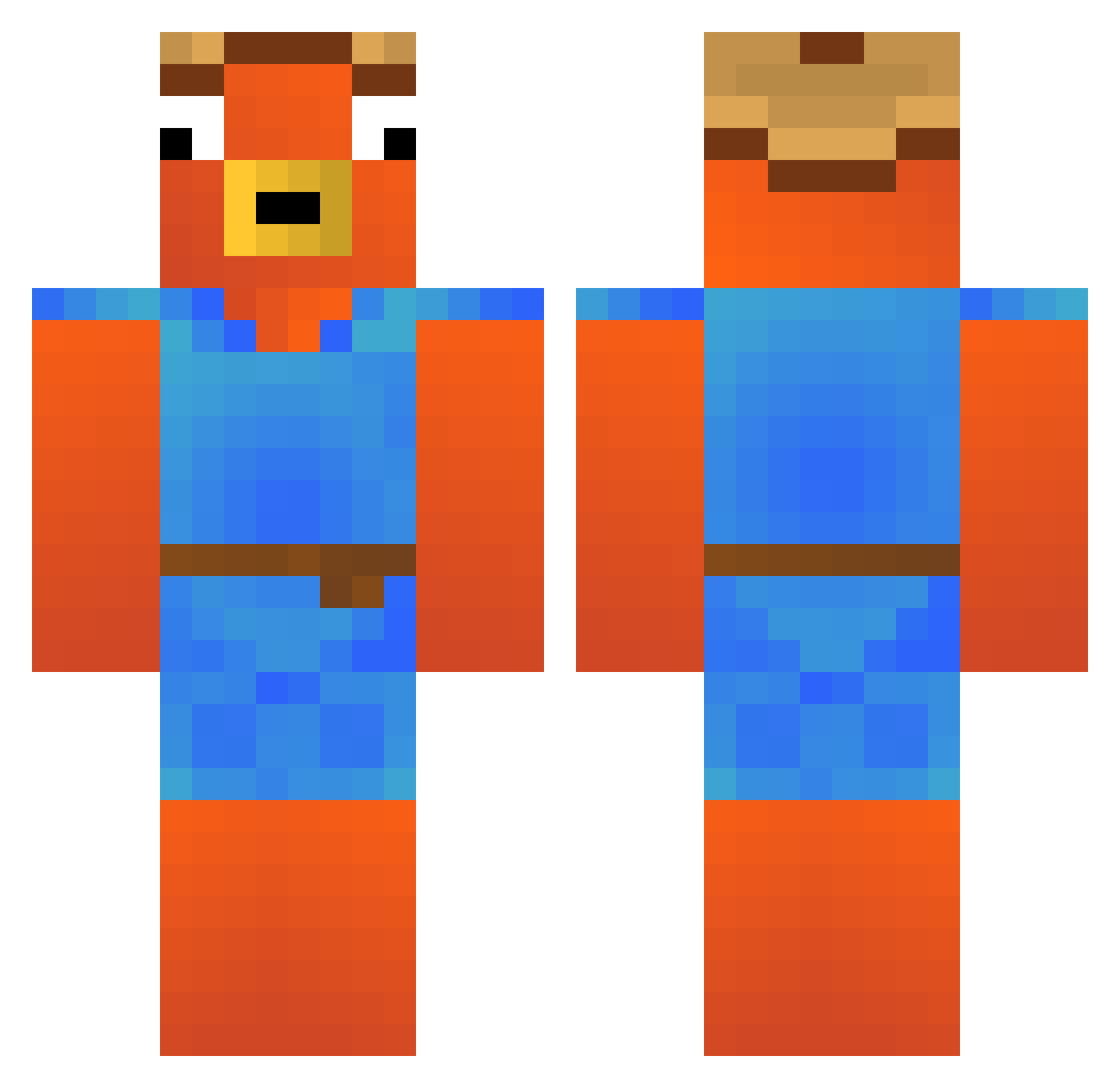
Current Minecraft skin of the player Nesser001, loaded from the official Mojang API. Rotate the 3D model with your mouse or finger, then download the skin as a PNG file and use it in Minecraft: Bedrock Edition or Java Edition for free. When Nesser001 changes their skin, this page updates automatically and the old skin stays in the history below.
Other players with this skin (256)
Nesser001 was the 245th player we have seen with this skin, first spotted on 17.10.2026. The same skin was seen on these players. Open a nickname to see their current skin and skin history.
 Sandro1901 Constantiin ZairossHype bastenCHEFAO Ceraffin thiagolemos2007 sordi22 Jagglsepp mosquito_byte passie069 LuffyGerfor Bellow08 Gio_Zuma Meccho22 Janpalopiroquinh enzkkk Fishstickdiego masyumaro84 KuxoAlt30 RyzohMc Yann1K EmreA75 Buttcake64 maikey1128 DelicateWheel16 silverzzr jjstables Pepito_Roro casey_28 alancardosoYT BabyPaluten Fobance Voryz0n VirUus_64 gonen18 eo_jao0 Fluffy_Berries akato24 T_LGC tervaseiska RUBINOprezioso TSherman_ Uqro_ Ainelmelh spszava elyo1 Ichklaudeinpulli Tuborgpils SedoReis Erestaz WaviGuilty Oskato74 SAMORISTO Sulkier_Subset zGrings_8000 Thzkll Camilitaa17 Guillelmin2 St333lix Lucasspb
More Fishstick Minecraft skins
How to install the Nesser001 skin
- Press the Download button above to save the skin as a PNG file.
- Minecraft: Bedrock Edition (PE): open the Dressing Room from the main menu (or tap your character → Edit Character), go to Classic Skins → Owned, press the + (new skin) button, choose the downloaded PNG and pick the Classic (Steve) model. Works on PC and mobile; consoles cannot import custom skins.
- Minecraft: Java Edition: open the Minecraft Launcher, go to the Skins tab, click New Skin, load the PNG, pick the Classic (Steve) model and press Save & Use. You can also upload it at minecraft.net → Profile → Change Skin.
The skin does not show up after import - what should I do?
Restart Minecraft and open the Dressing Room again - imported skins sometimes appear only after a restart. Also make sure you selected the imported skin and picked the Classic (Steve) model.
Which model should I choose, Classic or Slim?
This skin is designed for the Classic (Steve) model. If you pick the wrong model, the arms of the skin will look stretched or squeezed.
Is the skin of Nesser001 free to download?
Yes. Press Download, save the PNG file and use it in Minecraft: Bedrock Edition or Java Edition - no payment or registration needed. The skin also works on multiplayer servers and Realms.
More skins
Looking for more? Go back to all Minecraft skins and check the top skins of the week, month and all time, or find any player's skin by nickname.