
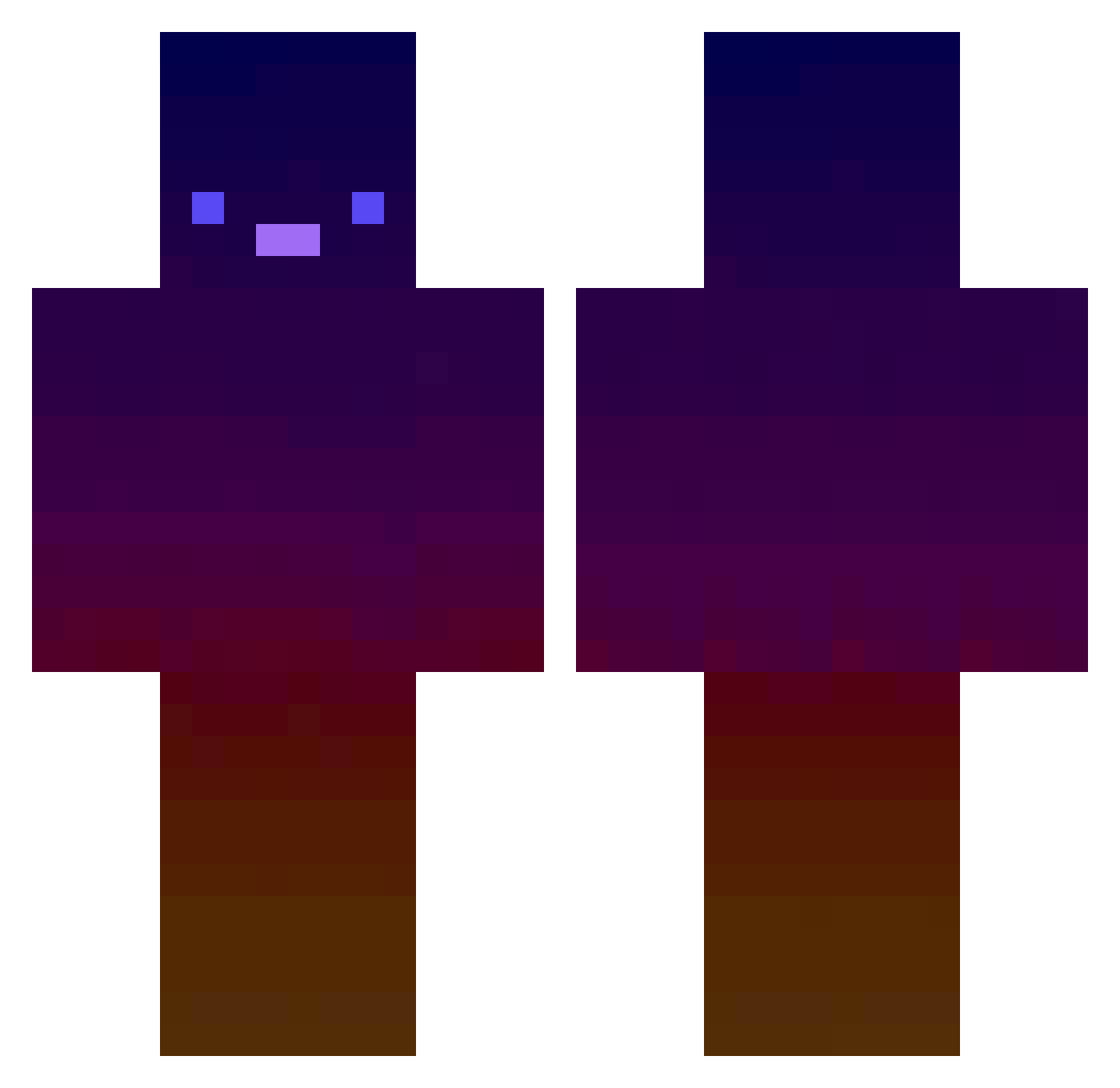
Current Minecraft skin of the player Nepi_Cosima, loaded from the official Mojang API. Rotate the 3D model with your mouse or finger, then download the skin as a PNG file and use it in Minecraft: Bedrock Edition or Java Edition for free. When Nepi_Cosima changes their skin, this page updates automatically and the old skin stays in the history below.
Other players with this skin (416)
Nepi_Cosima was the 162nd player we have seen with this skin, first spotted on 30.08.2026. The same skin was seen on these players. Open a nickname to see their current skin and skin history.
 Devirop hm_son6 Erulabs SpriteCranberrez HiiBouu SnowF14ke Jaacker Hazox74 tqnuking Ryoma_SPK vicentrr89
 shadow92047 Twedo4 Phanthomss Calm4321 Nodu15 Reelss216 BlackHammer2667 Vibezz2556 Bloodpro Intruvers yahirqt april2741 AlcyoneMC AJZORO Qsandesu1 RealCharlesGamin Opidox JManZ08 King_Of_Poo Jointje134 timon4uk789 DocPaz IvanROMA Jajo2G fuJacky
 lilboyplays123 guksu52 G_Ugo WastedCombos _lucas_04_ Insanedudegames DynamicLights AlizarDe thomastinky CarryKirby xLoserZ_ yang6413 giraffetail DH_Jeon SVKD FinespunOx ehrenschnegge lomen1 Freshiii252 Baertjen XLFALangX Mingsugar Mege297 LAGER830
How to install the Nepi_Cosima skin
- Press the Download button above to save the skin as a PNG file.
- Minecraft: Bedrock Edition (PE): open the Dressing Room from the main menu (or tap your character → Edit Character), go to Classic Skins → Owned, press the + (new skin) button, choose the downloaded PNG and pick the Classic (Steve) model. Works on PC and mobile; consoles cannot import custom skins.
- Minecraft: Java Edition: open the Minecraft Launcher, go to the Skins tab, click New Skin, load the PNG, pick the Classic (Steve) model and press Save & Use. You can also upload it at minecraft.net → Profile → Change Skin.
The skin does not show up after import - what should I do?
Restart Minecraft and open the Dressing Room again - imported skins sometimes appear only after a restart. Also make sure you selected the imported skin and picked the Classic (Steve) model.
Which model should I choose, Classic or Slim?
This skin is designed for the Classic (Steve) model. If you pick the wrong model, the arms of the skin will look stretched or squeezed.
Is the skin of Nepi_Cosima free to download?
Yes. Press Download, save the PNG file and use it in Minecraft: Bedrock Edition or Java Edition - no payment or registration needed. The skin also works on multiplayer servers and Realms.
More skins
Looking for more? Go back to all Minecraft skins and check the top skins of the week, month and all time, or find any player's skin by nickname.