
NecrusNRW - Minecraft Skins & Skin History
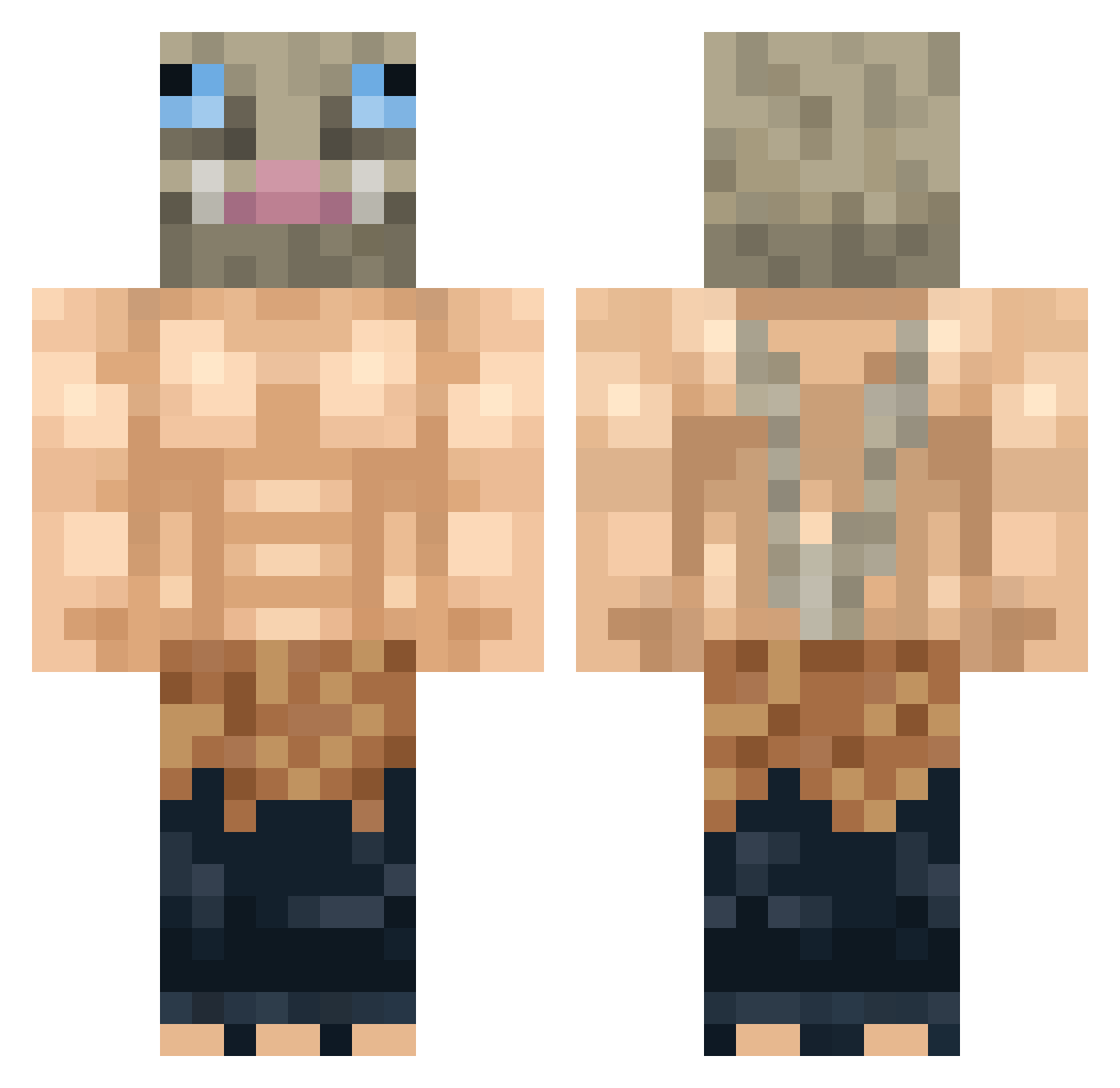
Current Minecraft skin of the player NecrusNRW, loaded from the official Mojang API. Rotate the 3D model with your mouse or finger, then download the skin as a PNG file and use it in Minecraft: Bedrock Edition or Java Edition for free. When NecrusNRW changes their skin, this page updates automatically and the old skin stays in the history below.
Other players with this skin (418)
NecrusNRW was the 403rd player we have seen with this skin, first spotted on 15.11.2026. The same skin was seen on these players. Open a nickname to see their current skin and skin history.
 Davgaro fishonfire25 Babbajahn bumcucketss Coconutkk Algoryni DetroitX98 BettaRock GabeIsCoolUwU420 LordBanan Aavryns Ladriii zScoJo dracomaster312 Taker20099 bertram69420 L4STSenpai BabyNutButter mrBady DougAbreu TJames7989 MrMoonBoy BRYANT891 Kompatro_komboko zeetsuuboo toshizou1711 Walus98 Iolabe tibodee Sebitix StereoErmine900 Armin_mit GalaxyBoar Cbaroud Grypho67 Cabo1maestro EmmaWaika BuckedBison danivmt __Loo__ SurgePL FranksN7 restive519 JunkPunk99 Itscrizti AwkwardRonin siryato Santheon Basketdu04 KazKnight4901 MaiDixieNormus Kavva HaiseOwo Khallash KinggVampp G_Feikes kykynours Shogunstar FeralCanary WolfilloMC
More Boar Mask Minecraft skins
How to install the NecrusNRW skin
- Press the Download button above to save the skin as a PNG file.
- Minecraft: Bedrock Edition (PE): open the Dressing Room from the main menu (or tap your character → Edit Character), go to Classic Skins → Owned, press the + (new skin) button, choose the downloaded PNG and pick the Classic (Steve) model. Works on PC and mobile; consoles cannot import custom skins.
- Minecraft: Java Edition: open the Minecraft Launcher, go to the Skins tab, click New Skin, load the PNG, pick the Classic (Steve) model and press Save & Use. You can also upload it at minecraft.net → Profile → Change Skin.
The skin does not show up after import - what should I do?
Restart Minecraft and open the Dressing Room again - imported skins sometimes appear only after a restart. Also make sure you selected the imported skin and picked the Classic (Steve) model.
Which model should I choose, Classic or Slim?
This skin is designed for the Classic (Steve) model. If you pick the wrong model, the arms of the skin will look stretched or squeezed.
Is the skin of NecrusNRW free to download?
Yes. Press Download, save the PNG file and use it in Minecraft: Bedrock Edition or Java Edition - no payment or registration needed. The skin also works on multiplayer servers and Realms.
More skins
Looking for more? Go back to all Minecraft skins and check the top skins of the week, month and all time, or find any player's skin by nickname.