
NcoFreakzz - Minecraft Skins & Skin History
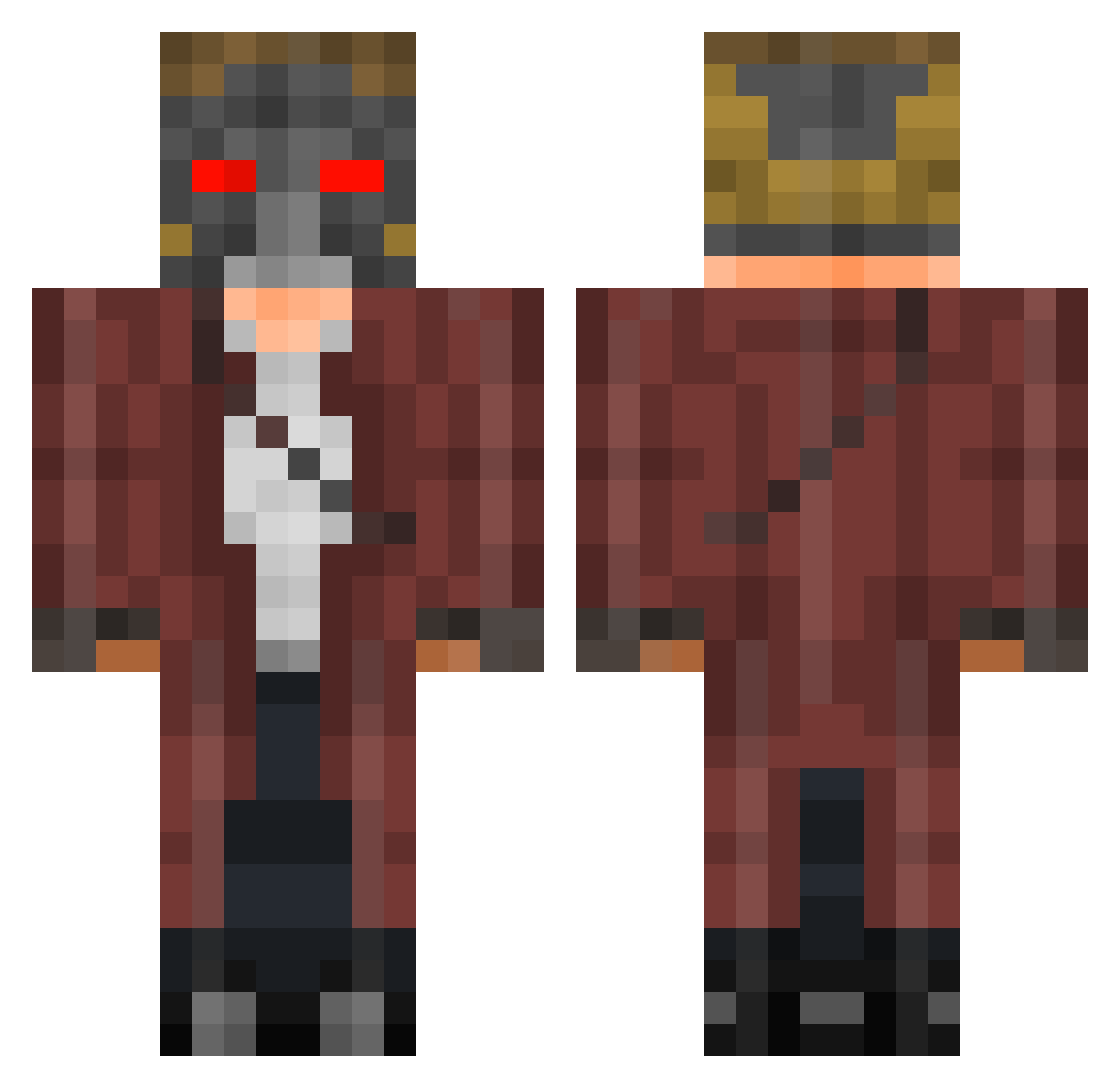
Current Minecraft skin of the player NcoFreakzz, loaded from the official Mojang API. Rotate the 3D model with your mouse or finger, then download the skin as a PNG file and use it in Minecraft: Bedrock Edition or Java Edition for free. When NcoFreakzz changes their skin, this page updates automatically and the old skin stays in the history below.
Other players with this skin (401)
NcoFreakzz was the 212th player we have seen with this skin, first spotted on 18.09.2026. The same skin was seen on these players. Open a nickname to see their current skin and skin history.
 MattyGlock Iionsis Etay8803 Chrysander Otteflex Zordhak 99mouse smileshd sbrevolution5 rudxo6234 nicktosaurus P0wer0fNight KariKurri ikilu76 Bullhurly Schnell47 TomGettingBetter JoshLafferty AlfieNinja sandyblowfish Brad_ST kalebin123 kilvandor awesomefunnyguy obito83 Danabe ConnorIV amrocks1 LordDemon1 xkennikins Figzsx Masterloop Leropro berryboy0141 fufart SYEAL01 myst031 billybobjenkins Subservient Dutiful Reidenshi byHaaze PieesQt MG06_ epiccraft1595 Fopi saxguy02 GwerTobby Ghoster44 FeatheredIcarus Martian_Monkey Mr_RioesAC Sepultura96 Pabloahsi tpxtiger The_Beach_Bum mylarr iannarel CaraThane iliannoam
More Star-Lord Minecraft skins
How to install the NcoFreakzz skin
- Press the Download button above to save the skin as a PNG file.
- Minecraft: Bedrock Edition (PE): open the Dressing Room from the main menu (or tap your character → Edit Character), go to Classic Skins → Owned, press the + (new skin) button, choose the downloaded PNG and pick the Classic (Steve) model. Works on PC and mobile; consoles cannot import custom skins.
- Minecraft: Java Edition: open the Minecraft Launcher, go to the Skins tab, click New Skin, load the PNG, pick the Classic (Steve) model and press Save & Use. You can also upload it at minecraft.net → Profile → Change Skin.
The skin does not show up after import - what should I do?
Restart Minecraft and open the Dressing Room again - imported skins sometimes appear only after a restart. Also make sure you selected the imported skin and picked the Classic (Steve) model.
Which model should I choose, Classic or Slim?
This skin is designed for the Classic (Steve) model. If you pick the wrong model, the arms of the skin will look stretched or squeezed.
Is the skin of NcoFreakzz free to download?
Yes. Press Download, save the PNG file and use it in Minecraft: Bedrock Edition or Java Edition - no payment or registration needed. The skin also works on multiplayer servers and Realms.
More skins
Looking for more? Go back to all Minecraft skins and check the top skins of the week, month and all time, or find any player's skin by nickname.