
NayGigger6967 - Minecraft Skins & Skin History
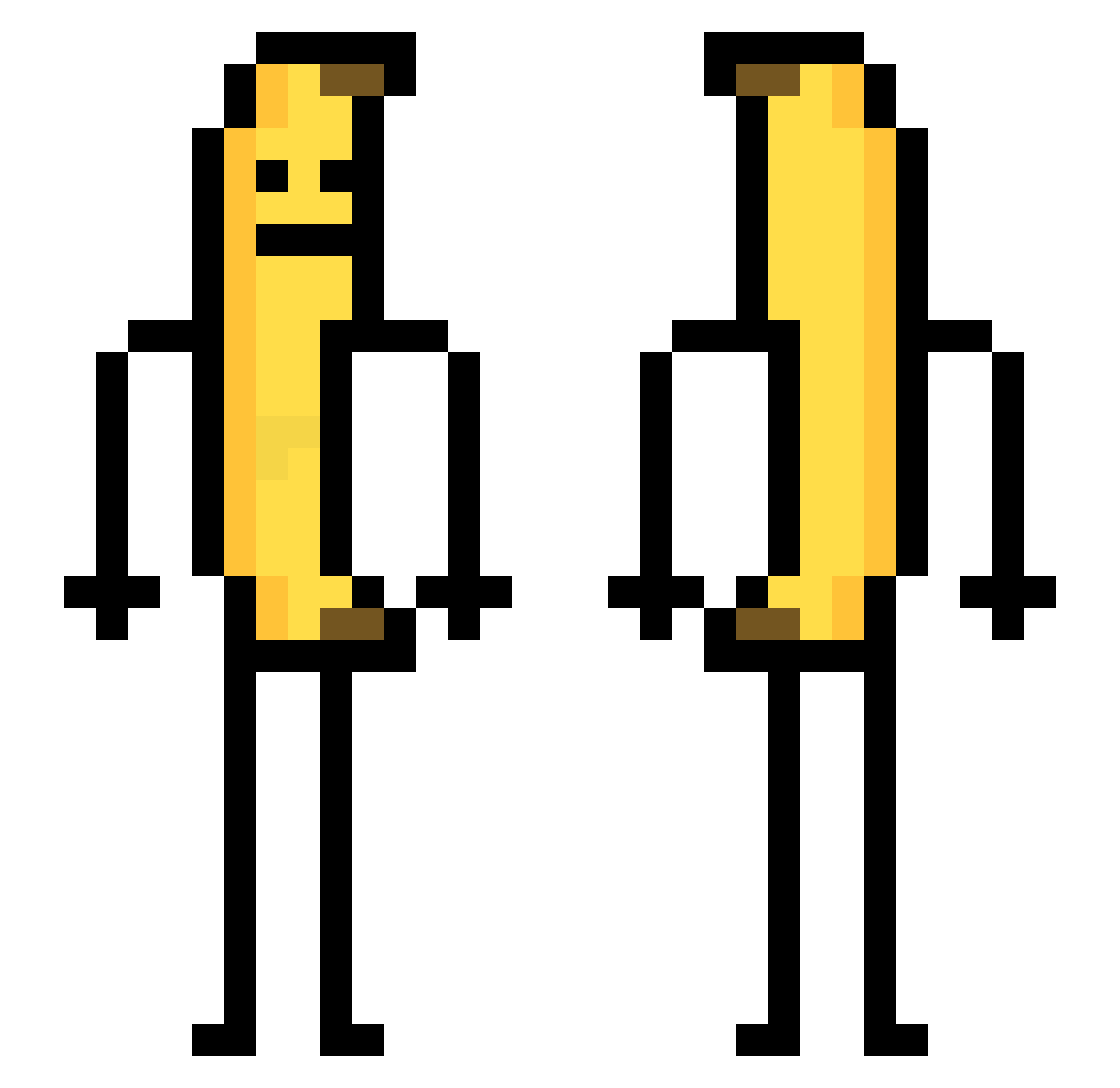
Current Minecraft skin of the player NayGigger6967, loaded from the official Mojang API. Rotate the 3D model with your mouse or finger, then download the skin as a PNG file and use it in Minecraft: Bedrock Edition or Java Edition for free. When NayGigger6967 changes their skin, this page updates automatically and the old skin stays in the history below.
Other players with this skin (735)
NayGigger6967 was the 722nd player we have seen with this skin, first spotted on 25.10.2026. The same skin was seen on these players. Open a nickname to see their current skin and skin history.
 JayyyC_C opooma moukalata Prullemand zzzmk2 17Alexis17 su7777 gyeongjun alolfolulfekete jacquesrama DaeBap IsmaMC22 BlockBuster23k Mharag MochenWu ChukchaPrime pballman ERollen Rainstorm6066 ashounla Annanasky SHOOTBLACKMEN kasosp Termesito ganjubas420 Lynet_McBumle panda_122 baoguoq1 BAGJIHAN jeoninsung0404 Alice_in_NewYork iLOVEbNc Caranka 47_Cromosomi GIOTTOR777 Y_Oxygen shilldao Shy_Guy_Ry_Guy Thuntam COOKIEMUNXCHER SolarBTW Augen1337 dove1230 00civilian HyuKwa_ME_ ElQuarko Aanaaag Bobingo _Motrixo_ niji210 HLife GrassSquid AlnHere TheCrazyDasher FishDaddy66 Rira03 Ocean4ni isma123451 Kk1dy Someone5New
More Banana Minecraft skins
How to install the NayGigger6967 skin
- Press the Download button above to save the skin as a PNG file.
- Minecraft: Bedrock Edition (PE): open the Dressing Room from the main menu (or tap your character → Edit Character), go to Classic Skins → Owned, press the + (new skin) button, choose the downloaded PNG and pick the Classic (Steve) model. Works on PC and mobile; consoles cannot import custom skins.
- Minecraft: Java Edition: open the Minecraft Launcher, go to the Skins tab, click New Skin, load the PNG, pick the Classic (Steve) model and press Save & Use. You can also upload it at minecraft.net → Profile → Change Skin.
The skin does not show up after import - what should I do?
Restart Minecraft and open the Dressing Room again - imported skins sometimes appear only after a restart. Also make sure you selected the imported skin and picked the Classic (Steve) model.
Which model should I choose, Classic or Slim?
This skin is designed for the Classic (Steve) model. If you pick the wrong model, the arms of the skin will look stretched or squeezed.
Is the skin of NayGigger6967 free to download?
Yes. Press Download, save the PNG file and use it in Minecraft: Bedrock Edition or Java Edition - no payment or registration needed. The skin also works on multiplayer servers and Realms.
More skins
Looking for more? Go back to all Minecraft skins and check the top skins of the week, month and all time, or find any player's skin by nickname.