
Natsuo72 - Minecraft Skins & Skin History
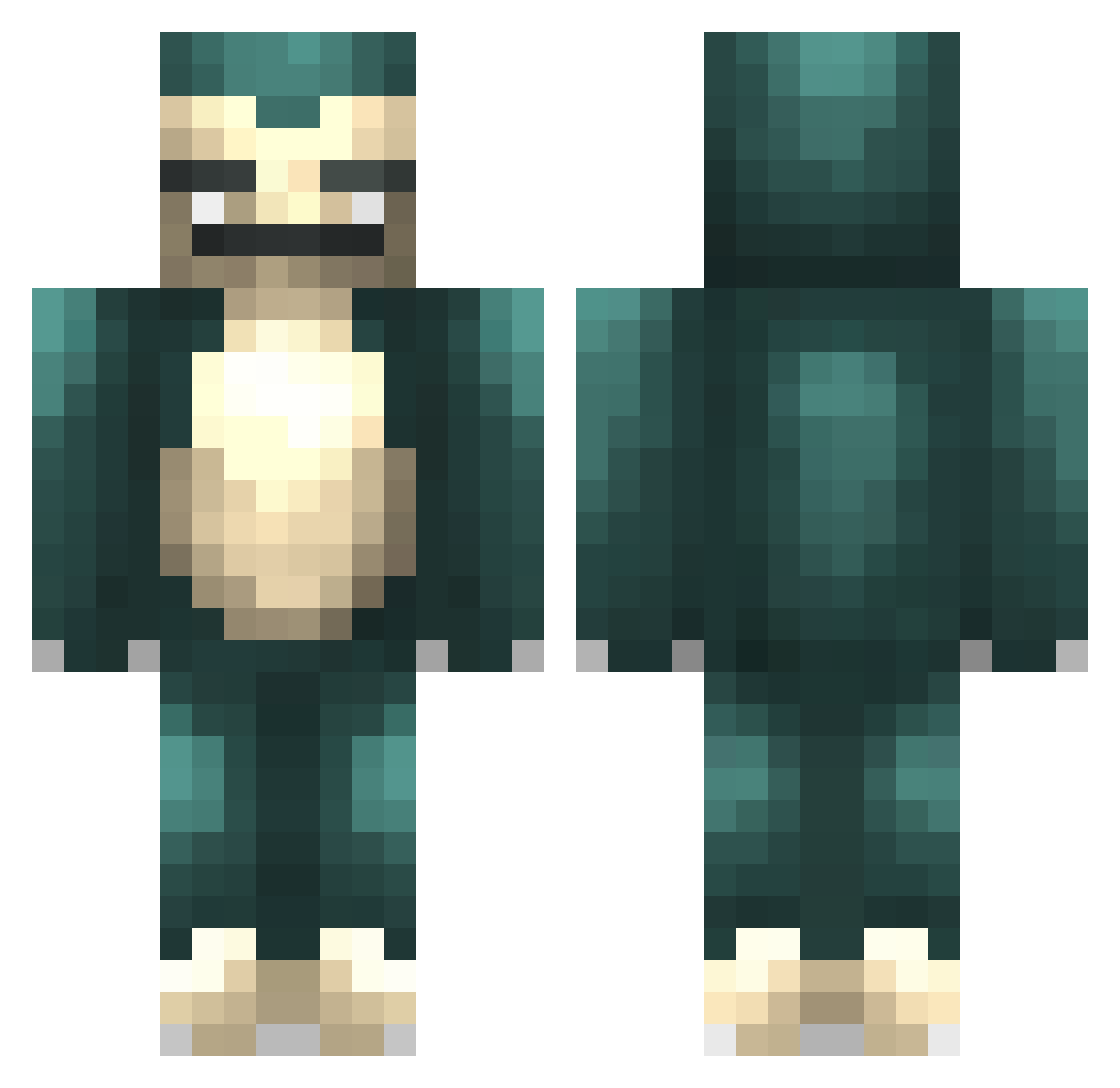
Current Minecraft skin of the player Natsuo72, loaded from the official Mojang API. Rotate the 3D model with your mouse or finger, then download the skin as a PNG file and use it in Minecraft: Bedrock Edition or Java Edition for free. When Natsuo72 changes their skin, this page updates automatically and the old skin stays in the history below.
Other players with this skin (43)
Natsuo72 was the 21st player we have seen with this skin, first spotted on 22.09.2026. The same skin was seen on these players. Open a nickname to see their current skin and skin history.
 JayyZus Blayme SmokingSeraphine The__Breeze Manbo248 Tubers kiminging Sessfa PUBG_exe tomo1188 saycocie herrcules15 KUSRRA Sk0uss Swaggggmaster69 TheGreatShimmy renold522 C_Rodri MReal Rdzu SneakyRelayxo Berusim TheQTip Balau neolib_shill Exnle WichtigesRelaxo ZaferGokdeniz Tiam_Kara MrLlamaSan BWL_Dennis _Squif locopinjo Lilealo chunglmau diddlydums wobu308B wanwamo Tobseeee 2073 Antiochus Snoopy86 quko1107
More Snorlax Minecraft skins
How to install the Natsuo72 skin
- Press the Download button above to save the skin as a PNG file.
- Minecraft: Bedrock Edition (PE): open the Dressing Room from the main menu (or tap your character → Edit Character), go to Classic Skins → Owned, press the + (new skin) button, choose the downloaded PNG and pick the Classic (Steve) model. Works on PC and mobile; consoles cannot import custom skins.
- Minecraft: Java Edition: open the Minecraft Launcher, go to the Skins tab, click New Skin, load the PNG, pick the Classic (Steve) model and press Save & Use. You can also upload it at minecraft.net → Profile → Change Skin.
The skin does not show up after import - what should I do?
Restart Minecraft and open the Dressing Room again - imported skins sometimes appear only after a restart. Also make sure you selected the imported skin and picked the Classic (Steve) model.
Which model should I choose, Classic or Slim?
This skin is designed for the Classic (Steve) model. If you pick the wrong model, the arms of the skin will look stretched or squeezed.
Is the skin of Natsuo72 free to download?
Yes. Press Download, save the PNG file and use it in Minecraft: Bedrock Edition or Java Edition - no payment or registration needed. The skin also works on multiplayer servers and Realms.
More skins
Looking for more? Go back to all Minecraft skins and check the top skins of the week, month and all time, or find any player's skin by nickname.