
Natixq - Minecraft Skins & Skin History
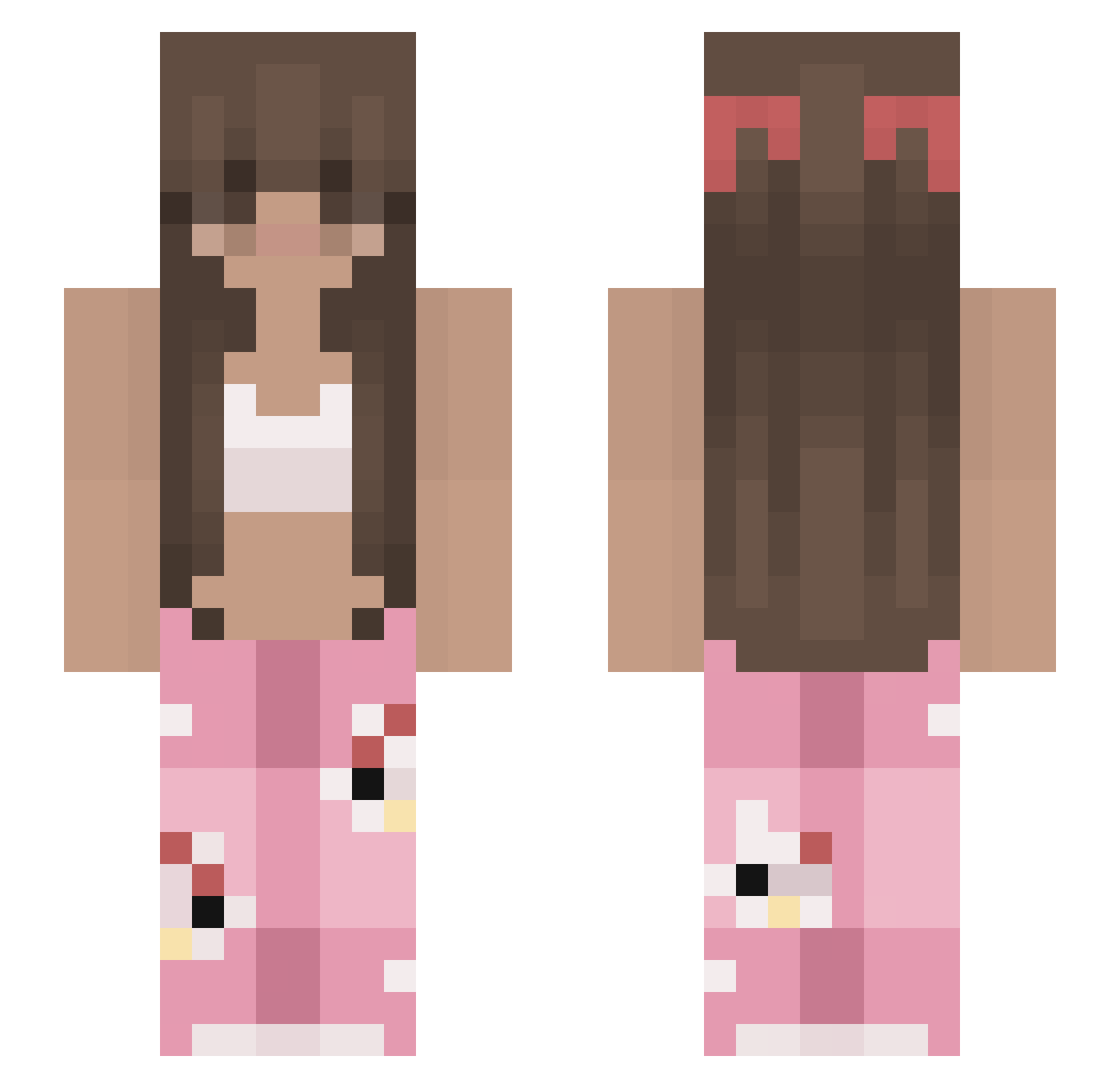
Current Minecraft skin of the player Natixq, loaded from the official Mojang API. Rotate the 3D model with your mouse or finger, then download the skin as a PNG file and use it in Minecraft: Bedrock Edition or Java Edition for free. When Natixq changes their skin, this page updates automatically and the old skin stays in the history below.
Other players with this skin (213)
Natixq was the 73rd player we have seen with this skin, first spotted on 26.08.2026. The same skin was seen on these players. Open a nickname to see their current skin and skin history.
 juliushasb00bs Spicy_Storm hoodieelle zupkachinska555 HappyyPeppyy FiatPunto1300JTD gubbpower Bamse_Farmor g30vanna skawniee widow22 d0lleish JonnaK03 PookieXD kiara0628 hixraethx GamingWitStar Laur1kq Nizzuha chloe1398 AKA_KUAI1 taexmae bloombaby if5r Stephyds tesazgt tiller747 Dingommehan Reina09 x_Jenn_x josieeey aysii_ thecassiehq ThatForgePlayer V1Snow ___Pokory___ amxnda04 Cecy2206 marins_10 J33nn4 Zuzia420 wellingtonwssw Neptune82 zyqc Holly2454 Maye19 xSkeezi eiheisd loviquins PaFraCC maferlion AlexisVictoria strwbrmilkie sam_rcy bozo1934 kaalgat K_kenzie jaypeedee Olikz kustinho
More Pyjamas Minecraft skins
How to install the Natixq skin
- Press the Download button above to save the skin as a PNG file.
- Minecraft: Bedrock Edition (PE): open the Dressing Room from the main menu (or tap your character → Edit Character), go to Classic Skins → Owned, press the + (new skin) button, choose the downloaded PNG and pick the Slim (Alex) model. Works on PC and mobile; consoles cannot import custom skins.
- Minecraft: Java Edition: open the Minecraft Launcher, go to the Skins tab, click New Skin, load the PNG, pick the Slim (Alex) model and press Save & Use. You can also upload it at minecraft.net → Profile → Change Skin.
The skin does not show up after import - what should I do?
Restart Minecraft and open the Dressing Room again - imported skins sometimes appear only after a restart. Also make sure you selected the imported skin and picked the Slim (Alex) model.
Which model should I choose, Classic or Slim?
This skin is designed for the Slim (Alex) model. If you pick the wrong model, the arms of the skin will look stretched or squeezed.
Is the skin of Natixq free to download?
Yes. Press Download, save the PNG file and use it in Minecraft: Bedrock Edition or Java Edition - no payment or registration needed. The skin also works on multiplayer servers and Realms.
More skins
Looking for more? Go back to all Minecraft skins and check the top skins of the week, month and all time, or find any player's skin by nickname.