
Nationboy99 - Minecraft Skins & Skin History
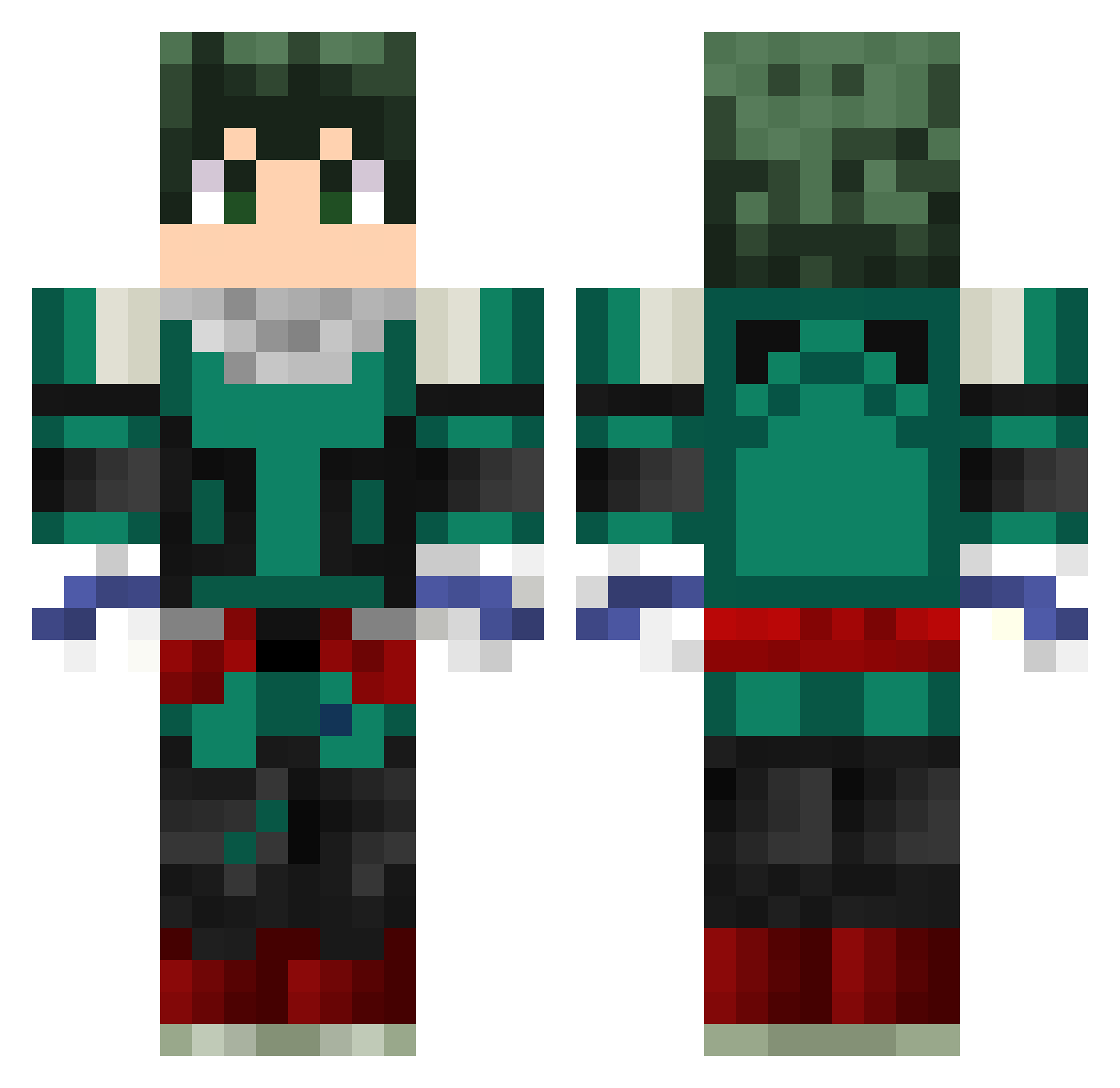
Current Minecraft skin of the player Nationboy99, loaded from the official Mojang API. Rotate the 3D model with your mouse or finger, then download the skin as a PNG file and use it in Minecraft: Bedrock Edition or Java Edition for free. When Nationboy99 changes their skin, this page updates automatically and the old skin stays in the history below.
Other players with this skin (230)
Nationboy99 was the 175th player we have seen with this skin, first spotted on 02.10.2026. The same skin was seen on these players. Open a nickname to see their current skin and skin history.
 TheOrder81 Taurorino Bearsoft Casualx_o XXXR3R3 poop1243 godoyzera1 Sup_R_vl Panappu0402 JerryMR3 ROKIEhehe ryze802 papalijah Mattatyahu_ xurumelagold FZyahana danniel_3 SpinalArt78 SuperPingasGamer Xdidio NOSUKE700 AdaptFlick BobolinkOG Sjam_HD morimori110331 MidoRiyaJunG OctoCat dek0u keldek DarkWolff25 AngelBy22 Lukazzu Anmiri NHK1 marcosburgos Itzminato Lud3278 Chibimoth21 Zazou12 SilentFrog77 RayzoFPS Eskilojj weavle96 Shingeki43 PirocossauroFex deadlyskull123 sleppybrownie Tommy187 keys9 TacoViking Deku_1 MegaRow VirtuousKnight11 Gin_Shiro creaxm DarkShadow6606 RyanGomez86 YTPerkachu Deep256 Arsis_19
More Deku Minecraft skins
How to install the Nationboy99 skin
- Press the Download button above to save the skin as a PNG file.
- Minecraft: Bedrock Edition (PE): open the Dressing Room from the main menu (or tap your character → Edit Character), go to Classic Skins → Owned, press the + (new skin) button, choose the downloaded PNG and pick the Classic (Steve) model. Works on PC and mobile; consoles cannot import custom skins.
- Minecraft: Java Edition: open the Minecraft Launcher, go to the Skins tab, click New Skin, load the PNG, pick the Classic (Steve) model and press Save & Use. You can also upload it at minecraft.net → Profile → Change Skin.
The skin does not show up after import - what should I do?
Restart Minecraft and open the Dressing Room again - imported skins sometimes appear only after a restart. Also make sure you selected the imported skin and picked the Classic (Steve) model.
Which model should I choose, Classic or Slim?
This skin is designed for the Classic (Steve) model. If you pick the wrong model, the arms of the skin will look stretched or squeezed.
Is the skin of Nationboy99 free to download?
Yes. Press Download, save the PNG file and use it in Minecraft: Bedrock Edition or Java Edition - no payment or registration needed. The skin also works on multiplayer servers and Realms.
More skins
Looking for more? Go back to all Minecraft skins and check the top skins of the week, month and all time, or find any player's skin by nickname.