
Narnia_Beaver - Minecraft Skins & Skin History
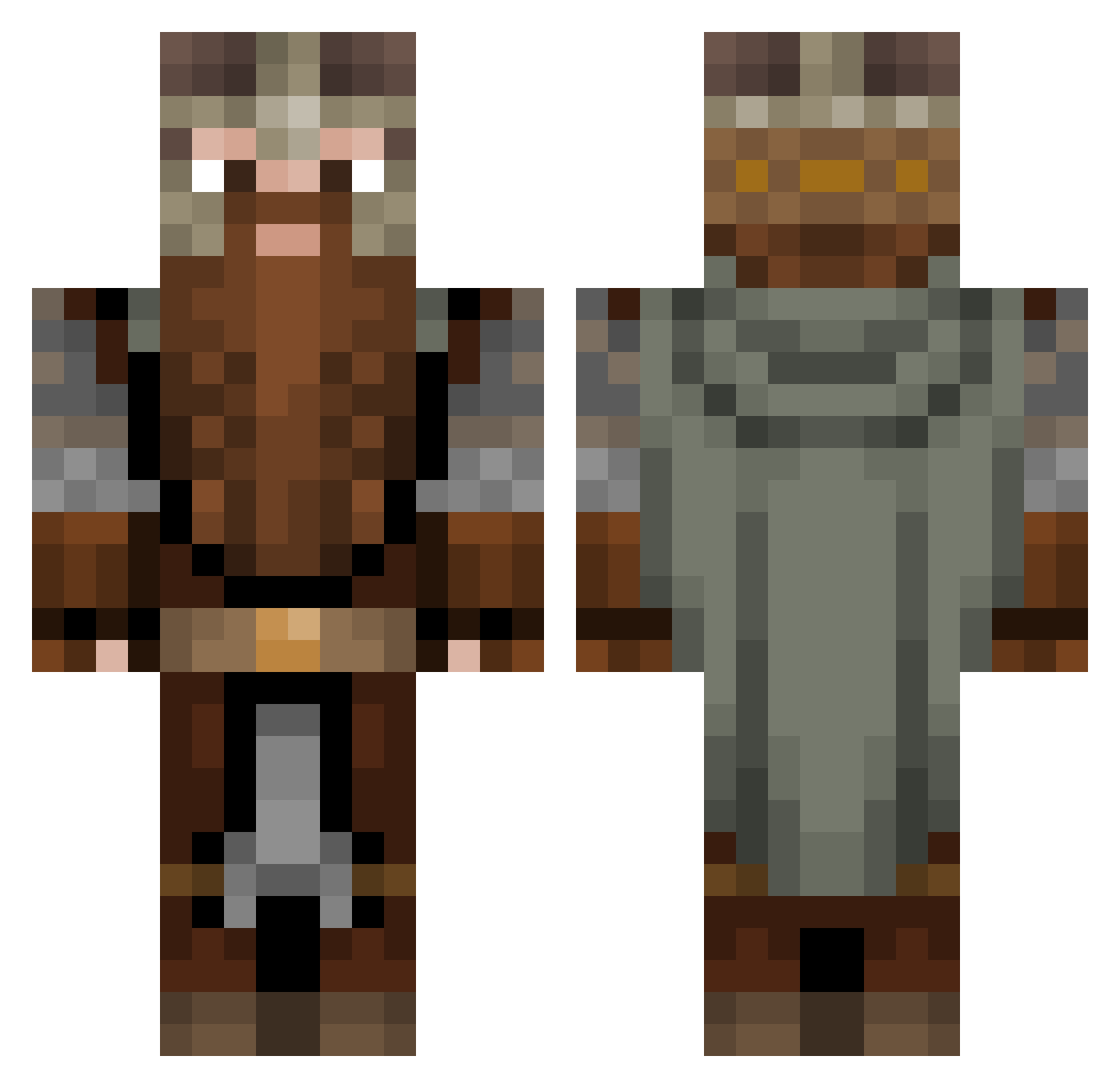
Current Minecraft skin of the player Narnia_Beaver, loaded from the official Mojang API. Rotate the 3D model with your mouse or finger, then download the skin as a PNG file and use it in Minecraft: Bedrock Edition or Java Edition for free. When Narnia_Beaver changes their skin, this page updates automatically and the old skin stays in the history below.
Other players with this skin (1308)
Narnia_Beaver was the 1235th player we have seen with this skin, first spotted on 13.11.2026. The same skin was seen on these players. Open a nickname to see their current skin and skin history.
 tachanka381 DeltaRade wiilleee Aesir_Vidar Tacoslayer3110 Vanillamudslide Jonas_Erikson Fubi95Sr LainTheMane TheChickenHonor KaiserK10 Wazario13 Jeangousse bigfatnuts101 SOLiDNi PompbartDerZwerg Kerim_Erez OriginalOscar CrocG4mer TheGoat3000 japuchus THEREALMOZZARELL Manolocf12 Ghinks Rooseli Pawulonvx MysticalFrylock Sinusoida _Ya_sosu_bibu_ FreakSleet OSRaven Batoik AGaming18 IbrahimChaudhry mshok Polish_Red Ndeen ZpartanYogu harrysonburns Lathss DJINOOO Raganarok101 Venalry Louks_ Altarnis Bearlyalive1 FlamingCard B00B00Butt coolmann789 SNIPERBOS99CELL SacDeViande Punkynator13 Pendrakkon Heldrick1 MerzLeckE1er Proxsin03 _NOMAD_CH EnglishZYN Raclaw009 Talmir
More Dwarf Minecraft skins
How to install the Narnia_Beaver skin
- Press the Download button above to save the skin as a PNG file.
- Minecraft: Bedrock Edition (PE): open the Dressing Room from the main menu (or tap your character → Edit Character), go to Classic Skins → Owned, press the + (new skin) button, choose the downloaded PNG and pick the Classic (Steve) model. Works on PC and mobile; consoles cannot import custom skins.
- Minecraft: Java Edition: open the Minecraft Launcher, go to the Skins tab, click New Skin, load the PNG, pick the Classic (Steve) model and press Save & Use. You can also upload it at minecraft.net → Profile → Change Skin.
The skin does not show up after import - what should I do?
Restart Minecraft and open the Dressing Room again - imported skins sometimes appear only after a restart. Also make sure you selected the imported skin and picked the Classic (Steve) model.
Which model should I choose, Classic or Slim?
This skin is designed for the Classic (Steve) model. If you pick the wrong model, the arms of the skin will look stretched or squeezed.
Is the skin of Narnia_Beaver free to download?
Yes. Press Download, save the PNG file and use it in Minecraft: Bedrock Edition or Java Edition - no payment or registration needed. The skin also works on multiplayer servers and Realms.
More skins
Looking for more? Go back to all Minecraft skins and check the top skins of the week, month and all time, or find any player's skin by nickname.