
NanaNyaru - Minecraft Skins & Skin History
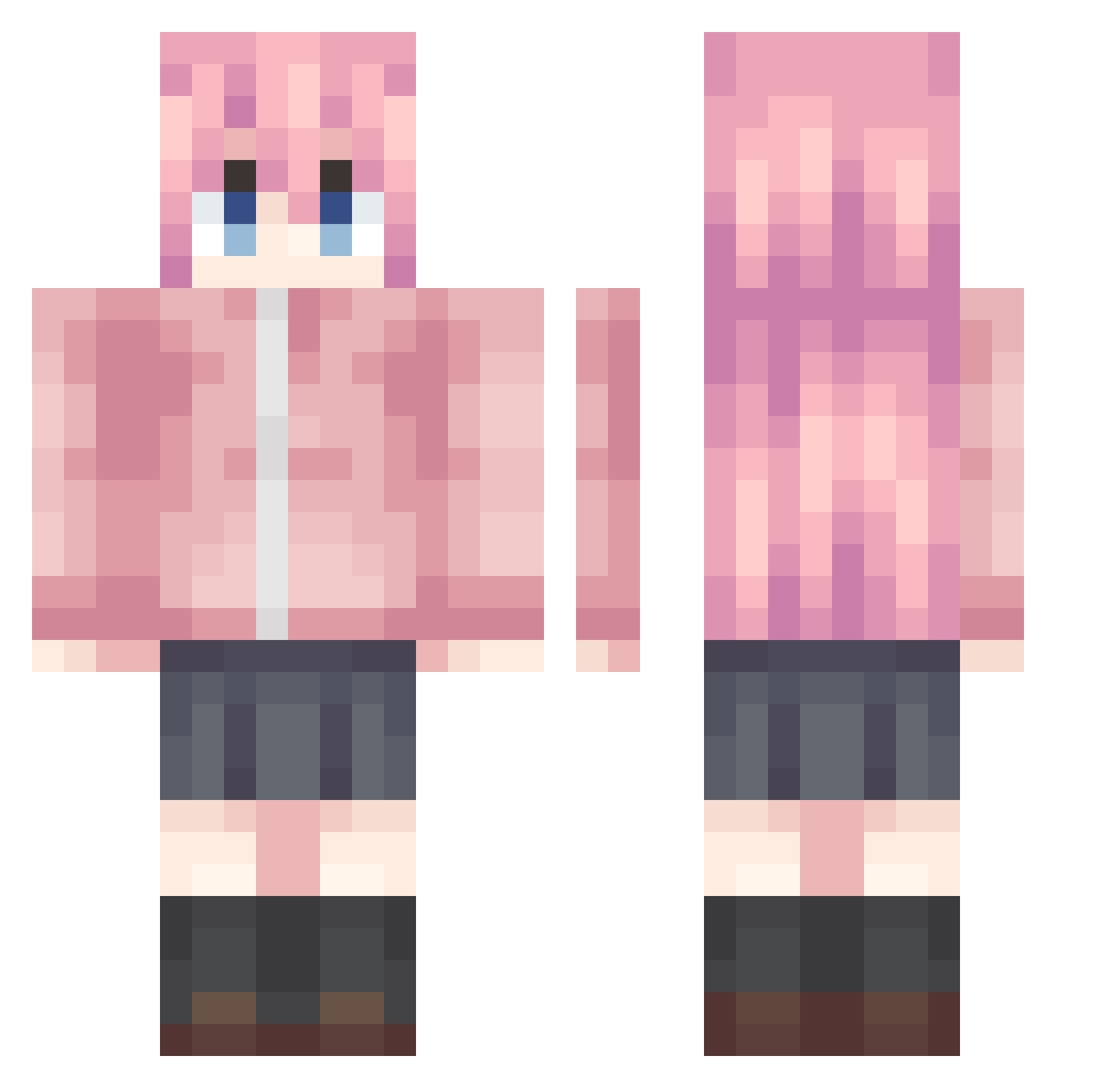
Current Minecraft skin of the player NanaNyaru, loaded from the official Mojang API. Rotate the 3D model with your mouse or finger, then download the skin as a PNG file and use it in Minecraft: Bedrock Edition or Java Edition for free. When NanaNyaru changes their skin, this page updates automatically and the old skin stays in the history below.
Other players with this skin (992)
NanaNyaru was the 388th player we have seen with this skin, first spotted on 08.09.2026. The same skin was seen on these players. Open a nickname to see their current skin and skin history.
 BCmilk saganzzz AKlinn yizhiyaa bili_citrus ataoh6 kimochiiiiiii LESUS_SIN M_Crowe gwhzm tulip_cat shishi_QWQ haook mensuoge Snowflake_521 Chihaya__Anon Negev122 X_yi66 Aruk1 Sozited mona34 Dragon1otus LANMAO810
 MasterYu_XXC GoodmanArthur Anon__Tokyo__ SaltedFishKing12 Anode47 NuclearGaming02 Kaomianbao Th1444 Kawakita_toffee YogSothoths Uma0619 xiao_wei233v Yingt HSHASH saumer8 Inari_KD killopi93 yulooZZ VirtualQwQ bababa3322 CCHORD yua_yu tatsubocchi StarLight2233 yuki0215 xiaolv666666 JOKER2401 Cyan915 diqimianhu fl33678 HDFHOU qiufeng61 ziner578 Alaskafatmonster Matsuzaka_Satou7 leega0614 shuo_qi
More Bocchi Minecraft skins
How to install the NanaNyaru skin
- Press the Download button above to save the skin as a PNG file.
- Minecraft: Bedrock Edition (PE): open the Dressing Room from the main menu (or tap your character → Edit Character), go to Classic Skins → Owned, press the + (new skin) button, choose the downloaded PNG and pick the Classic (Steve) model. Works on PC and mobile; consoles cannot import custom skins.
- Minecraft: Java Edition: open the Minecraft Launcher, go to the Skins tab, click New Skin, load the PNG, pick the Classic (Steve) model and press Save & Use. You can also upload it at minecraft.net → Profile → Change Skin.
The skin does not show up after import - what should I do?
Restart Minecraft and open the Dressing Room again - imported skins sometimes appear only after a restart. Also make sure you selected the imported skin and picked the Classic (Steve) model.
Which model should I choose, Classic or Slim?
This skin is designed for the Classic (Steve) model. If you pick the wrong model, the arms of the skin will look stretched or squeezed.
Is the skin of NanaNyaru free to download?
Yes. Press Download, save the PNG file and use it in Minecraft: Bedrock Edition or Java Edition - no payment or registration needed. The skin also works on multiplayer servers and Realms.
More skins
Looking for more? Go back to all Minecraft skins and check the top skins of the week, month and all time, or find any player's skin by nickname.