
yuki0215 - Minecraft Skins & Skin History
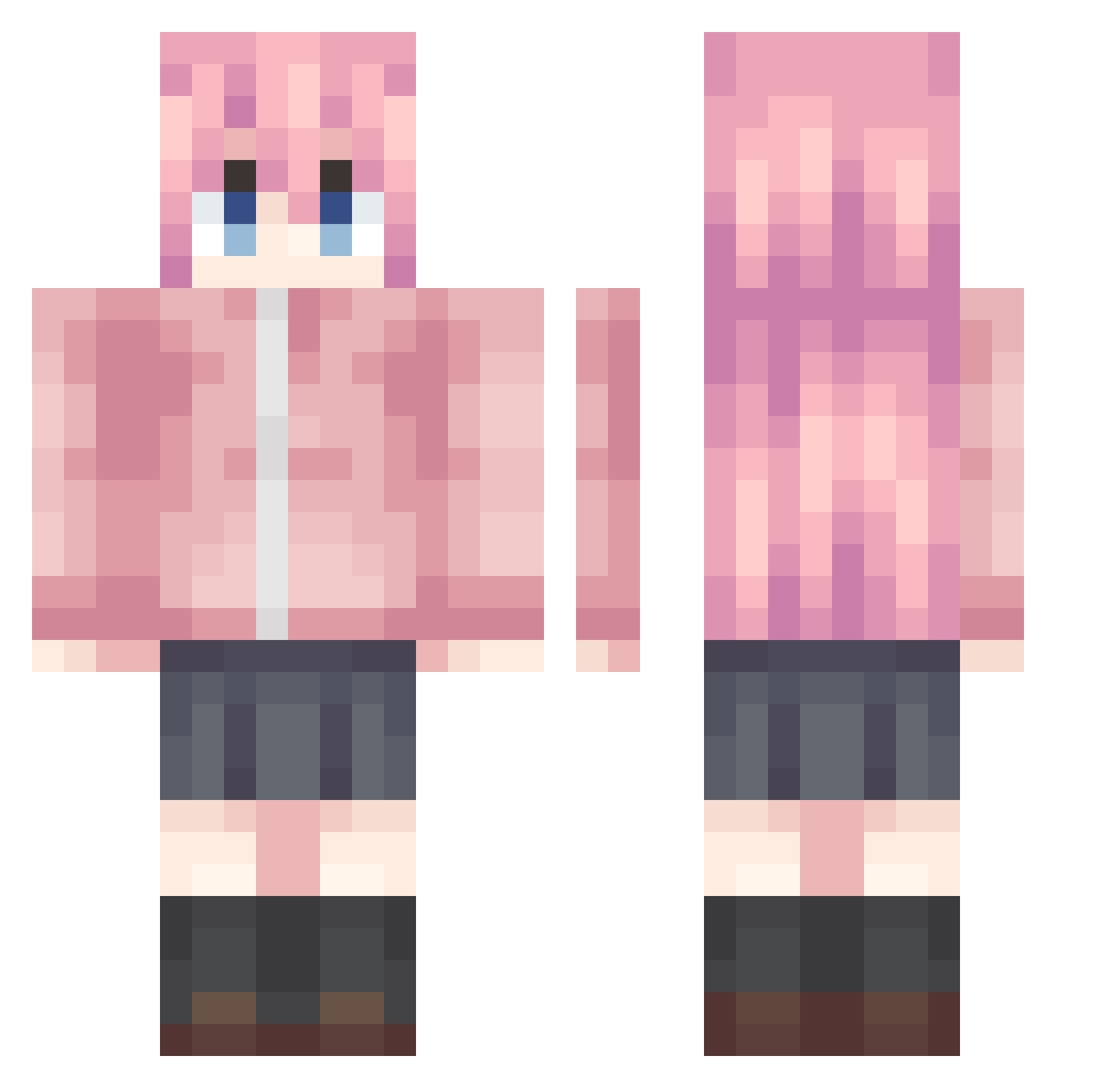
Current Minecraft skin of the player yuki0215, loaded from the official Mojang API. Rotate the 3D model with your mouse or finger, then download the skin as a PNG file and use it in Minecraft: Bedrock Edition or Java Edition for free. When yuki0215 changes their skin, this page updates automatically and the old skin stays in the history below.
Other players with this skin (992)
yuki0215 was the 366th player we have seen with this skin, first spotted on 04.09.2026. The same skin was seen on these players. Open a nickname to see their current skin and skin history.
 StarLight2233 tatsubocchi JOKER2401 diqimianhu VirtualQwQ yulooZZ Alaskafatmonster Matsuzaka_Satou7 shuo_qi CHAONAI HSHASH lanqi2 sneayZY Estrelas2_ Yingt ZhaoShaoYu _Mikasa021 CherriPoncio YogSothoths Xiaoa62 Th1444 ghostrule1 MiDoNaMa913 Polaris_2000 CANGCANGCANGCANG
 MasterYu_XXC LANMAO810 Gimaxut_Yanyan Teenshy Jayxxxxx IlIuSionary Snow_Xue_ XIAOLIUSHEN9 Giikk lunpe_ KelvinKam ailixiya668 yuu0506 Aruk1 azimiao1111
 lukedias ZHZHAN cruw7777 harry22333 X_yi66 Elucidator_K cornking 1336764 Chihaya__Anon Snowflake_521 mensuoge Yes_Kong shishi_QWQ tulip_cat Lulhannes LESUS_SIN 2443391316 ZhangPi ataoh6 yizhiyaa
More Bocchi Minecraft skins
How to install the yuki0215 skin
- Press the Download button above to save the skin as a PNG file.
- Minecraft: Bedrock Edition (PE): open the Dressing Room from the main menu (or tap your character → Edit Character), go to Classic Skins → Owned, press the + (new skin) button, choose the downloaded PNG and pick the Classic (Steve) model. Works on PC and mobile; consoles cannot import custom skins.
- Minecraft: Java Edition: open the Minecraft Launcher, go to the Skins tab, click New Skin, load the PNG, pick the Classic (Steve) model and press Save & Use. You can also upload it at minecraft.net → Profile → Change Skin.
The skin does not show up after import - what should I do?
Restart Minecraft and open the Dressing Room again - imported skins sometimes appear only after a restart. Also make sure you selected the imported skin and picked the Classic (Steve) model.
Which model should I choose, Classic or Slim?
This skin is designed for the Classic (Steve) model. If you pick the wrong model, the arms of the skin will look stretched or squeezed.
Is the skin of yuki0215 free to download?
Yes. Press Download, save the PNG file and use it in Minecraft: Bedrock Edition or Java Edition - no payment or registration needed. The skin also works on multiplayer servers and Realms.
More skins
Looking for more? Go back to all Minecraft skins and check the top skins of the week, month and all time, or find any player's skin by nickname.