
Name_Tooken - Minecraft Skins & Skin History
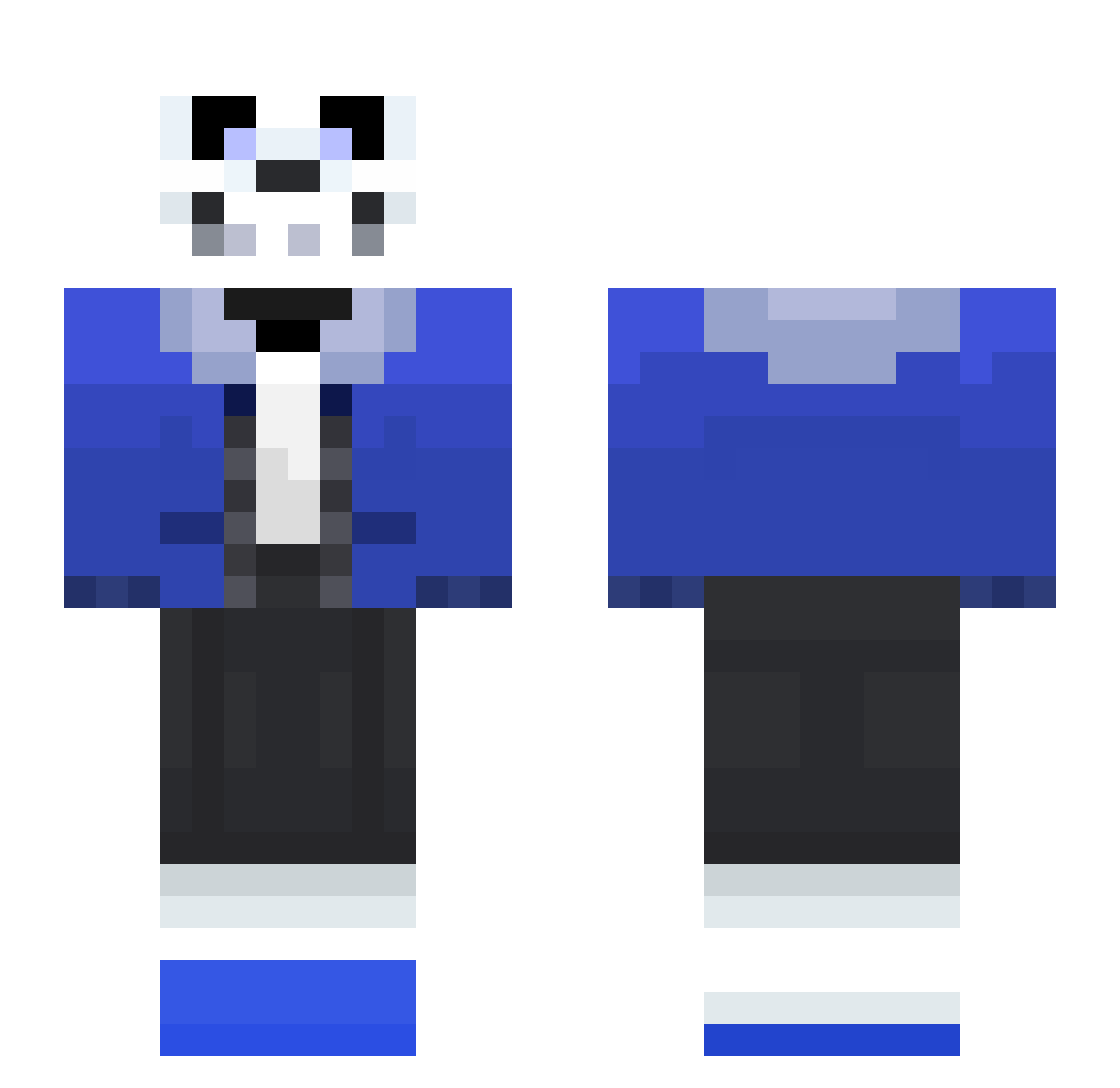
Current Minecraft skin of the player Name_Tooken, loaded from the official Mojang API. Rotate the 3D model with your mouse or finger, then download the skin as a PNG file and use it in Minecraft: Bedrock Edition or Java Edition for free. When Name_Tooken changes their skin, this page updates automatically and the old skin stays in the history below.
Other players with this skin (113)
Name_Tooken was the 85th player we have seen with this skin, first spotted on 18.10.2026. The same skin was seen on these players. Open a nickname to see their current skin and skin history.
 buntayade yamatoX block2359 sammyglop CardinalCabbage Jack_Cob Hydro4x WebbieINC Sans_the_skele5 hurido ROBERTO49 Chokisan VampireTayo DanielPhantom420 Navarok_HD robotican MagMagik Hmm_Yes_Me_Sans wwahee Ravedeth1972 LOTTE_GIANT Garryman GustavoRisadinha _Dead_Knight_ heimdall1602 lui21121 chonkman5 lin0907 ibarretxe Marv223 weabootrank THEME_3 Mr_Fibuli drfoobo wjdals338 Jestersrevenge1 Hanptom Neil_Panda mooguyperk HaJutaeng King_Crispin MiyuLoL Headyxeno the_scottish_bro pMkayy Amingos oustum MrStoopid06 thebeanrat Aj_Flowey C0m1c_SanS GyroPyro_ TheDoctorDoge letthatSYNCin ElToreador54 Vizzy_Stardust Metal_Mickey Cakehawk290 mahagoni97 drianbennis
More Sans Minecraft skins
How to install the Name_Tooken skin
- Press the Download button above to save the skin as a PNG file.
- Minecraft: Bedrock Edition (PE): open the Dressing Room from the main menu (or tap your character → Edit Character), go to Classic Skins → Owned, press the + (new skin) button, choose the downloaded PNG and pick the Slim (Alex) model. Works on PC and mobile; consoles cannot import custom skins.
- Minecraft: Java Edition: open the Minecraft Launcher, go to the Skins tab, click New Skin, load the PNG, pick the Slim (Alex) model and press Save & Use. You can also upload it at minecraft.net → Profile → Change Skin.
The skin does not show up after import - what should I do?
Restart Minecraft and open the Dressing Room again - imported skins sometimes appear only after a restart. Also make sure you selected the imported skin and picked the Slim (Alex) model.
Which model should I choose, Classic or Slim?
This skin is designed for the Slim (Alex) model. If you pick the wrong model, the arms of the skin will look stretched or squeezed.
Is the skin of Name_Tooken free to download?
Yes. Press Download, save the PNG file and use it in Minecraft: Bedrock Edition or Java Edition - no payment or registration needed. The skin also works on multiplayer servers and Realms.
More skins
Looking for more? Go back to all Minecraft skins and check the top skins of the week, month and all time, or find any player's skin by nickname.