
NakkiKoira69 - Minecraft Skins & Skin History
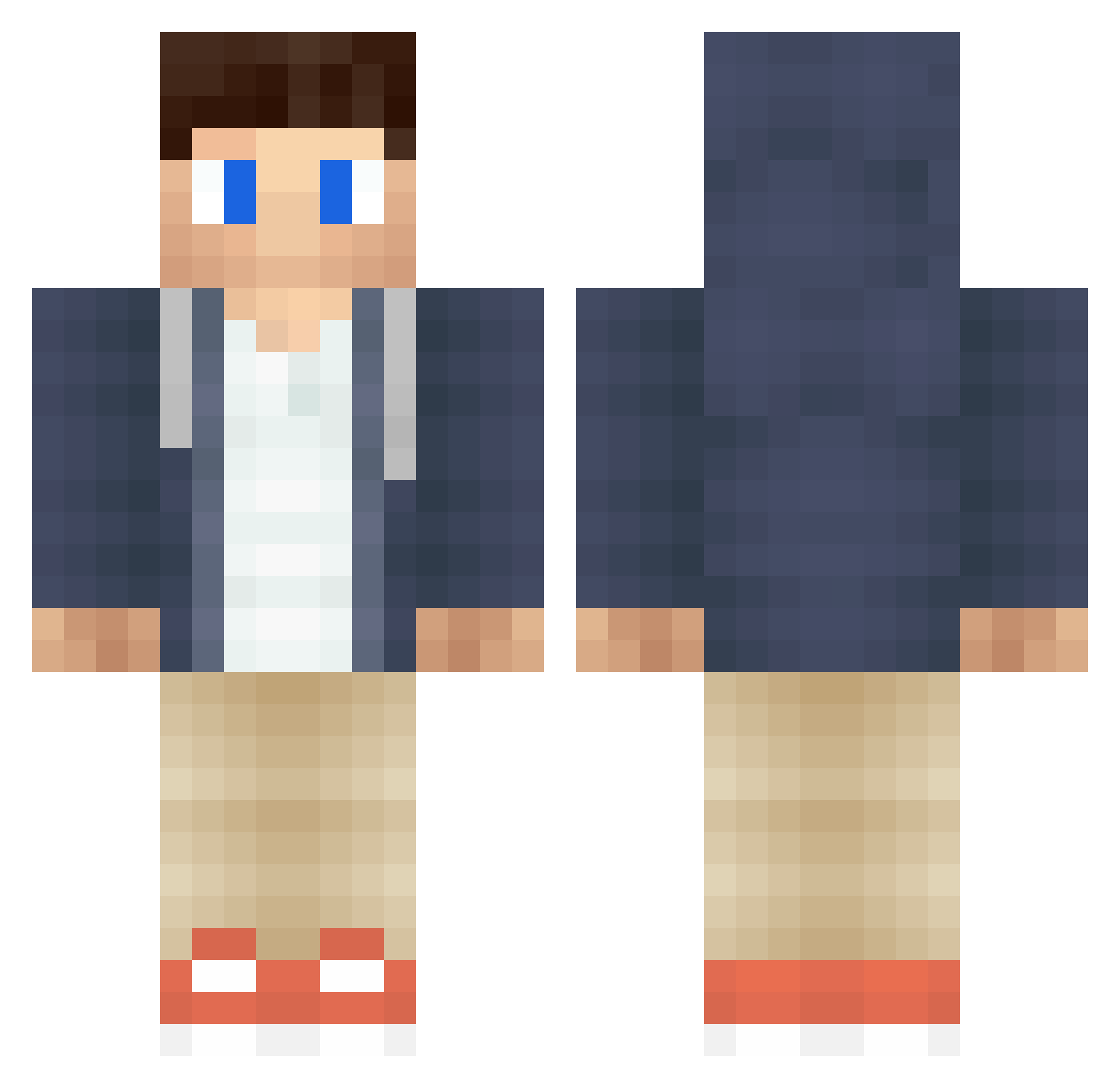
Current Minecraft skin of the player NakkiKoira69, loaded from the official Mojang API. Rotate the 3D model with your mouse or finger, then download the skin as a PNG file and use it in Minecraft: Bedrock Edition or Java Edition for free. When NakkiKoira69 changes their skin, this page updates automatically and the old skin stays in the history below.
Other players with this skin (364)
NakkiKoira69 was the 305th player we have seen with this skin, first spotted on 07.10.2026. The same skin was seen on these players. Open a nickname to see their current skin and skin history.
 Omega_Knight50 ashwolf3 adamolsen12 AzerBoss FlyflixHD BenekliDon WilltheKrill LiLi_x ErikHighlander olotigerone itshucci Lewwerworscht milkshoes Ilovetrout1 AdrianMD89 The_Akyla_bro TheRealBubble ZForbes huleboer2 Focus_on_Me Shoebias kiddar Keatdome Mo7mMeD1 jakescuba LoudTracks Maxjee Smile_pumpkin Szefic AndrewisQuiet HEu3BECTHbIu _qlog EGPPurd ikbenbrand Stickymayhem1 nicklas2004 Sean_Foster Akselhoff Keruwi garebear47123 Jon_Vegard mehmetok13 Shady_God DEADF1SH_CAT unspokenwolf01 white712 Robin05399 CAaronE_ WarPhone kreaka98 erik_killer BangladeshBorn ebParis98 X_ibrahim_X Kjella69 PrivateTheory BlogsWithDan kkylorren RensRevolver Matt190303
More Casual Minecraft skins
How to install the NakkiKoira69 skin
- Press the Download button above to save the skin as a PNG file.
- Minecraft: Bedrock Edition (PE): open the Dressing Room from the main menu (or tap your character → Edit Character), go to Classic Skins → Owned, press the + (new skin) button, choose the downloaded PNG and pick the Classic (Steve) model. Works on PC and mobile; consoles cannot import custom skins.
- Minecraft: Java Edition: open the Minecraft Launcher, go to the Skins tab, click New Skin, load the PNG, pick the Classic (Steve) model and press Save & Use. You can also upload it at minecraft.net → Profile → Change Skin.
The skin does not show up after import - what should I do?
Restart Minecraft and open the Dressing Room again - imported skins sometimes appear only after a restart. Also make sure you selected the imported skin and picked the Classic (Steve) model.
Which model should I choose, Classic or Slim?
This skin is designed for the Classic (Steve) model. If you pick the wrong model, the arms of the skin will look stretched or squeezed.
Is the skin of NakkiKoira69 free to download?
Yes. Press Download, save the PNG file and use it in Minecraft: Bedrock Edition or Java Edition - no payment or registration needed. The skin also works on multiplayer servers and Realms.
More skins
Looking for more? Go back to all Minecraft skins and check the top skins of the week, month and all time, or find any player's skin by nickname.