
NachoBacon03 - Minecraft Skins & Skin History
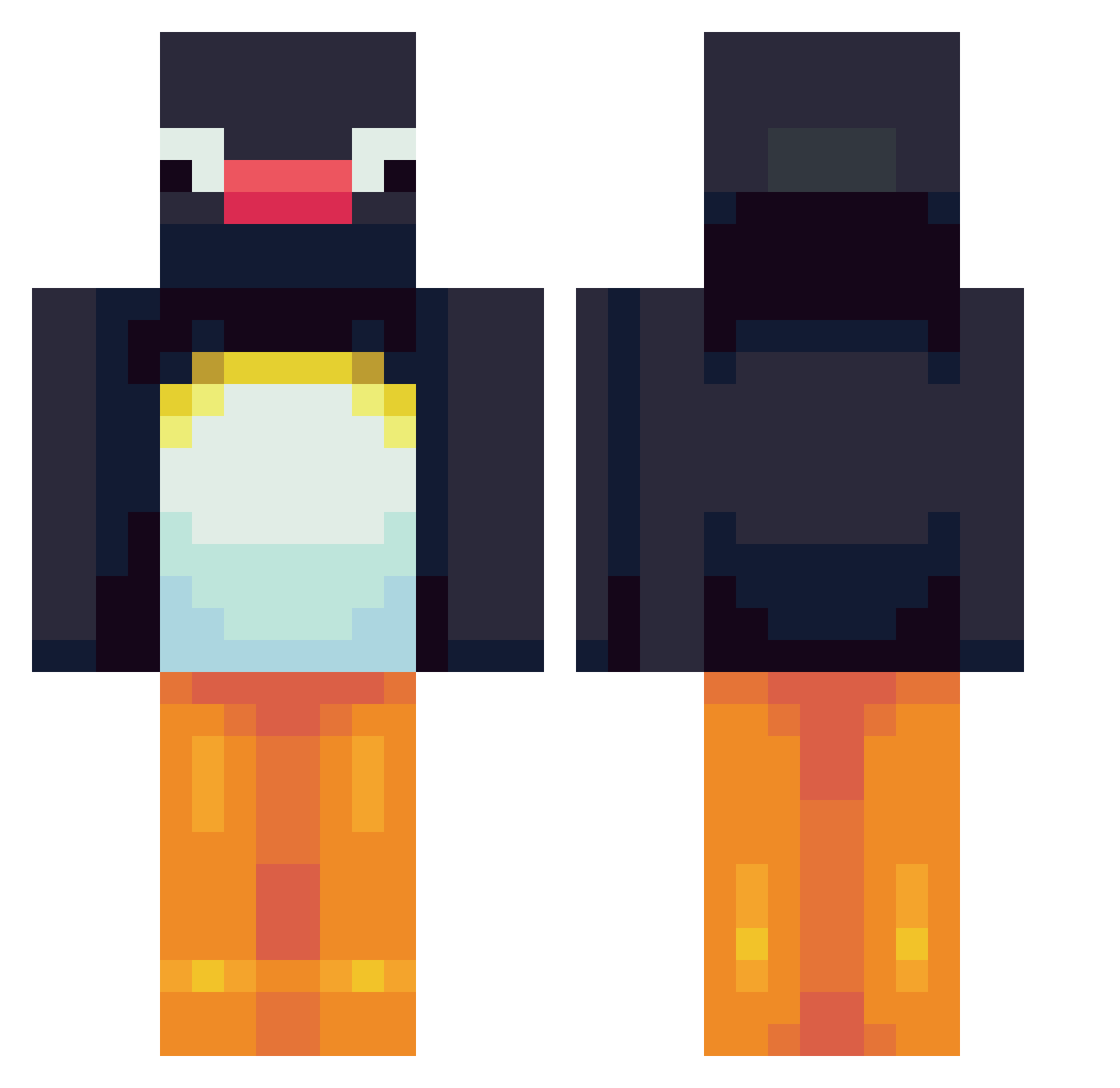
Current Minecraft skin of the player NachoBacon03, loaded from the official Mojang API. Rotate the 3D model with your mouse or finger, then download the skin as a PNG file and use it in Minecraft: Bedrock Edition or Java Edition for free. When NachoBacon03 changes their skin, this page updates automatically and the old skin stays in the history below.
Other players with this skin (564)
NachoBacon03 was the 29th player we have seen with this skin, first spotted on 30.07.2026. The same skin was seen on these players. Open a nickname to see their current skin and skin history.
 keyaan05 yogurtZERO malkerty emel_ryan hongsizzang Dalance JuliusH77 naeunsung kji6923 3nglesson JumpingBean12 Grendelpouf UPURZSUKDEEZ commienoob ZwartePanter53 Molly6936 iGoldStar_3 LaloBinx zaiquiri_ GodJonggi KrissyTheRizzy shbe1st Napo_Studios iLike2Rage rlatodus9 toxicwaste2000 Abood_alfaify Ankiru9 CJansy MistakenDC Noobsauce9001 M1cce20 ianplayz1122 Sylfae HandicapPANDA tainna23 frvshsuccu Vilkkumx KejjKejj Tim5552471 Pinguuu111 corneboot HylanderZ nico8579 lanyahbby ppapayaa mica_bm Ashole97 Adebb angooos Kiwi9962 Gecko616 Giovaa LOLO06220 emilyparrott Varsijousi apple9001 heyjjang Tjoemp IAmAShortie
More Pingu Minecraft skins
How to install the NachoBacon03 skin
- Press the Download button above to save the skin as a PNG file.
- Minecraft: Bedrock Edition (PE): open the Dressing Room from the main menu (or tap your character → Edit Character), go to Classic Skins → Owned, press the + (new skin) button, choose the downloaded PNG and pick the Classic (Steve) model. Works on PC and mobile; consoles cannot import custom skins.
- Minecraft: Java Edition: open the Minecraft Launcher, go to the Skins tab, click New Skin, load the PNG, pick the Classic (Steve) model and press Save & Use. You can also upload it at minecraft.net → Profile → Change Skin.
The skin does not show up after import - what should I do?
Restart Minecraft and open the Dressing Room again - imported skins sometimes appear only after a restart. Also make sure you selected the imported skin and picked the Classic (Steve) model.
Which model should I choose, Classic or Slim?
This skin is designed for the Classic (Steve) model. If you pick the wrong model, the arms of the skin will look stretched or squeezed.
Is the skin of NachoBacon03 free to download?
Yes. Press Download, save the PNG file and use it in Minecraft: Bedrock Edition or Java Edition - no payment or registration needed. The skin also works on multiplayer servers and Realms.
More skins
Looking for more? Go back to all Minecraft skins and check the top skins of the week, month and all time, or find any player's skin by nickname.