
NaAngelDa - Minecraft Skins & Skin History
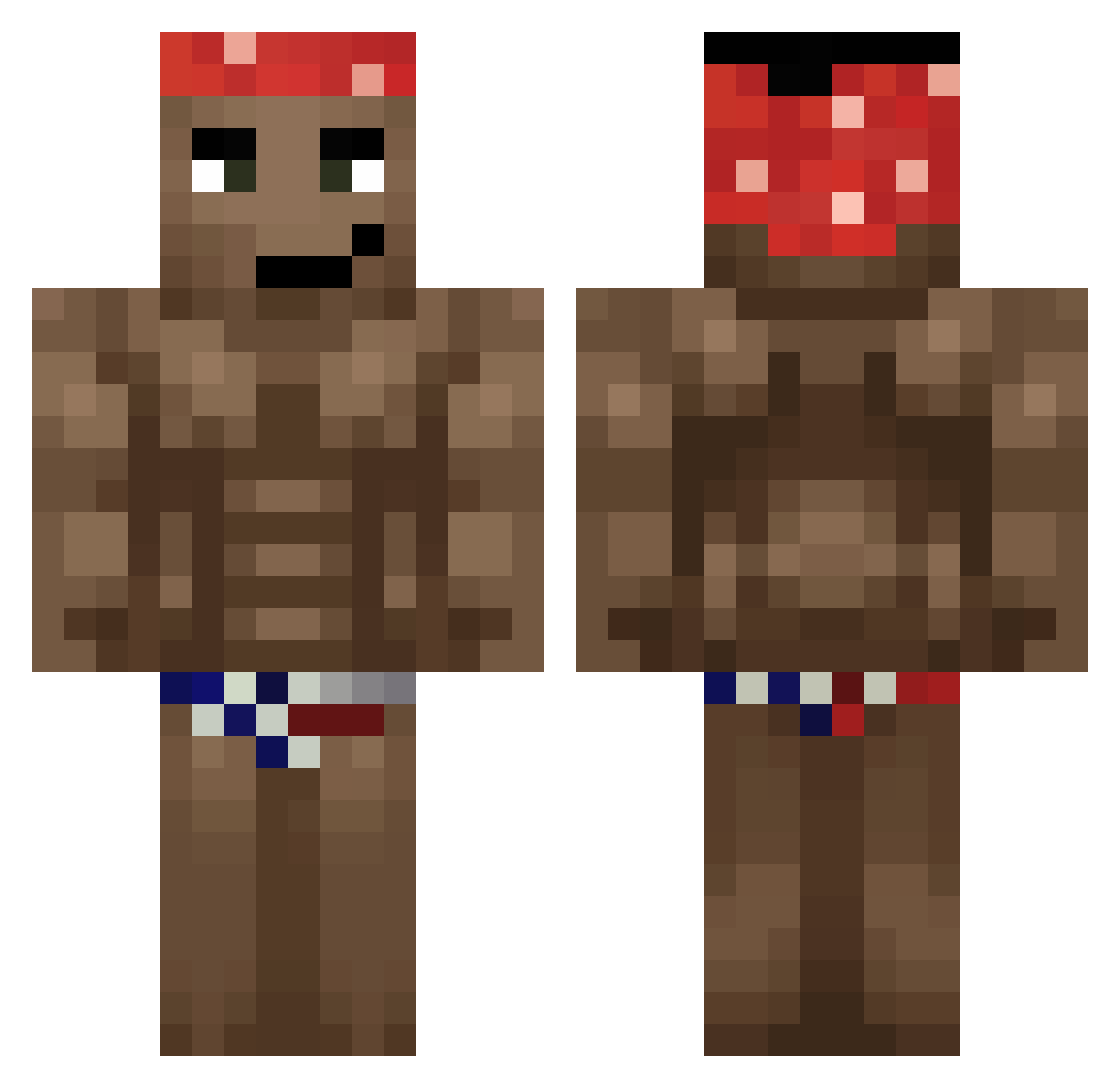
Current Minecraft skin of the player NaAngelDa, loaded from the official Mojang API. Rotate the 3D model with your mouse or finger, then download the skin as a PNG file and use it in Minecraft: Bedrock Edition or Java Edition for free. When NaAngelDa changes their skin, this page updates automatically and the old skin stays in the history below.
Other players with this skin (623)
NaAngelDa was the 428th player we have seen with this skin, first spotted on 06.10.2026. The same skin was seen on these players. Open a nickname to see their current skin and skin history.
 YoungOldy ariimusiic xBACOON lowkey2117 Eduwin S1lentDrag0n Bubusulek Cojanes96 Brummard PATR1K228666 qbyy lNiffo Neiroxoff Antos_On_240hz LukynBelo icaruse209 Bomberpass82 isaaco555 lkjy36 Bersher14 chunkaiii Jaace0123 DzigaDRIGA Huanyang999 UncleWpx ruperto777 chavezjuan4 Zerocuk Albertin_69 rjota Gibbido goofyaaah RengokuSama Zlobor_ flvx_ antopan350 DanielGOSTER117 __Melodias_ AMIT00 Hak_3 BrOADWiNK codigozero1 Rapidex philkindacute DIDDYLORD Alessanderrx YoElRyan13 Pinofles xBigby Cowunia CoxinhaDeliciosa Arkam1557 Joshi9996 nwm1234 Oxydez Riverforce morticiantaken jconn234 Komornik_999 xXGodMilosXx
More Dancer Minecraft skins
How to install the NaAngelDa skin
- Press the Download button above to save the skin as a PNG file.
- Minecraft: Bedrock Edition (PE): open the Dressing Room from the main menu (or tap your character → Edit Character), go to Classic Skins → Owned, press the + (new skin) button, choose the downloaded PNG and pick the Classic (Steve) model. Works on PC and mobile; consoles cannot import custom skins.
- Minecraft: Java Edition: open the Minecraft Launcher, go to the Skins tab, click New Skin, load the PNG, pick the Classic (Steve) model and press Save & Use. You can also upload it at minecraft.net → Profile → Change Skin.
The skin does not show up after import - what should I do?
Restart Minecraft and open the Dressing Room again - imported skins sometimes appear only after a restart. Also make sure you selected the imported skin and picked the Classic (Steve) model.
Which model should I choose, Classic or Slim?
This skin is designed for the Classic (Steve) model. If you pick the wrong model, the arms of the skin will look stretched or squeezed.
Is the skin of NaAngelDa free to download?
Yes. Press Download, save the PNG file and use it in Minecraft: Bedrock Edition or Java Edition - no payment or registration needed. The skin also works on multiplayer servers and Realms.
More skins
Looking for more? Go back to all Minecraft skins and check the top skins of the week, month and all time, or find any player's skin by nickname.