
NFFNotII - Minecraft Skins & Skin History
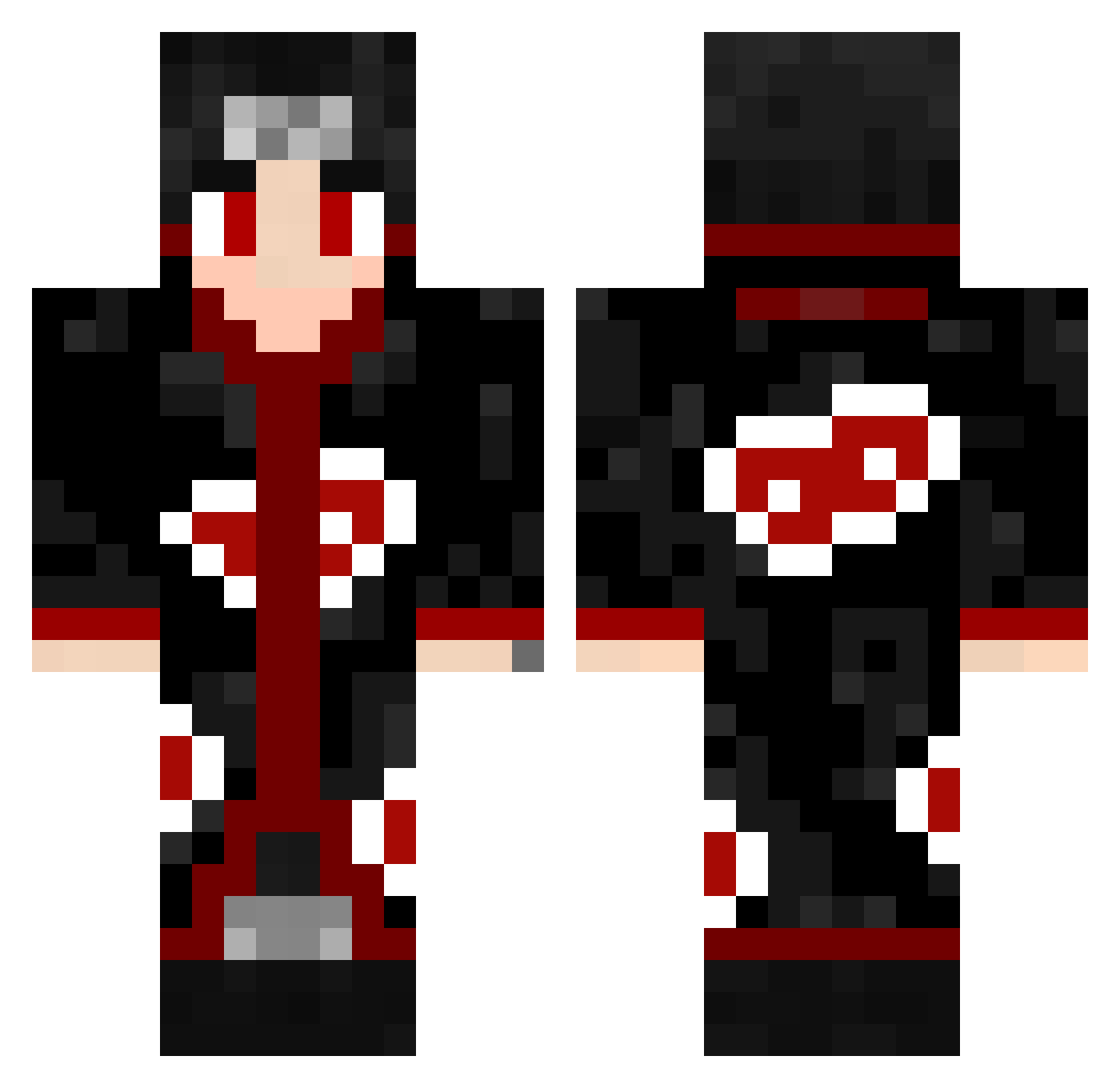
Current Minecraft skin of the player NFFNotII, loaded from the official Mojang API. Rotate the 3D model with your mouse or finger, then download the skin as a PNG file and use it in Minecraft: Bedrock Edition or Java Edition for free. When NFFNotII changes their skin, this page updates automatically and the old skin stays in the history below.
Other players with this skin (462)
NFFNotII was the 401st player we have seen with this skin, first spotted on 09.10.2026. The same skin was seen on these players. Open a nickname to see their current skin and skin history.
 LucasMac13 Sinan_der_Pirat pasta_la_vista Robsonknockson Umegas LingLingNo Mestre40_ SadImpact sl6z josex1234 TheSrech BladeLution 2XkUlZb MX_Gekyume NonGenJii LeonY1234 Lixx2322 Sprinter1244 Blackdef01 skaehdlf MarcoxxGM1 DarkHazeVT Itachi_13_ keaneoys LuberjackJo BrokeShinobi ItachiUchiha160 MrCheox iguin_ wLuu ffqq RushTag XinYOYO3 JaysoonZ TomaHawk213 busrabb Namkeen Brook0113 TerplordOzai alpozirto28 Gallo2513 BigOlBeef ElaEDAS arlisk PrinceCivill DaveyDeMiner sxhydra Andr0m3dus Aoi_God Yakitsuk alex44944 Julia2328 BermeoXI SoidArath 1lwuti peterhd12 sabigod Trini_Rai GavinHeat fxbx420
More Itachi Uchiha Minecraft skins
See all 318 Itachi Uchiha skins
How to install the NFFNotII skin
- Press the Download button above to save the skin as a PNG file.
- Minecraft: Bedrock Edition (PE): open the Dressing Room from the main menu (or tap your character → Edit Character), go to Classic Skins → Owned, press the + (new skin) button, choose the downloaded PNG and pick the Classic (Steve) model. Works on PC and mobile; consoles cannot import custom skins.
- Minecraft: Java Edition: open the Minecraft Launcher, go to the Skins tab, click New Skin, load the PNG, pick the Classic (Steve) model and press Save & Use. You can also upload it at minecraft.net → Profile → Change Skin.
The skin does not show up after import - what should I do?
Restart Minecraft and open the Dressing Room again - imported skins sometimes appear only after a restart. Also make sure you selected the imported skin and picked the Classic (Steve) model.
Which model should I choose, Classic or Slim?
This skin is designed for the Classic (Steve) model. If you pick the wrong model, the arms of the skin will look stretched or squeezed.
Is the skin of NFFNotII free to download?
Yes. Press Download, save the PNG file and use it in Minecraft: Bedrock Edition or Java Edition - no payment or registration needed. The skin also works on multiplayer servers and Realms.
More skins
Looking for more? Go back to all Minecraft skins and check the top skins of the week, month and all time, or find any player's skin by nickname.