
NEXUS10032 - Minecraft Skins & Skin History
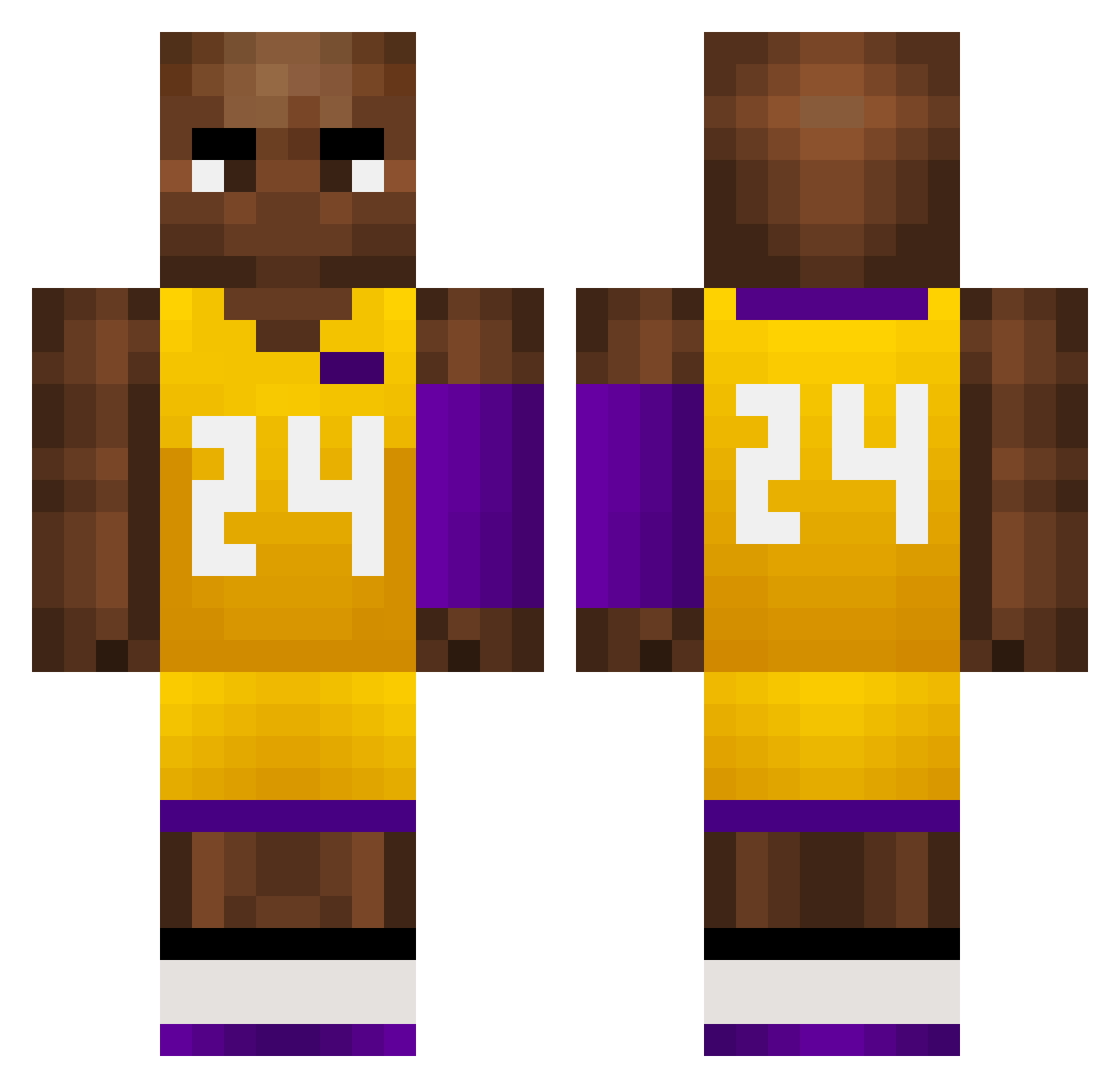
Current Minecraft skin of the player NEXUS10032, loaded from the official Mojang API. Rotate the 3D model with your mouse or finger, then download the skin as a PNG file and use it in Minecraft: Bedrock Edition or Java Edition for free. When NEXUS10032 changes their skin, this page updates automatically and the old skin stays in the history below.
Other players with this skin (727)
NEXUS10032 was the 23rd player we have seen with this skin, first spotted on 26.07.2026. The same skin was seen on these players. Open a nickname to see their current skin and skin history.
 BroItsAnt Resery sheiber01 Kiriewki FoozerRagasa LitelPerez wudimambazhanshi rompeortos Sneew42 epyc9950 walalababama Lucasith zhongguows M1vest Elcoow shao27 Sp0sK dactylogram langerbangerr Rcm348 Qbxrclay02 luri_s Hambungus CoffiBbx ReFLX248 Waterman2137 LukeQeefed FFooXXyyk Bluepig862 alexgtr23 manba_world HEw50 sunshine123124 Tuaanie M0R0N3K AL0XOX WasoneL ier693 PaulGeorgeMVPSZN Caleb1207 mel0ball TheOnlyBruh cheekieee yiyezhiqiu618 fabian334 Chamoy___ Hamishfitz GamerBoyAlon s1mple_6 Demiaan_6 warriorsman81
 matigagatek HeyyyJackk CleverGermany kVa710 NutsandButts Dr_jadenK MoBambaThe2nd Anand4D ACCEBREAD
More Kobe Bryant Minecraft skins
How to install the NEXUS10032 skin
- Press the Download button above to save the skin as a PNG file.
- Minecraft: Bedrock Edition (PE): open the Dressing Room from the main menu (or tap your character → Edit Character), go to Classic Skins → Owned, press the + (new skin) button, choose the downloaded PNG and pick the Classic (Steve) model. Works on PC and mobile; consoles cannot import custom skins.
- Minecraft: Java Edition: open the Minecraft Launcher, go to the Skins tab, click New Skin, load the PNG, pick the Classic (Steve) model and press Save & Use. You can also upload it at minecraft.net → Profile → Change Skin.
The skin does not show up after import - what should I do?
Restart Minecraft and open the Dressing Room again - imported skins sometimes appear only after a restart. Also make sure you selected the imported skin and picked the Classic (Steve) model.
Which model should I choose, Classic or Slim?
This skin is designed for the Classic (Steve) model. If you pick the wrong model, the arms of the skin will look stretched or squeezed.
Is the skin of NEXUS10032 free to download?
Yes. Press Download, save the PNG file and use it in Minecraft: Bedrock Edition or Java Edition - no payment or registration needed. The skin also works on multiplayer servers and Realms.
More skins
Looking for more? Go back to all Minecraft skins and check the top skins of the week, month and all time, or find any player's skin by nickname.