
NCK_99 - Minecraft Skins & Skin History
Current Minecraft skin of the player NCK_99, loaded from the official Mojang API. Rotate the 3D model with your mouse or finger, then download the skin as a PNG file and use it in Minecraft: Bedrock Edition or Java Edition for free. When NCK_99 changes their skin, this page updates automatically and the old skin stays in the history below.
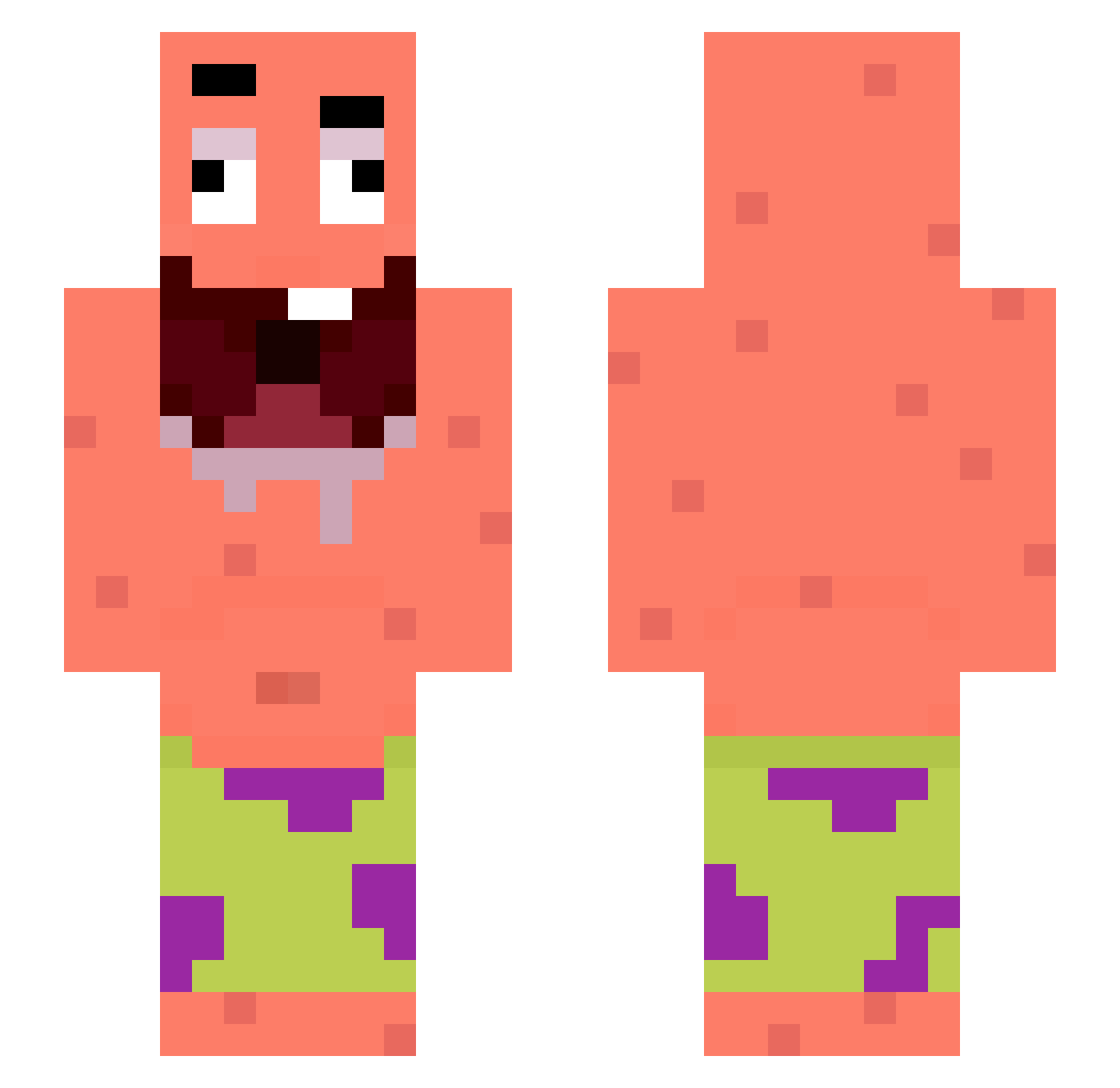
Other players with this skin (269)
NCK_99 was the 114th player we have seen with this skin, first spotted on 06.09.2026. The same skin was seen on these players. Open a nickname to see their current skin and skin history.
 pro_zet RokoTheCatLover EnesTeller Pars3e jofayer Waji_XD POMBINHA1234 Skibidop abcdefghijkl123 zapzin12 ZakaMC Kiruwe _KeskiN_ proFNbtw KumaViper casa00777 Valooche CapriciousMC Carlos91XD xl_instant causett skylineXIX woojin523 kezi567
 CCPEnthusiast saalvaddorr WILTI64 BAPCARR sun_raku0 machetias Dog1129 ericksmecheru ToNieJaBlejzz _M3Ister_ matysekkb ZKOY_ mastermaks Torrge Eviter123 _Volpescuer99_ mikasappglinda vm1ra deathmarried16 won_04 IamBubs_ tizi2701 juli_buli6 sucuklu_yumurt NoAds89 boryskowadlo451 suckonthisak chaaaaaaaaaaang clxudssss Kimboojang ShadowVo1d mystick48 jevaderheethenk ElPerroBombaGH BBQ000 kuki_phot
More Patrick Star Minecraft skins
See all 612 Patrick Star skins
How to install the NCK_99 skin
- Press the Download button above to save the skin as a PNG file.
- Minecraft: Bedrock Edition (PE): open the Dressing Room from the main menu (or tap your character → Edit Character), go to Classic Skins → Owned, press the + (new skin) button, choose the downloaded PNG and pick the Slim (Alex) model. Works on PC and mobile; consoles cannot import custom skins.
- Minecraft: Java Edition: open the Minecraft Launcher, go to the Skins tab, click New Skin, load the PNG, pick the Slim (Alex) model and press Save & Use. You can also upload it at minecraft.net → Profile → Change Skin.
The skin does not show up after import - what should I do?
Restart Minecraft and open the Dressing Room again - imported skins sometimes appear only after a restart. Also make sure you selected the imported skin and picked the Slim (Alex) model.
Which model should I choose, Classic or Slim?
This skin is designed for the Slim (Alex) model. If you pick the wrong model, the arms of the skin will look stretched or squeezed.
Is the skin of NCK_99 free to download?
Yes. Press Download, save the PNG file and use it in Minecraft: Bedrock Edition or Java Edition - no payment or registration needed. The skin also works on multiplayer servers and Realms.
More skins
Looking for more? Go back to all Minecraft skins and check the top skins of the week, month and all time, or find any player's skin by nickname.