
N1nxtailz - Minecraft Skins & Skin History
Current Minecraft skin of the player N1nxtailz, loaded from the official Mojang API. Rotate the 3D model with your mouse or finger, then download the skin as a PNG file and use it in Minecraft: Bedrock Edition or Java Edition for free. When N1nxtailz changes their skin, this page updates automatically and the old skin stays in the history below.
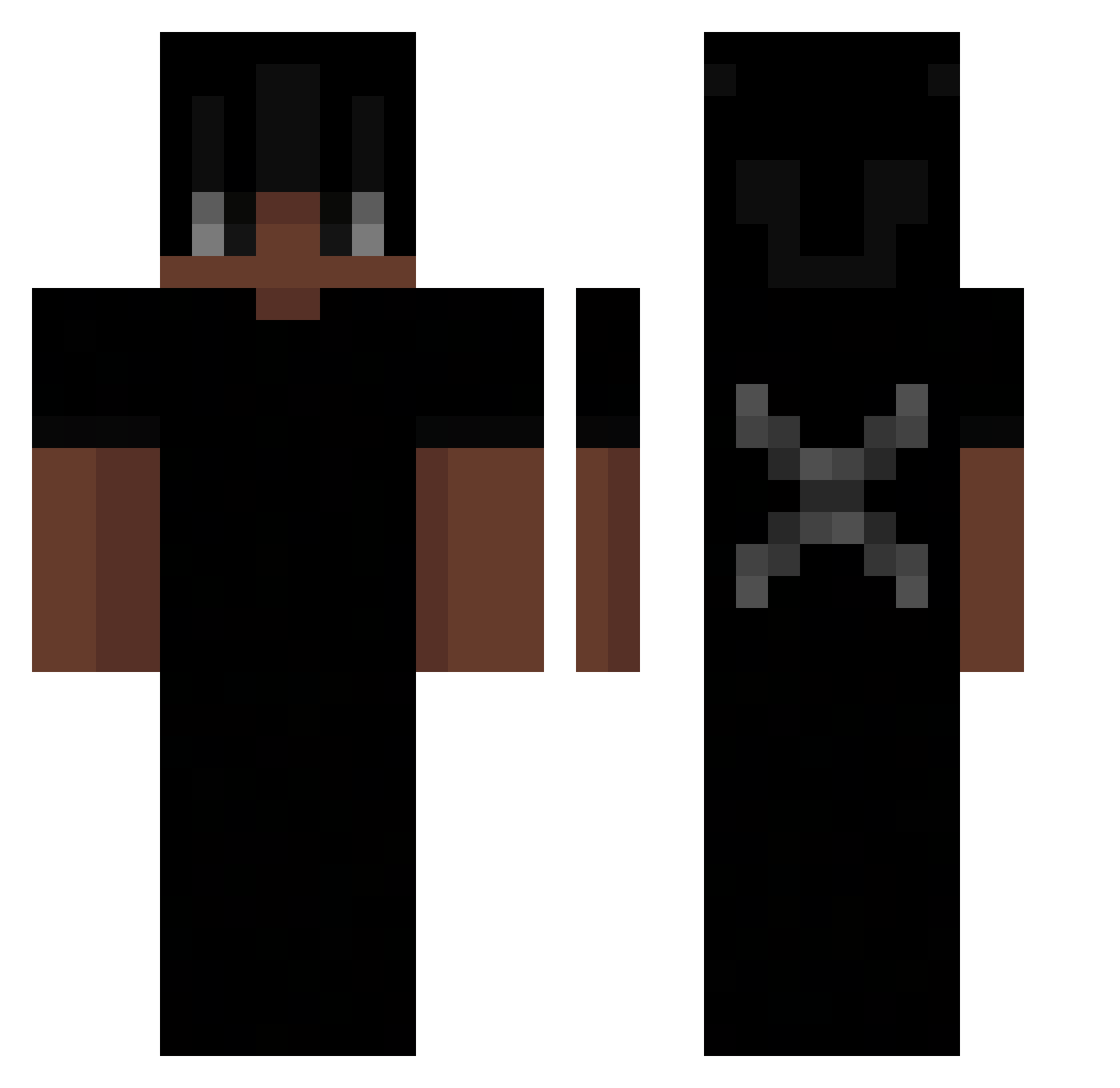
Other players with this skin (68)
N1nxtailz was the 18th player we have seen with this skin, first spotted on 27.08.2026. The same skin was seen on these players. Open a nickname to see their current skin and skin history.
 keeper____ Chimicks vyamp suutr casperkry Lxqr_YT Rikudied ItsZK Dohbly
 Cr0cxy el3cz_ka TBSDREAMS Tresors DontWantYou Ramsy12 Zexxeryz fa2bal Agent_jc1 Zox_11 kapist16 Xavion120 visaqxal bityburbon Pyronexis nathannsz LionOfDeath11 Berluscotti_ itzrealyhim Vluvkay Firespeer d1eaa zimulous 22ARGO12 clieex bauti1989 Kevin_Hartmans Imaginario5150 potato777121 YeZZ1 Zhay456 _westtt Jayyyy LeBlue1259 cleekyboi09 Andycik_ EgomanS muhkhai CH3MP0NY nikmokstop xxTaylorx OppanK7 lambo3397 Instinct2723 2kAlvinn MichMrz ati_14 AZMASS wtorkowy_kubelek notbubbo yipot
More Dreadlocks Minecraft skins
How to install the N1nxtailz skin
- Press the Download button above to save the skin as a PNG file.
- Minecraft: Bedrock Edition (PE): open the Dressing Room from the main menu (or tap your character → Edit Character), go to Classic Skins → Owned, press the + (new skin) button, choose the downloaded PNG and pick the Classic (Steve) model. Works on PC and mobile; consoles cannot import custom skins.
- Minecraft: Java Edition: open the Minecraft Launcher, go to the Skins tab, click New Skin, load the PNG, pick the Classic (Steve) model and press Save & Use. You can also upload it at minecraft.net → Profile → Change Skin.
The skin does not show up after import - what should I do?
Restart Minecraft and open the Dressing Room again - imported skins sometimes appear only after a restart. Also make sure you selected the imported skin and picked the Classic (Steve) model.
Which model should I choose, Classic or Slim?
This skin is designed for the Classic (Steve) model. If you pick the wrong model, the arms of the skin will look stretched or squeezed.
Is the skin of N1nxtailz free to download?
Yes. Press Download, save the PNG file and use it in Minecraft: Bedrock Edition or Java Edition - no payment or registration needed. The skin also works on multiplayer servers and Realms.
More skins
Looking for more? Go back to all Minecraft skins and check the top skins of the week, month and all time, or find any player's skin by nickname.