
MysticStarrr - Minecraft Skins & Skin History
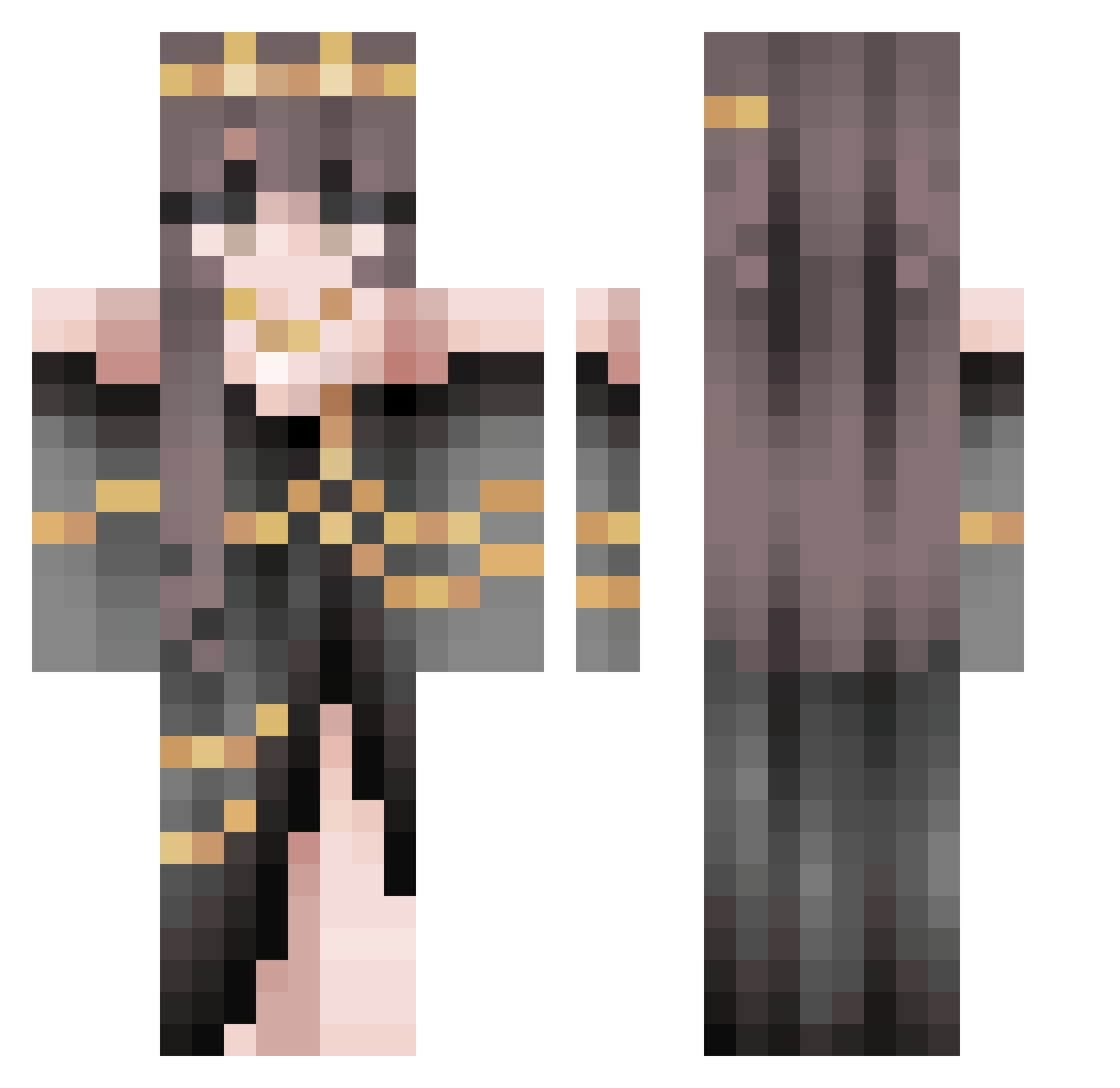
Current Minecraft skin of the player MysticStarrr, loaded from the official Mojang API. Rotate the 3D model with your mouse or finger, then download the skin as a PNG file and use it in Minecraft: Bedrock Edition or Java Edition for free. When MysticStarrr changes their skin, this page updates automatically and the old skin stays in the history below.
Other players with this skin (508)
MysticStarrr was the 76th player we have seen with this skin, first spotted on 07.08.2026. The same skin was seen on these players. Open a nickname to see their current skin and skin history.
 Agatha_mih mylodiz QueenBooty tolan2k vanessaring TickyElmo JiangChuChu zhaolu_ iizayo T7x17 Robomasters1 TheFallenAether Phade123 Kuioko WumbleBumble Soph488 Derpyjeje Baraldus_ Sushni Loo_tre UkabuSuiren sobrelae Storm__17 22Lor3 BellCherie Brynnthevalkyrie LizardBreath37 imadeadangel Tibi_C Arekich MW175 zhxing kaylaezzz WInkNLand Queen07359 DasFramz_ theblackkaisar Roossaaa21 p4mpushka nector122 stitch_nWolf soohyun20 _Disappointed ke_lli
 GraveHD auberbaby Polan3k ahkita_ x_uan___
 Spezifikation_ obsessingover_u FrozenWay_ Saige281 ahreui TheDragonWalker _knixs_ sexyguy413 Skyebo297 Dashoune Mutsuki_to
More Gold Jewelry Minecraft skins
How to install the MysticStarrr skin
- Press the Download button above to save the skin as a PNG file.
- Minecraft: Bedrock Edition (PE): open the Dressing Room from the main menu (or tap your character → Edit Character), go to Classic Skins → Owned, press the + (new skin) button, choose the downloaded PNG and pick the Classic (Steve) model. Works on PC and mobile; consoles cannot import custom skins.
- Minecraft: Java Edition: open the Minecraft Launcher, go to the Skins tab, click New Skin, load the PNG, pick the Classic (Steve) model and press Save & Use. You can also upload it at minecraft.net → Profile → Change Skin.
The skin does not show up after import - what should I do?
Restart Minecraft and open the Dressing Room again - imported skins sometimes appear only after a restart. Also make sure you selected the imported skin and picked the Classic (Steve) model.
Which model should I choose, Classic or Slim?
This skin is designed for the Classic (Steve) model. If you pick the wrong model, the arms of the skin will look stretched or squeezed.
Is the skin of MysticStarrr free to download?
Yes. Press Download, save the PNG file and use it in Minecraft: Bedrock Edition or Java Edition - no payment or registration needed. The skin also works on multiplayer servers and Realms.
More skins
Looking for more? Go back to all Minecraft skins and check the top skins of the week, month and all time, or find any player's skin by nickname.