
MyOctavia - Minecraft Skins & Skin History
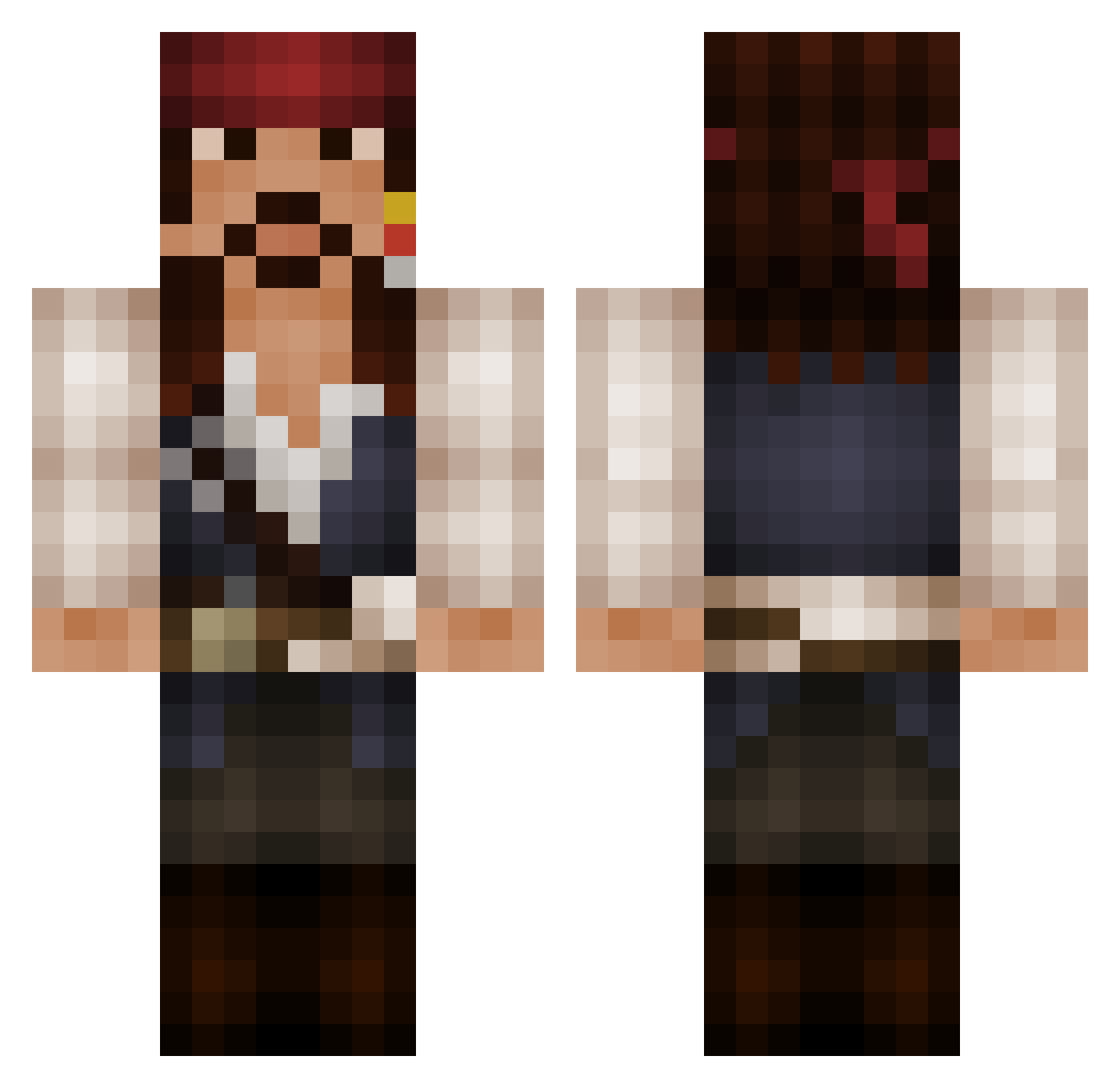
Current Minecraft skin of the player MyOctavia, loaded from the official Mojang API. Rotate the 3D model with your mouse or finger, then download the skin as a PNG file and use it in Minecraft: Bedrock Edition or Java Edition for free. When MyOctavia changes their skin, this page updates automatically and the old skin stays in the history below.
Other players with this skin (589)
MyOctavia was the 534th player we have seen with this skin, first spotted on 02.11.2026. The same skin was seen on these players. Open a nickname to see their current skin and skin history.
 1llu510n5 SteveThePirate12 jabberwocky01 AngryCrayon TheDogDick Der_Dodo patwind Yuki_2112 Live2themax ImLake Tomrandi Koenert tekila147 CapitanDart milan42002 Dannylwd ThaWinkle iownu784 Kkcafe2 Aphonia chirpychipmunk ChillinVillin502 leegolas_85 ItsTravis viveramert tcoz18 Spurmius Senshu TuBiTz KoholaWave selva1 hayanac Bad_3216 DreadlordRoxas Pastich43 MattCloud NBAbigfan1 KingV27 VOGTSTER Jeniac johnnybeggins GarbloJones IDreadI Br0_SKYFALL_Lars itsvegantime Velikov dks1024 brotherhood411 EnchantedFISH An70ni0 Sack_Jarrow Tauriel_3 LeMisieur kamikze RumbellyRuss SuperSax_007 BearHixy TippyEx _Aloha DAWDS
More Jack Sparrow Minecraft skins
See all 121 Jack Sparrow skins
How to install the MyOctavia skin
- Press the Download button above to save the skin as a PNG file.
- Minecraft: Bedrock Edition (PE): open the Dressing Room from the main menu (or tap your character → Edit Character), go to Classic Skins → Owned, press the + (new skin) button, choose the downloaded PNG and pick the Classic (Steve) model. Works on PC and mobile; consoles cannot import custom skins.
- Minecraft: Java Edition: open the Minecraft Launcher, go to the Skins tab, click New Skin, load the PNG, pick the Classic (Steve) model and press Save & Use. You can also upload it at minecraft.net → Profile → Change Skin.
The skin does not show up after import - what should I do?
Restart Minecraft and open the Dressing Room again - imported skins sometimes appear only after a restart. Also make sure you selected the imported skin and picked the Classic (Steve) model.
Which model should I choose, Classic or Slim?
This skin is designed for the Classic (Steve) model. If you pick the wrong model, the arms of the skin will look stretched or squeezed.
Is the skin of MyOctavia free to download?
Yes. Press Download, save the PNG file and use it in Minecraft: Bedrock Edition or Java Edition - no payment or registration needed. The skin also works on multiplayer servers and Realms.
More skins
Looking for more? Go back to all Minecraft skins and check the top skins of the week, month and all time, or find any player's skin by nickname.