
MusiFlow_ - Minecraft Skins & Skin History
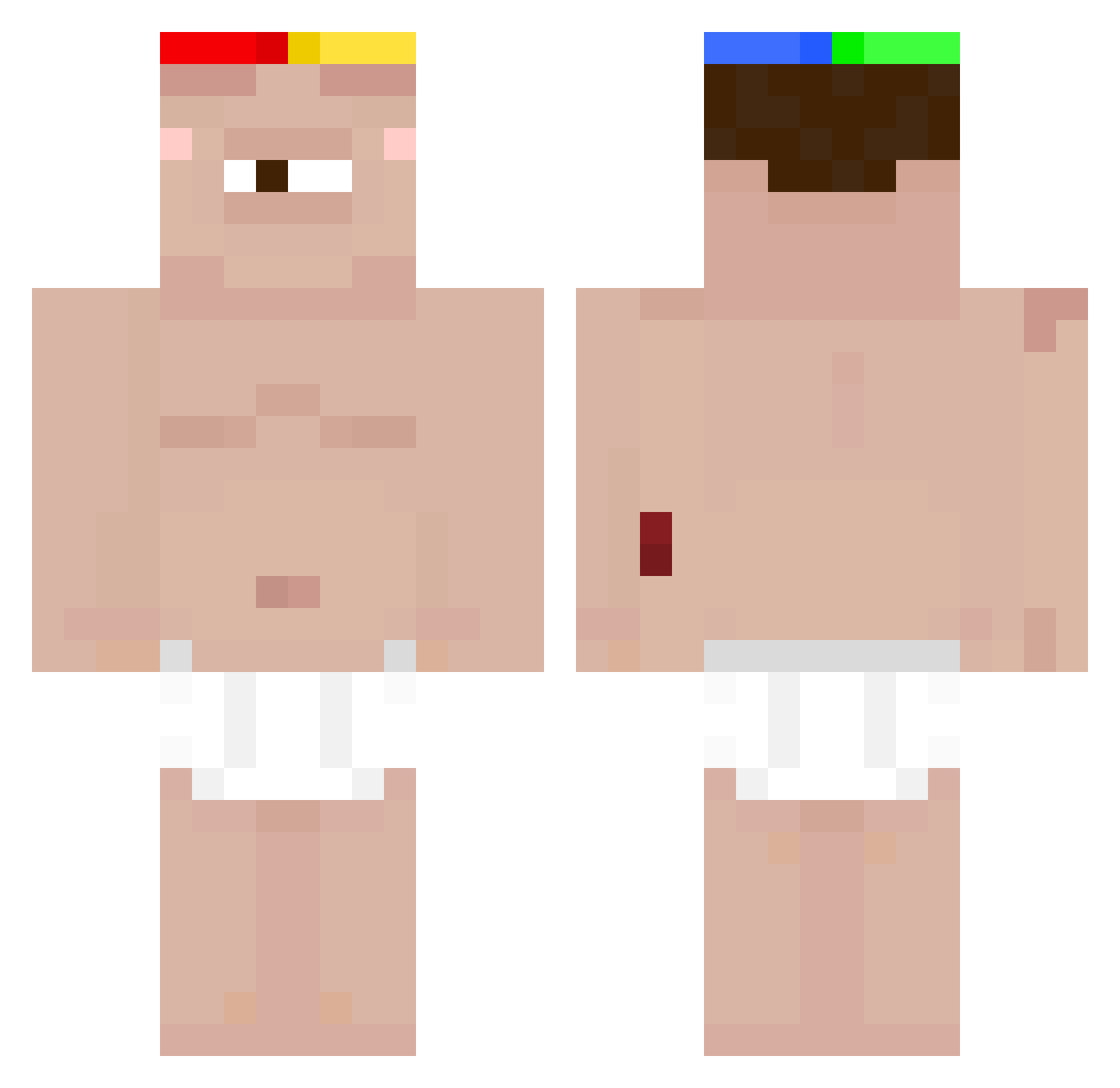
Current Minecraft skin of the player MusiFlow_, loaded from the official Mojang API. Rotate the 3D model with your mouse or finger, then download the skin as a PNG file and use it in Minecraft: Bedrock Edition or Java Edition for free. When MusiFlow_ changes their skin, this page updates automatically and the old skin stays in the history below.
Other players with this skin (50)
MusiFlow_ was the 34th player we have seen with this skin, first spotted on 04.10.2026. The same skin was seen on these players. Open a nickname to see their current skin and skin history.
 jungjaeyoun1127 TheSassyLoser JottaSx SpikerSaS urmcs Jonkoi sigmagoonerdih dinoturts TioZika vojtik233 P1bb ezbro123456 SumiGoGo numB1t SMA3 The_Materbater bloody_gamerz Fraude_Fiscale yonggary0 MajaHoelgaard _mimmu xamoki CoolCatTat
 IcyIsFly Pakosak czprisun tungtungri__ FatherCosmos 69ttt OPandateam TyTriple9 EverlastingBosh J_err_Y prodbytrstn Snackingpeanuts teddy2skib4u frxwie distereG KaiTism
 JohnnyDepp11 nicoisme youngboyisbroke
 Skyundy merda_bellator Meexh hunter4the7 grahamka14 sebasct identicalkeen MariaDeus
More Cyclops Minecraft skins
How to install the MusiFlow_ skin
- Press the Download button above to save the skin as a PNG file.
- Minecraft: Bedrock Edition (PE): open the Dressing Room from the main menu (or tap your character → Edit Character), go to Classic Skins → Owned, press the + (new skin) button, choose the downloaded PNG and pick the Classic (Steve) model. Works on PC and mobile; consoles cannot import custom skins.
- Minecraft: Java Edition: open the Minecraft Launcher, go to the Skins tab, click New Skin, load the PNG, pick the Classic (Steve) model and press Save & Use. You can also upload it at minecraft.net → Profile → Change Skin.
The skin does not show up after import - what should I do?
Restart Minecraft and open the Dressing Room again - imported skins sometimes appear only after a restart. Also make sure you selected the imported skin and picked the Classic (Steve) model.
Which model should I choose, Classic or Slim?
This skin is designed for the Classic (Steve) model. If you pick the wrong model, the arms of the skin will look stretched or squeezed.
Is the skin of MusiFlow_ free to download?
Yes. Press Download, save the PNG file and use it in Minecraft: Bedrock Edition or Java Edition - no payment or registration needed. The skin also works on multiplayer servers and Realms.
More skins
Looking for more? Go back to all Minecraft skins and check the top skins of the week, month and all time, or find any player's skin by nickname.