
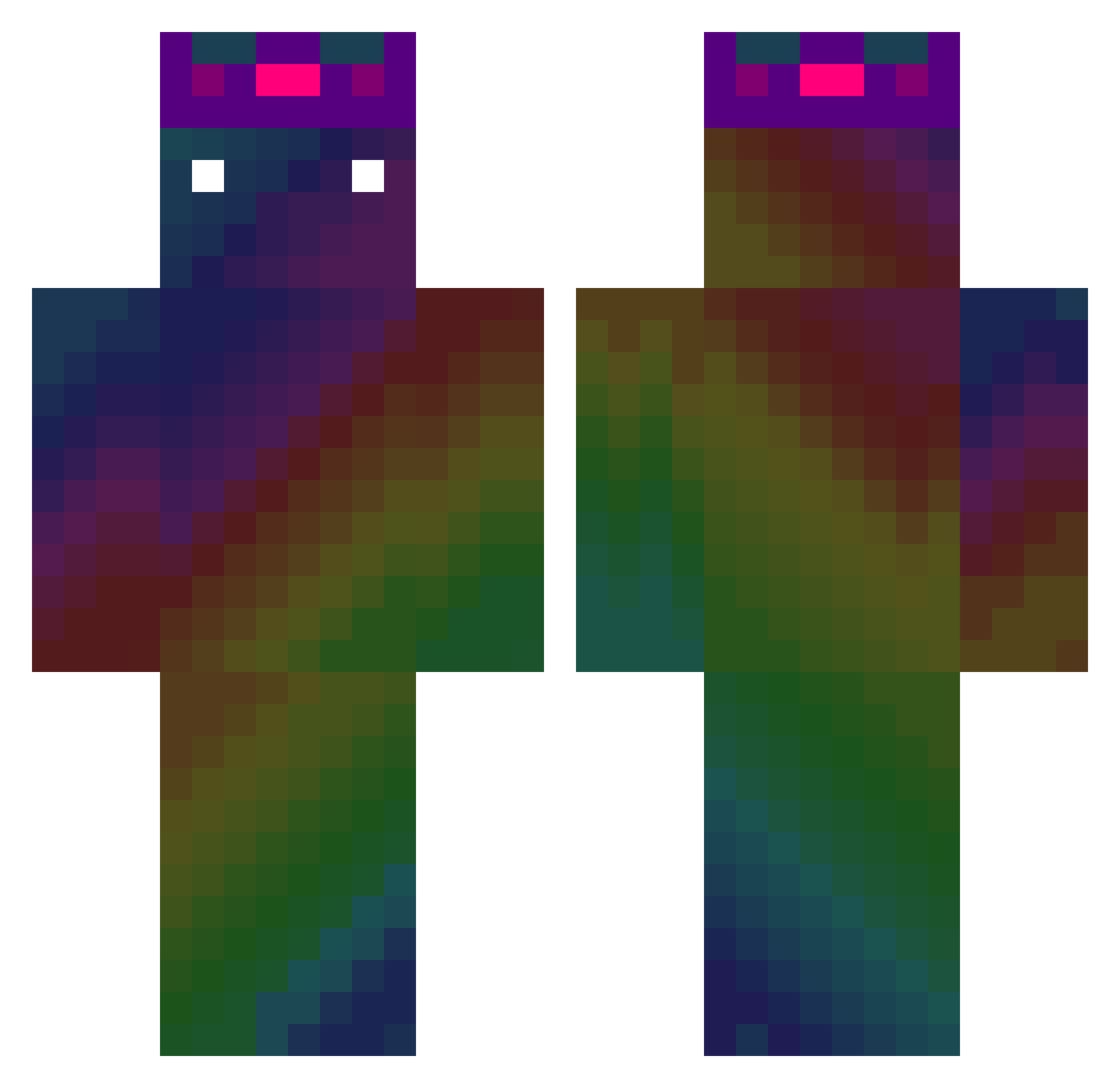
Current Minecraft skin of the player Murtilo, loaded from the official Mojang API. Rotate the 3D model with your mouse or finger, then download the skin as a PNG file and use it in Minecraft: Bedrock Edition or Java Edition for free. When Murtilo changes their skin, this page updates automatically and the old skin stays in the history below.
Other players with this skin (405)
Murtilo was the 197th player we have seen with this skin, first spotted on 06.09.2026. The same skin was seen on these players. Open a nickname to see their current skin and skin history.
 Devin971007 anan0525 Xyst_Rin WoodenSaturn437 Koala0726 Trivius77 owiecz haogege2333 kmturtlesgames Gryffindorseer Carmody KaerMorhen YYUHFUTU SammyLeQc Rickypopa17 Dao_Kun Ptachol wo_cao6969 Mafado Disco12 KIMSALI Raposo616 estebanxx1 Baumi_02 KiwiPedia30 monkey788 kakoito_chel228 szymikx Ineedsuger
 FDHXH mikolaj123 Jottaaa woosuk1125 junny0621 extremetjaw dbsxorud06 SavaGooDen dragonGAMER22 zAngelo224 lIIIIIllllllllI won2s donnyee EGTITOU some1028 aiaiuiui Rollt0n Chrstian8332 ImMeNotYou1 Ittera smellysmelter LeoPr2011 TEULPWA DarthRedstone ethanfootball Lordgamer3844 cardi04 Der_Golli asapdans xfilipel BlackAce505
How to install the Murtilo skin
- Press the Download button above to save the skin as a PNG file.
- Minecraft: Bedrock Edition (PE): open the Dressing Room from the main menu (or tap your character → Edit Character), go to Classic Skins → Owned, press the + (new skin) button, choose the downloaded PNG and pick the Classic (Steve) model. Works on PC and mobile; consoles cannot import custom skins.
- Minecraft: Java Edition: open the Minecraft Launcher, go to the Skins tab, click New Skin, load the PNG, pick the Classic (Steve) model and press Save & Use. You can also upload it at minecraft.net → Profile → Change Skin.
The skin does not show up after import - what should I do?
Restart Minecraft and open the Dressing Room again - imported skins sometimes appear only after a restart. Also make sure you selected the imported skin and picked the Classic (Steve) model.
Which model should I choose, Classic or Slim?
This skin is designed for the Classic (Steve) model. If you pick the wrong model, the arms of the skin will look stretched or squeezed.
Is the skin of Murtilo free to download?
Yes. Press Download, save the PNG file and use it in Minecraft: Bedrock Edition or Java Edition - no payment or registration needed. The skin also works on multiplayer servers and Realms.
More skins
Looking for more? Go back to all Minecraft skins and check the top skins of the week, month and all time, or find any player's skin by nickname.