
MuaiadS06T - Minecraft Skins & Skin History
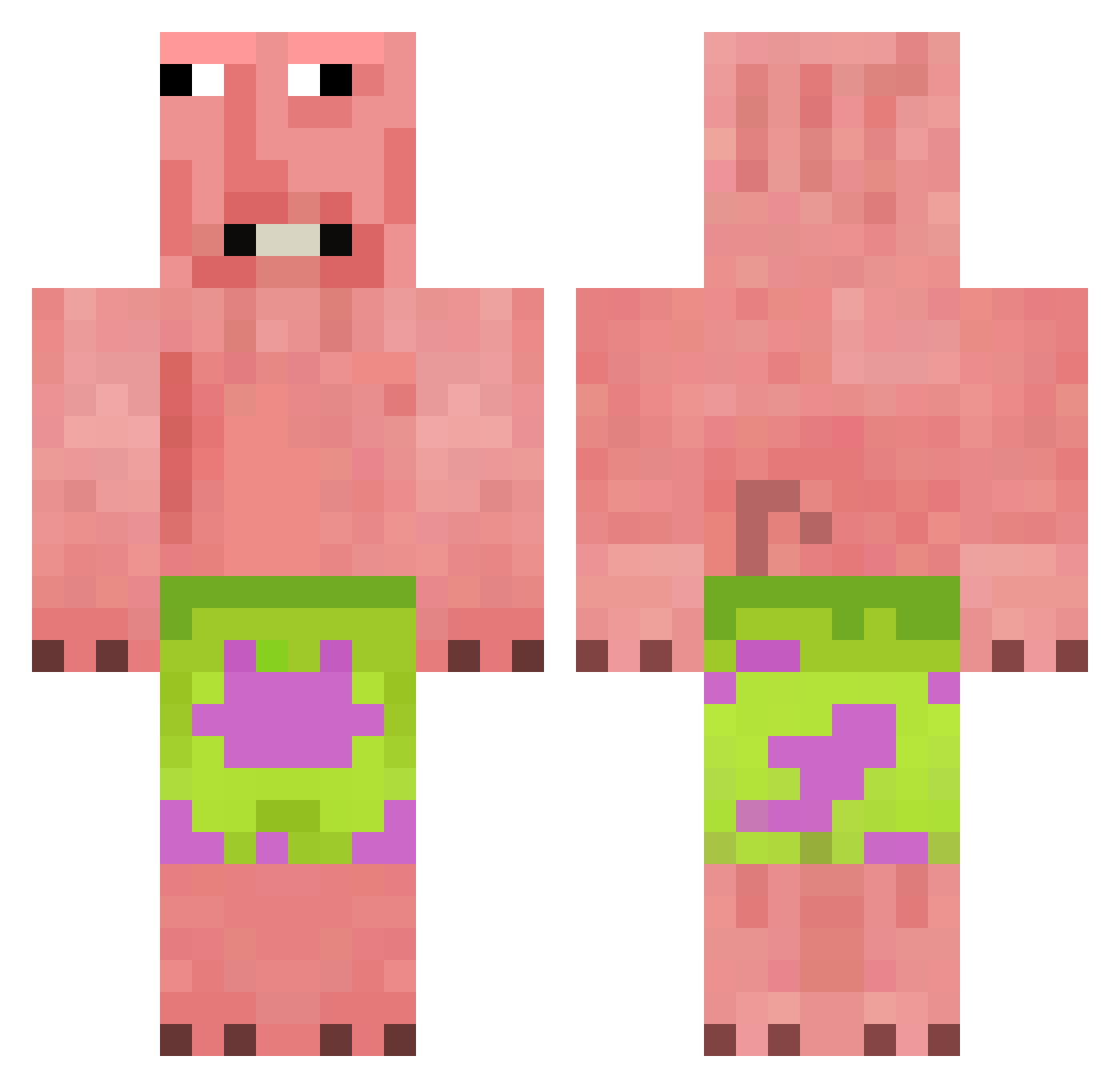
Current Minecraft skin of the player MuaiadS06T, loaded from the official Mojang API. Rotate the 3D model with your mouse or finger, then download the skin as a PNG file and use it in Minecraft: Bedrock Edition or Java Edition for free. When MuaiadS06T changes their skin, this page updates automatically and the old skin stays in the history below.
Other players with this skin (449)
MuaiadS06T was the 380th player we have seen with this skin, first spotted on 01.11.2026. The same skin was seen on these players. Open a nickname to see their current skin and skin history.
 jaeworing18 Dashcap118 mIkrofal0wka Christ_Pratt Mishary93 spooky_222 Wolverine628 hyunji_0 Carlos_dams TULGARARMY ONU0129 zhugul DIE_kekse gamja852 SteezDr0p SleepyRob1075 Antastosigma BOBonjuice Olaf546 OH_BS cobreitilo Alexthemancraft ICPL11 Magsnus04 AngelDaGr8 ScarletDespairs Wind647 DREAMYtiffy LuckyMinecraft10 zuawni PPlanka123 tenz67 GAR_PRETTYBOY RTXFIX CrispyCreamDonut HadriS juiciestpeach ElecTiCaLz danhan1111 Appollyo Yume_Kase correbandas chuchuromas tgooner ilker202020 MurkyJupiter722 AlaricOffi Simoneeh jcochandorena Erefini MyLittleNoxy Yuilemjuvichka CyborgJelly Joskenzas_ tyler669 MANTRYDA LittleJim123879 ddfn Schmeatizzla kenesin2013
More Patrick Star Minecraft skins
See all 712 Patrick Star skins
How to install the MuaiadS06T skin
- Press the Download button above to save the skin as a PNG file.
- Minecraft: Bedrock Edition (PE): open the Dressing Room from the main menu (or tap your character → Edit Character), go to Classic Skins → Owned, press the + (new skin) button, choose the downloaded PNG and pick the Classic (Steve) model. Works on PC and mobile; consoles cannot import custom skins.
- Minecraft: Java Edition: open the Minecraft Launcher, go to the Skins tab, click New Skin, load the PNG, pick the Classic (Steve) model and press Save & Use. You can also upload it at minecraft.net → Profile → Change Skin.
The skin does not show up after import - what should I do?
Restart Minecraft and open the Dressing Room again - imported skins sometimes appear only after a restart. Also make sure you selected the imported skin and picked the Classic (Steve) model.
Which model should I choose, Classic or Slim?
This skin is designed for the Classic (Steve) model. If you pick the wrong model, the arms of the skin will look stretched or squeezed.
Is the skin of MuaiadS06T free to download?
Yes. Press Download, save the PNG file and use it in Minecraft: Bedrock Edition or Java Edition - no payment or registration needed. The skin also works on multiplayer servers and Realms.
More skins
Looking for more? Go back to all Minecraft skins and check the top skins of the week, month and all time, or find any player's skin by nickname.