
Mr_ROBSONN - Minecraft Skins & Skin History
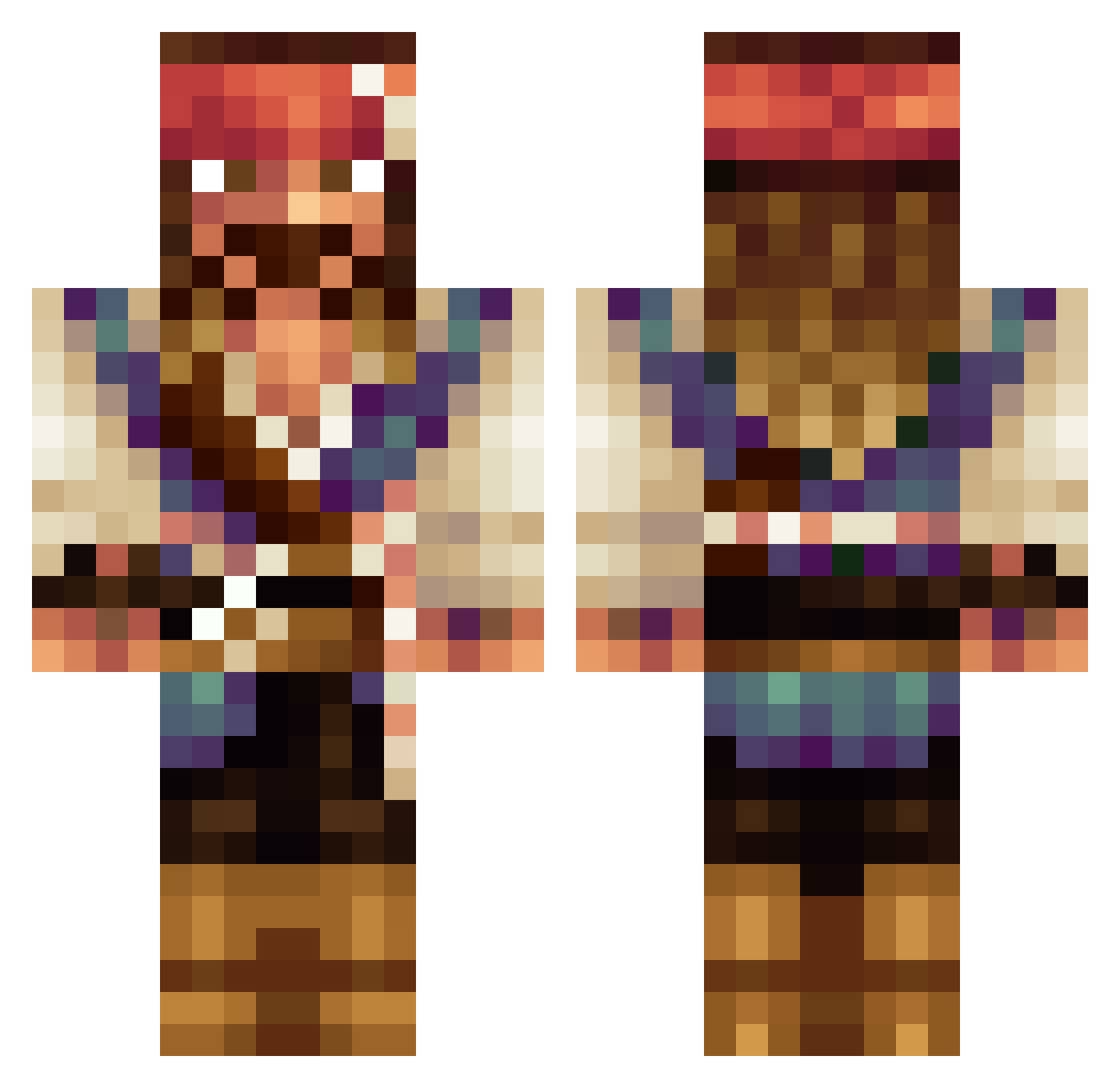
Current Minecraft skin of the player Mr_ROBSONN, loaded from the official Mojang API. Rotate the 3D model with your mouse or finger, then download the skin as a PNG file and use it in Minecraft: Bedrock Edition or Java Edition for free. When Mr_ROBSONN changes their skin, this page updates automatically and the old skin stays in the history below.
Other players with this skin (534)
Mr_ROBSONN was the 335th player we have seen with this skin, first spotted on 02.10.2026. The same skin was seen on these players. Open a nickname to see their current skin and skin history.
 katieee514 Dlut0 jautana ratbasher5000 Livi_Lucas04 rifoxino skulloffline Kureyon35 Aeileus RobPac1995 mountinlodge alemessi333 1emson Hattmakaren24 Handlerbytes Horseman525 Fr4nCy88 joantoni77 semihuyar StepJeremy Shinkz_ Berzerk_TD4W DAN5535 jonihiiri 911re Bjorn6620 fidbek410 albo_orto Keyz_Draw WittedHen378772 BatuhanUygun BrPirateee PixeLManTR solimano123 lemoncu honza99x kagimeruu Skalp2 CaptJackSparrow9 LachyA7X Kadaverschreck LargeAlfie UpToSomeGood rjc4life Tumm8ibear StanGoDon JakubJeBoh CJN_88 Extinto15 Eindridez Look_Ass HankHannes Kadoow KeYnoX95 TchomBa_12 RNEA1L mortimoer glizzy_sophie MundaneWaves otd135
More Jack Sparrow Minecraft skins
See all 108 Jack Sparrow skins
How to install the Mr_ROBSONN skin
- Press the Download button above to save the skin as a PNG file.
- Minecraft: Bedrock Edition (PE): open the Dressing Room from the main menu (or tap your character → Edit Character), go to Classic Skins → Owned, press the + (new skin) button, choose the downloaded PNG and pick the Classic (Steve) model. Works on PC and mobile; consoles cannot import custom skins.
- Minecraft: Java Edition: open the Minecraft Launcher, go to the Skins tab, click New Skin, load the PNG, pick the Classic (Steve) model and press Save & Use. You can also upload it at minecraft.net → Profile → Change Skin.
The skin does not show up after import - what should I do?
Restart Minecraft and open the Dressing Room again - imported skins sometimes appear only after a restart. Also make sure you selected the imported skin and picked the Classic (Steve) model.
Which model should I choose, Classic or Slim?
This skin is designed for the Classic (Steve) model. If you pick the wrong model, the arms of the skin will look stretched or squeezed.
Is the skin of Mr_ROBSONN free to download?
Yes. Press Download, save the PNG file and use it in Minecraft: Bedrock Edition or Java Edition - no payment or registration needed. The skin also works on multiplayer servers and Realms.
More skins
Looking for more? Go back to all Minecraft skins and check the top skins of the week, month and all time, or find any player's skin by nickname.