
MrWaxton - Minecraft Skins & Skin History
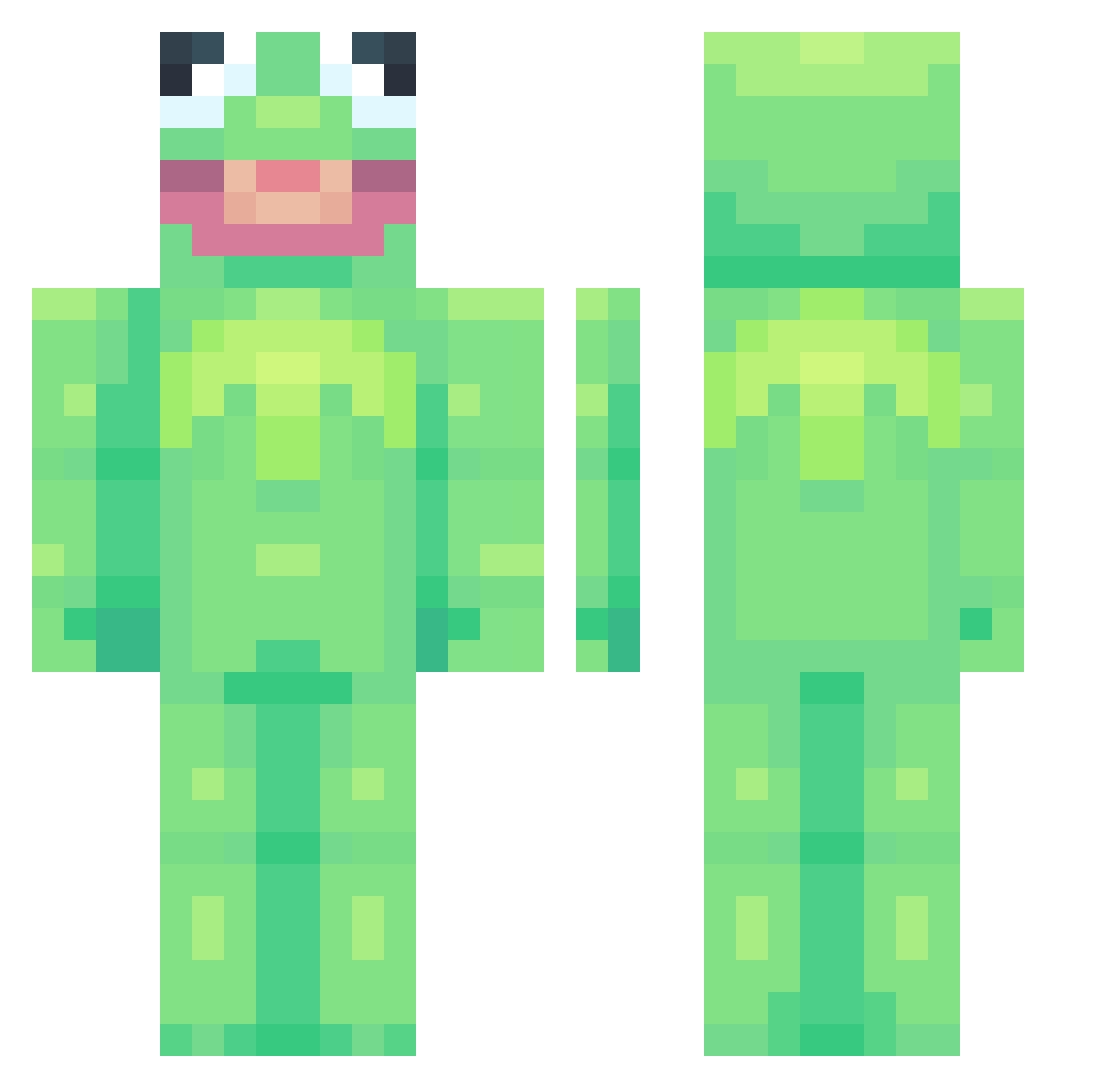
Current Minecraft skin of the player MrWaxton, loaded from the official Mojang API. Rotate the 3D model with your mouse or finger, then download the skin as a PNG file and use it in Minecraft: Bedrock Edition or Java Edition for free. When MrWaxton changes their skin, this page updates automatically and the old skin stays in the history below.
Other players with this skin (697)
MrWaxton was the 640th player we have seen with this skin, first spotted on 19.10.2026. The same skin was seen on these players. Open a nickname to see their current skin and skin history.
 ASDF_DAN Idlehackss I_Protex TurnRoundM8 _IamSam_ PlatFrogg WhyManDoThis spidskaal MaximSpeed28 ThiccKing Seeeenya HogWater Apolinee Tkibble1 schmoscar15 Magmar1942 M0wii Editedprofile1 MadzBadz4153 maximumenigma squongo ilpiccolodella ImmaFishKid Crooked_Buddha sienna1201 Chubbypanda467 Emily06 cwosont Bolo_Boy Dellz_ Naferix copt1 BeefSt1ck milkat_sprout Megabadonkadonks MikeySx Mavili38 AUTO_IN_PUT mathurin7 Phydeaux1 XItsMadnessX FornixPheonix Madlad____ iJuliana_ Wanted24_24 bouncylol RagnorakDevil XD_PingPong CrawDaddy1444 BigTurkeyKiller CharizardFlames Queen4000 Chunky_Neckbeard melizzo KarpTsuki ROO55 jzf0 DusksEcho Rileyd742 lamaboy08
More Kermit The Frog Minecraft skins
See all 394 Kermit The Frog skins
How to install the MrWaxton skin
- Press the Download button above to save the skin as a PNG file.
- Minecraft: Bedrock Edition (PE): open the Dressing Room from the main menu (or tap your character → Edit Character), go to Classic Skins → Owned, press the + (new skin) button, choose the downloaded PNG and pick the Classic (Steve) model. Works on PC and mobile; consoles cannot import custom skins.
- Minecraft: Java Edition: open the Minecraft Launcher, go to the Skins tab, click New Skin, load the PNG, pick the Classic (Steve) model and press Save & Use. You can also upload it at minecraft.net → Profile → Change Skin.
The skin does not show up after import - what should I do?
Restart Minecraft and open the Dressing Room again - imported skins sometimes appear only after a restart. Also make sure you selected the imported skin and picked the Classic (Steve) model.
Which model should I choose, Classic or Slim?
This skin is designed for the Classic (Steve) model. If you pick the wrong model, the arms of the skin will look stretched or squeezed.
Is the skin of MrWaxton free to download?
Yes. Press Download, save the PNG file and use it in Minecraft: Bedrock Edition or Java Edition - no payment or registration needed. The skin also works on multiplayer servers and Realms.
More skins
Looking for more? Go back to all Minecraft skins and check the top skins of the week, month and all time, or find any player's skin by nickname.