
MrJNash - Minecraft Skins & Skin History
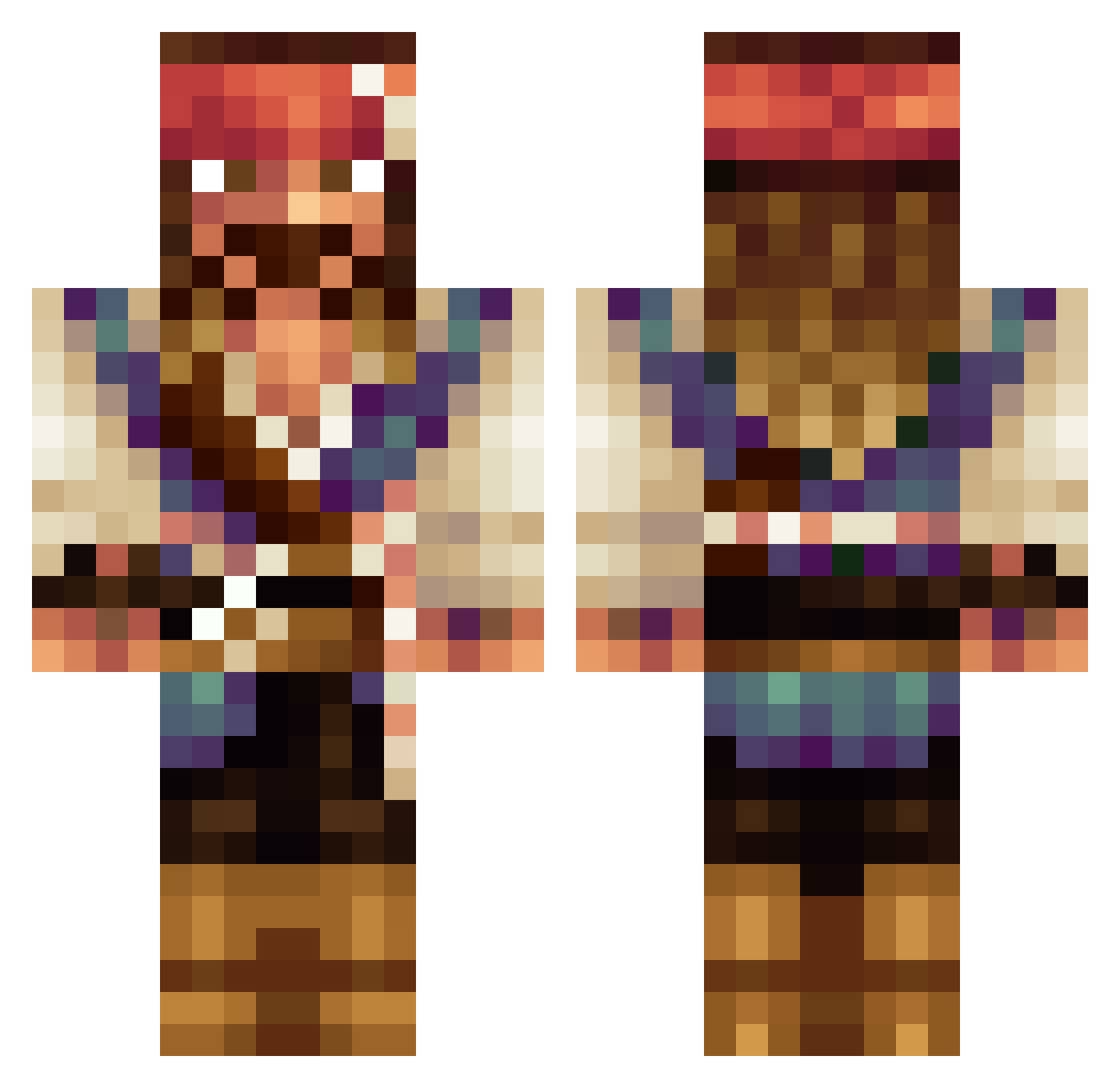
Current Minecraft skin of the player MrJNash, loaded from the official Mojang API. Rotate the 3D model with your mouse or finger, then download the skin as a PNG file and use it in Minecraft: Bedrock Edition or Java Edition for free. When MrJNash changes their skin, this page updates automatically and the old skin stays in the history below.
Other players with this skin (534)
MrJNash was the 447th player we have seen with this skin, first spotted on 18.10.2026. The same skin was seen on these players. Open a nickname to see their current skin and skin history.
 gohster ecoster Jack_Sparrow_C GibusGodBlaziken BillECG MofuccinRat F3RIX parrisg25 Nicole2023 ItzMambaBTW bandidoss InuDragneel Ruzenberg ChillliParker SoyEustache espe3c ptj1 OrlandsGay elephantlover8 runoid Miziel H1llkerzzzzz ilikemeself RNGesus20 phgomes yeezy350Ice Mullermaaan SkinnyP6 slam_dunk4n YC0678 DasJamy hectorramirez33 SignorPirata madgunt leader888 Elpopss juicemane_ HobbelOne trollmanmakara Biglyzoom2220 Pow3rupp Acid_4664 ZGOD2001 toph2116 SPEC_R lenno55555 JDOTDO Holtyy ChrisVBR WLbomber DrRads Seiland_wolf2 Espinho MoDeRn_NuKeToWn 1Bronk1 Idiocracy_ Kulsius henrybollins CaptianNigel CaptianJack55
More Jack Sparrow Minecraft skins
See all 108 Jack Sparrow skins
How to install the MrJNash skin
- Press the Download button above to save the skin as a PNG file.
- Minecraft: Bedrock Edition (PE): open the Dressing Room from the main menu (or tap your character → Edit Character), go to Classic Skins → Owned, press the + (new skin) button, choose the downloaded PNG and pick the Classic (Steve) model. Works on PC and mobile; consoles cannot import custom skins.
- Minecraft: Java Edition: open the Minecraft Launcher, go to the Skins tab, click New Skin, load the PNG, pick the Classic (Steve) model and press Save & Use. You can also upload it at minecraft.net → Profile → Change Skin.
The skin does not show up after import - what should I do?
Restart Minecraft and open the Dressing Room again - imported skins sometimes appear only after a restart. Also make sure you selected the imported skin and picked the Classic (Steve) model.
Which model should I choose, Classic or Slim?
This skin is designed for the Classic (Steve) model. If you pick the wrong model, the arms of the skin will look stretched or squeezed.
Is the skin of MrJNash free to download?
Yes. Press Download, save the PNG file and use it in Minecraft: Bedrock Edition or Java Edition - no payment or registration needed. The skin also works on multiplayer servers and Realms.
More skins
Looking for more? Go back to all Minecraft skins and check the top skins of the week, month and all time, or find any player's skin by nickname.