
MrConVolto - Minecraft Skins & Skin History
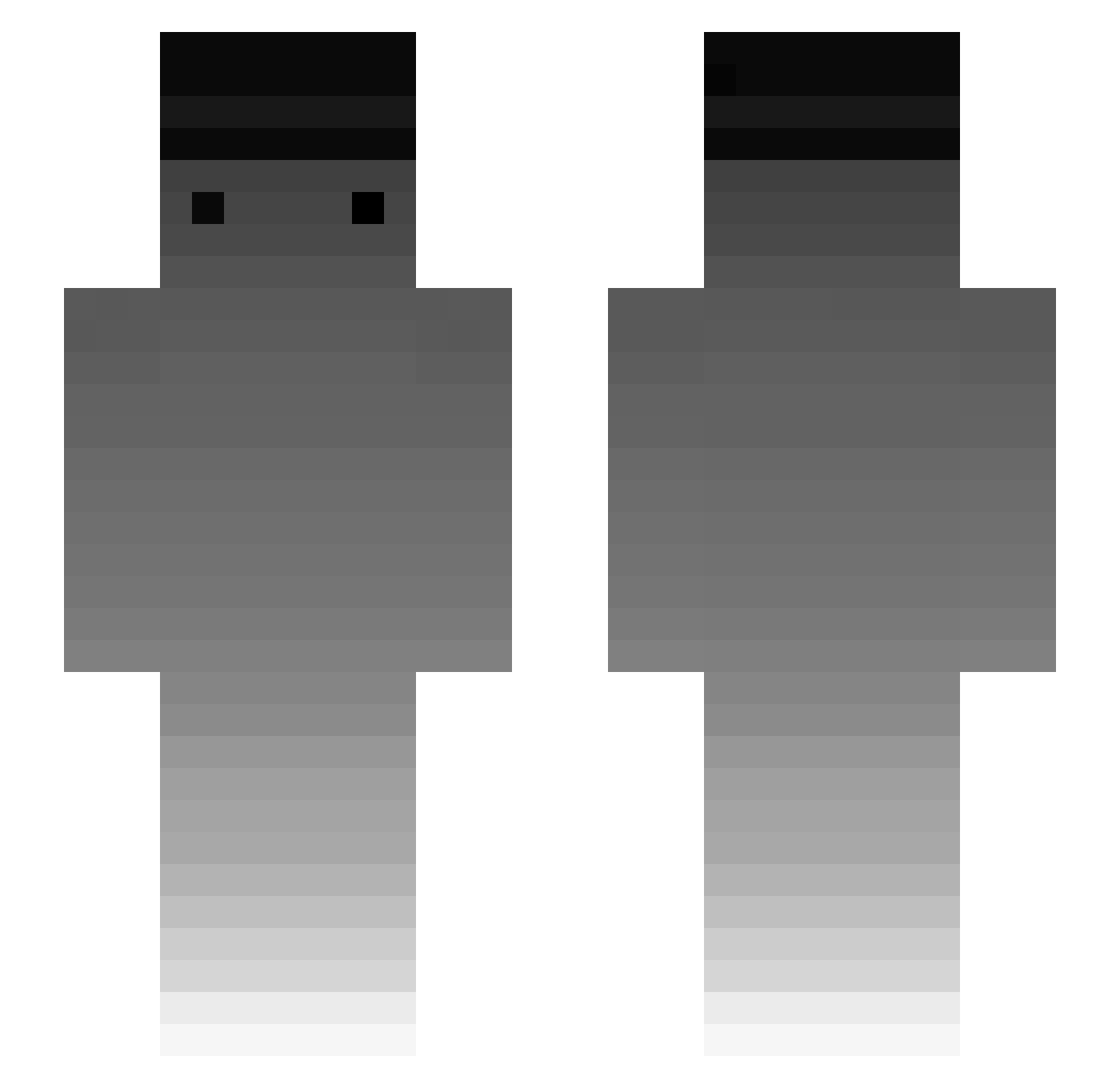
Current Minecraft skin of the player MrConVolto, loaded from the official Mojang API. Rotate the 3D model with your mouse or finger, then download the skin as a PNG file and use it in Minecraft: Bedrock Edition or Java Edition for free. When MrConVolto changes their skin, this page updates automatically and the old skin stays in the history below.
Other players with this skin (242)
MrConVolto was the 172nd player we have seen with this skin, first spotted on 06.10.2026. The same skin was seen on these players. Open a nickname to see their current skin and skin history.
 einfachsteve EpicDas Sachatlc JoseRa9412 LootSofia Bjornklas Youareface Yosep312 Minnielover Kason263 FETUSS3AYER TheEason_ TechHarambe heysoap p_jinwoo OURS_CRAFT_ Autis3 jiajia04 caron114 Jabb011 StealthSharkHD arunzitall Gxmanza DenThomas_1605 Cellolin1019 Edudokram CaptainOtto1 nesinesi hulanic augsoe WasHeisstKnock Gezzeq L4ke09 Tasca__ Evil_life antoniootaku sillyarcher Br0cc0li TheLastRoon ThibaultXIII LqcalFanboy denul_ KDA_Gravity XxXPONCHIKXxX LRS_siah JigglyJello_ YEEEboys HOLMES1761 himdevil Pan_Cygan Bopraz TehSkear marzeq Alphas77 equialium 0CoZyBoy0 thespace289 AKAMINN22 Snowha1e DDug_Bae
How to install the MrConVolto skin
- Press the Download button above to save the skin as a PNG file.
- Minecraft: Bedrock Edition (PE): open the Dressing Room from the main menu (or tap your character → Edit Character), go to Classic Skins → Owned, press the + (new skin) button, choose the downloaded PNG and pick the Slim (Alex) model. Works on PC and mobile; consoles cannot import custom skins.
- Minecraft: Java Edition: open the Minecraft Launcher, go to the Skins tab, click New Skin, load the PNG, pick the Slim (Alex) model and press Save & Use. You can also upload it at minecraft.net → Profile → Change Skin.
The skin does not show up after import - what should I do?
Restart Minecraft and open the Dressing Room again - imported skins sometimes appear only after a restart. Also make sure you selected the imported skin and picked the Slim (Alex) model.
Which model should I choose, Classic or Slim?
This skin is designed for the Slim (Alex) model. If you pick the wrong model, the arms of the skin will look stretched or squeezed.
Is the skin of MrConVolto free to download?
Yes. Press Download, save the PNG file and use it in Minecraft: Bedrock Edition or Java Edition - no payment or registration needed. The skin also works on multiplayer servers and Realms.
More skins
Looking for more? Go back to all Minecraft skins and check the top skins of the week, month and all time, or find any player's skin by nickname.