
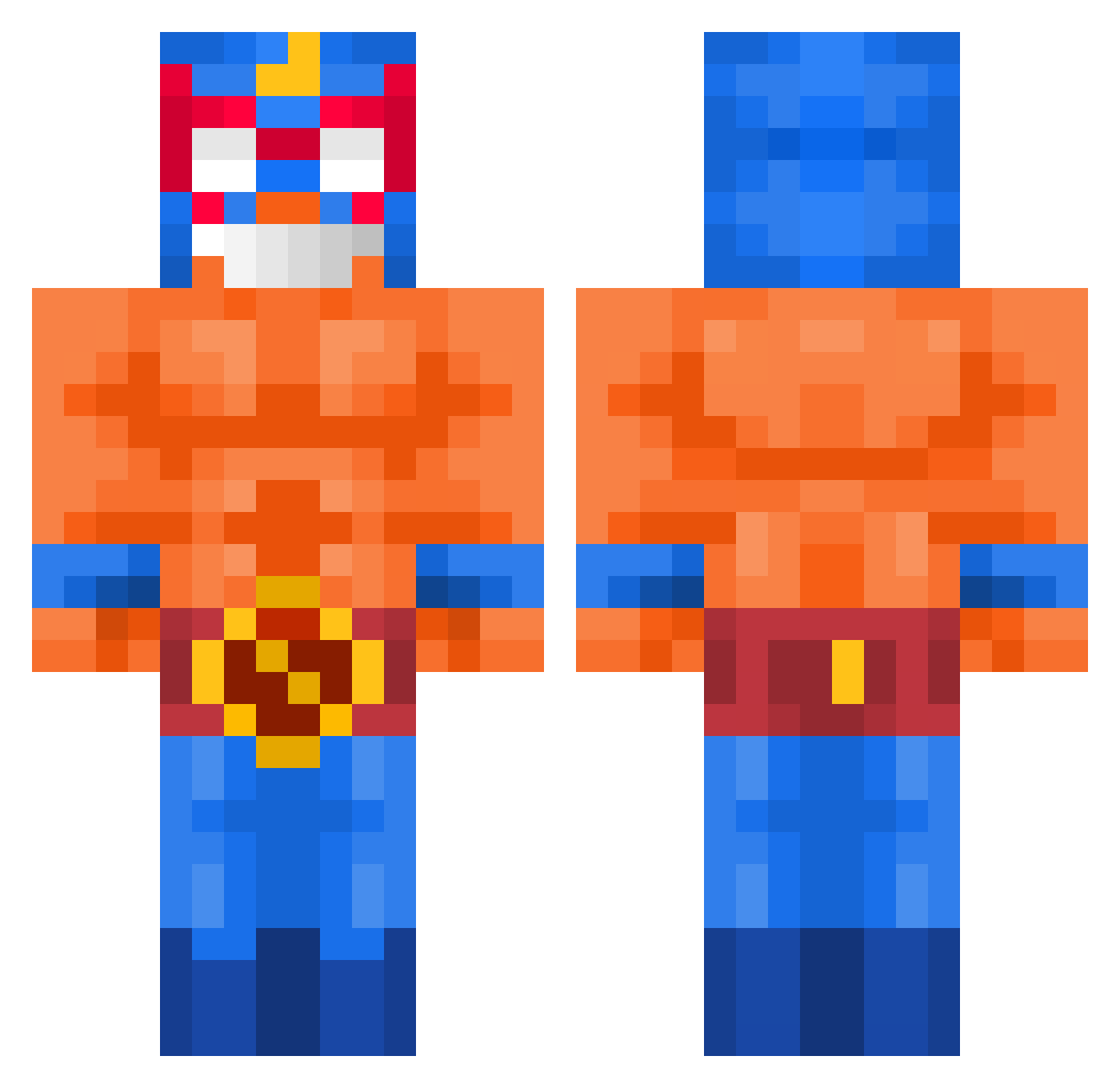
Current Minecraft skin of the player MrBlupichy, loaded from the official Mojang API. Rotate the 3D model with your mouse or finger, then download the skin as a PNG file and use it in Minecraft: Bedrock Edition or Java Edition for free. When MrBlupichy changes their skin, this page updates automatically and the old skin stays in the history below.
Other players with this skin (426)
MrBlupichy was the 386th player we have seen with this skin, first spotted on 07.10.2026. The same skin was seen on these players. Open a nickname to see their current skin and skin history.
 Mumuzin1V4 Tomasme zSh1n ElArrow VanGamer116o __Goty__ Danielrtx41 Alex162916 3nPa Shhdhdjdj _cvdd JohnUm _duckity_ Felochee I_Toastbrot_17 SKYFrost7 Kaizo_man its_edgarr10 LEVITICUS_1 123japa kesse99 Knightblade1116 derrealfettsack oliwier8830 zRiick AlienPandas7029 EmanJordan fglnbjop Amproha Janek20g roberthop r_u_k_o 416_PaPaSmUrF woo13300 El_primo_mamu Tiger9765 JuGGenZ Slowzyy_ MassivDanny005 Chimstix BossPotato_GHG MRG_Jonas gekookteitje04 NumberFeline644 yeong090909 OuterScorpion918 lezoz30 Bans1605 marcel94370 daiogopt yssxn_ RIVERADXDX ogurekkoo pandementa ishigur Hakrui VBMIHER PaccyWak shinseum12 elpapixd
More El Primo Minecraft skins
How to install the MrBlupichy skin
- Press the Download button above to save the skin as a PNG file.
- Minecraft: Bedrock Edition (PE): open the Dressing Room from the main menu (or tap your character → Edit Character), go to Classic Skins → Owned, press the + (new skin) button, choose the downloaded PNG and pick the Classic (Steve) model. Works on PC and mobile; consoles cannot import custom skins.
- Minecraft: Java Edition: open the Minecraft Launcher, go to the Skins tab, click New Skin, load the PNG, pick the Classic (Steve) model and press Save & Use. You can also upload it at minecraft.net → Profile → Change Skin.
The skin does not show up after import - what should I do?
Restart Minecraft and open the Dressing Room again - imported skins sometimes appear only after a restart. Also make sure you selected the imported skin and picked the Classic (Steve) model.
Which model should I choose, Classic or Slim?
This skin is designed for the Classic (Steve) model. If you pick the wrong model, the arms of the skin will look stretched or squeezed.
Is the skin of MrBlupichy free to download?
Yes. Press Download, save the PNG file and use it in Minecraft: Bedrock Edition or Java Edition - no payment or registration needed. The skin also works on multiplayer servers and Realms.
More skins
Looking for more? Go back to all Minecraft skins and check the top skins of the week, month and all time, or find any player's skin by nickname.