
MonkeWithDRIP - Minecraft Skins & Skin History
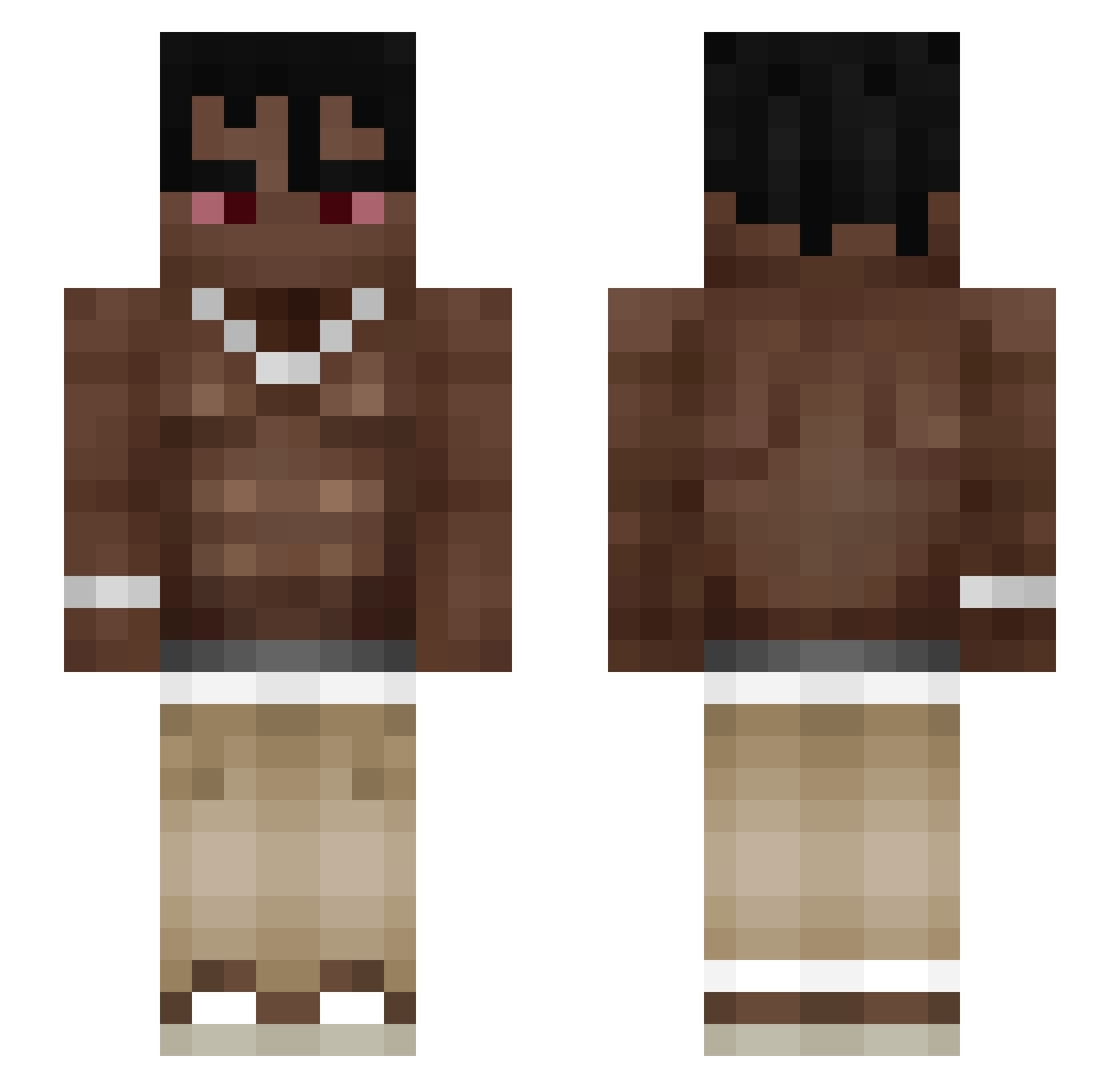
Current Minecraft skin of the player MonkeWithDRIP, loaded from the official Mojang API. Rotate the 3D model with your mouse or finger, then download the skin as a PNG file and use it in Minecraft: Bedrock Edition or Java Edition for free. When MonkeWithDRIP changes their skin, this page updates automatically and the old skin stays in the history below.
Other players with this skin (176)
MonkeWithDRIP was the 128th player we have seen with this skin, first spotted on 25.10.2026. The same skin was seen on these players. Open a nickname to see their current skin and skin history.
 LiLScootY Nikoae 1Shy_Guy QasweTy ryzen_fn Tan0man XRonyXPL1 egoktugkoc KattyTR MonkX7 04WJ GGABRYELL baba_pro22 Xzaso Pepin21 ZyroOnYt Player441 Enranged k2l4 Monkeyeeeeet Piotrek6969 Melo_one1 Snowdude0814 epileF0402 synpaaa silvaaa__ MestreHerrera soydeariigamez18 Denisovici04 Eekul_ DB2K7 powsitoxpipebff WinkyTinky44 Midnight_PSB Wisniaaap davidutz199 thewalkkingzed Minedifference Rosin1214 Jasiu32c Drzewkooo2940 Frankie9494 Zastab _SinanBabaNG_ DaDa1206 Volkeen LisinHasWere HighestlnTheRoom kitizz slumpedlopes Ronalsoto staruszek1979 quireczek Ogbad_MC Kupie_dziewixtwo Extn itsGordella Gnacyk Makso2008elo nnggsex
More Shirtless Minecraft skins
How to install the MonkeWithDRIP skin
- Press the Download button above to save the skin as a PNG file.
- Minecraft: Bedrock Edition (PE): open the Dressing Room from the main menu (or tap your character → Edit Character), go to Classic Skins → Owned, press the + (new skin) button, choose the downloaded PNG and pick the Slim (Alex) model. Works on PC and mobile; consoles cannot import custom skins.
- Minecraft: Java Edition: open the Minecraft Launcher, go to the Skins tab, click New Skin, load the PNG, pick the Slim (Alex) model and press Save & Use. You can also upload it at minecraft.net → Profile → Change Skin.
The skin does not show up after import - what should I do?
Restart Minecraft and open the Dressing Room again - imported skins sometimes appear only after a restart. Also make sure you selected the imported skin and picked the Slim (Alex) model.
Which model should I choose, Classic or Slim?
This skin is designed for the Slim (Alex) model. If you pick the wrong model, the arms of the skin will look stretched or squeezed.
Is the skin of MonkeWithDRIP free to download?
Yes. Press Download, save the PNG file and use it in Minecraft: Bedrock Edition or Java Edition - no payment or registration needed. The skin also works on multiplayer servers and Realms.
More skins
Looking for more? Go back to all Minecraft skins and check the top skins of the week, month and all time, or find any player's skin by nickname.